 Live Chat
 Contact
 Shopping Cart
 Irfan Bhat
Speed up your site in 2026 because slow site performance is no longer just an inconvenience but also a significant factor in whether someone converts. Research has shown that if a user waits more than 3 seconds for a page to load, they will leave the page. In addition, search engines have begun penalizing slow-loading sites by lowering their rankings.
The good news is speed optimization has never been easier! With AI web development tools and intelligent infrastructure solutions now available, you can quickly create high-speed sites without needing deep technical knowledge.
If your goal is to create a website using AI tools, speed needs to be part of your strategy from the outset (not as an afterthought).
Why AI Website Development is Dominating in 2026
There has been a significant change in the landscape of web development. A couple of years ago, tasks such as building a responsive design or performing a performance audit required an entire team of developers, whereas today, AI-powered website development platforms can do all of this (and so much more) with ease.
With the introduction of no-code and low-code AI website builders, website creation has now become a democratized process, enabling non-technical people to build high-quality, professional-looking websites in a matter of hours instead of weeks, and enabling experienced developers to leverage AI to expedite their workflow, automate repetitive tasks, and improve the overall quality of their sites at a much larger scale.
The trend will only continue, and as artificial intelligence advances, the gap between what beginners and professionals can build is closing quickly.
Guide to Create a Website with Artificial Intelligence
Step 1: Specify Your Goals for the Website
Before using any technology, you must establish what your website is intended to do. Is the purpose of your site to function as a portfolio or an online store?
You want to be clear about your goals because they will tell you what features are important, how to structure your content, and which AI website builder will help you achieve your goal.
If you don’t complete this step before starting work on your site, you will probably redesign it numerous times and take longer to finish.
Step 2: Select Your Platform
Choosing the right platform is one of the most important things you will do when developing your website. Look for AI designers who offer AI-generated layouts, built-in SEO, fast hosting, and mobile-friendly options.
In 2026, the best AI website builders will have performance dashboards, automated image compression, and content suggestions. These features all have direct effects on how fast your website loads and how visible your site is in search engines.
Step 3: Use AI to Produce a Design/Layout
Today’s best AI website design software can create an entire page based only on a few words you supply to describe your business and its purpose.
AI will produce a design/layout page based on your questions and using the best user experience (UX) methods from the creators of those software programs.
After AI produces your design/layout, you can customize colours, fonts, and areas of your site to your specific brand, thereby eliminating design bottlenecks from the very beginning of your project.
Step 4: Improving Content & AI Tools
The quality and structure of your content will play a major role in how engaged users are and how well you rank in search engines. Many AI writing tools will provide assistance by composing clear headlines, meta descriptions, and body content that match up with user search intent, among other types of content.
In addition, AI Tools being developed for web development can assist web developers in finding opportunities for internal links, identifying readability problems, suggesting where to place keywords, and more – all in real time.
Step 5: Publishing and Monitoring Performance
Once your website has been launched, monitoring your website’s performance will become an ongoing task. Analytics tools that use AI will track core web vitals, page load times, and user interactions with your website.
You should set up automated notifications when your site’s performance falls below a certain level, and use AI-generated recommendations to continue improving your website’s speed, accessibility, and conversion rate.
Best AI Website Builders in 2026
Among the many options available these days, several companies stand out as leaders in this new technology (AI) that is used to assist in web design and development. Each has its own unique methodology to do this:
Wix AI’s most recent AI-enabled web builder, ADI (Artificial Design Intelligence), lets you create a full site from user input. ADI will also update its designs based on user behavior.
Framer AI is a preferred platform for designers who want to generate an AI-based layout while retaining granularity and control over it. The final code it generates is clean, efficient, and loads quickly; therefore, it has very little extra code.
Hostinger’s AI Website Builder is an AI-powered website builder and web hosting provider that offers very affordable plans and reliable resources to support every aspect of a small business.
Durable is targeted at service-based companies and, in under 1 minute, can generate an entire website, including all copy and images.
10Web works only with WordPress and provides all services necessary for both the recreation and optimization of an existing WordPress-based website, as well as the ability to optimize for PageSpeed through a virtual page speed optimizer already in place.
When evaluating these different sites, consider your specific needs, limitations, and comfort level with technology. Don’t base your decision solely on the site’s popularity. Make your decision based on what are your specific needs and budget.
Benefits of Using AI for Website Development
- Speed – AI builders cut weeks off the timeline from initial concept to launching a finished product, often resulting in only hours of work.
- Cost Effectiveness – By removing the need for extensive Dev Teams, the initial and ongoing costs are significantly reduced.
- Pre-Format of Built-In Optimisation – Most AI platforms automatically compress images, minify code, and apply caching rules when building sites – this is one of the key factors in determining a site’s performance.
- SEO-Ready Structures – AI tools will produce clean HTML code structures and custom meta frameworks that meet SEO criteria.
- Meet Accessibility Standards – Leading AI builders will automatically mark and resolve any accessibility issues that may exist within a site, making it easier for you to meet the WCAG guidelines without having to do manual audits.
- Scalability – When you use an AI-managed infrastructure, it can automatically adjust whenever there is an increase or decrease in site traffic, resulting in your site always maintaining optimal bin performance even when under heavy load.
Common Mistakes Beginners Should Avoid
Neglecting mobile experience. If a website performs well on desktop, it will not rank well on mobile if it does not behave well or load quickly on mobile devices. Always verify your page before launching it on every device.
Overloading a page with too many plugins. Even with an A.I.-built website, you will slow down the loading time of your page when you add additional third-party scripts through plugins. By adding third-party plugins to your site, you increase HTTP requests and reduce the likelihood of the browser rendering engine quickly displaying your page content due to render-blocking code in the plugin.
Failing to optimize images for web usage. Large, uncompressed images are among the most common causes of slow page load times on websites. Image optimization in next-gen image formats, such as W.E.B.P., should be automatic through A.I. image optimization tools.
Poor website hosting. Even the best-designed websites will perform poorly if they are hosted on a low-quality hosting provider. Choose a hosting provider that uses solid-state drives, A.C.D.N. (Application Content Delivery Network) integration, and server-side caching technology.
Not using A.C.D.N.s (Application Content Delivery Networks). An A.C.D.N. is a service that stores your website’s assets across multiple server locations globally, so your users can experience reduced latency based on their physical location. By 2026, using a content delivery network for website hosting will be an accepted industry standard.
Failing to clearly define a website’s goals. If you don’t have clearly defined website objectives, your website will be cluttered, slow to load, and will lack overall focus. This negatively affects website performance and conversion rates.
Future of AI in Web Development
The expected direction of AI in the future of web development is total automation of repetitive developer tasks, plus advanced personalisation powered by intelligence.
In the coming months, expect AI to control A/B testing, routine predictive performance alteration, and on-the-fly layout variation based on user interactions. You will see continual, on-demand, or constant adjustment of a site’s content structure, giving different users completely different experiences with zero manual effort.
In the long run, natural language user interfaces will be the primary way for non-programmers to create and manage websites. You will tell the AI what you want, in simple terms; then, the AI will create, test, and launch your site.
The direction for the future of web application development is not simply to replace programmers. It is really about giving everyone (regardless of how technically competent you are) the ability to create fast, smart, and useful digital content.
Related Resources
Want to take your online presence from simply having a fast website to being visible to your target market? Elyspace’s digital marketing services include:
- Elyspace’s AI-driven online Marketing Services – Use artificial intelligence to generate leads to your website, so you can convert those leads into customers.
- Elyspace’s Professional Website Development Services – Develop a professional website based on the goals of your business.
- Elyspace’s Search Engine Optimization Services – Use Data to develop strategies to improve your website’s search engine rankings and increase your website’s organic traffic.
Frequently Asked Questions (FAQs)
Question 1: What does it mean to utilize AI tools when creating a website? AI tools will help you create a website by taking away the need for someone with extensive technical knowledge to build and maintain your website. With AI tools, you will have access to numerous automation features that allow you to auto-generate page layouts, recommend copy for your pages, reduce file sizes, and keep track of your page performance without ever needing to write any code.
10 Ways to Speed Up Your Site (Web Hosting, CDNs, Caching, Images, etc.)
As of 2026, slow site performance is no longer just an inconvenience but also a significant factor in whether someone converts. Research has shown that if a user waits more than 3 seconds for a page to load, they will leave the page. In addition, search engines have begun penalizing slow-loading sites by lowering their rankings.
The good news is speed optimization has never been easier! With AI web development tools and intelligent infrastructure solutions now available, you can quickly create high-speed sites without needing deep technical knowledge.
If your goal is to create a website using AI tools, speed needs to be part of your strategy from the outset (not as an afterthought).
Why AI Website Development is Dominating in 2026
There has been a significant change in the landscape of web development. A couple of years ago, tasks such as building a responsive design or performing a performance audit required an entire team of developers, whereas today, AI-powered website development platforms can do all of this (and so much more) with ease.
With the introduction of no-code and low-code AI website builders, website creation has now become a democratized process, enabling non-technical people to build high-quality, professional-looking websites in a matter of hours instead of weeks, and enabling experienced developers to leverage AI to expedite their workflow, automate repetitive tasks, and improve the overall quality of their sites at a much larger scale.
The trend will only continue, and as artificial intelligence advances, the gap between what beginners and professionals can build is closing quickly.
Guide to Create a Website with Artificial Intelligence
Step 1: Specify Your Goals for the Website
Before using any technology, you must establish what your website is intended to do. Is the purpose of your site to function as a portfolio or an online store?
You want to be clear about your goals because they will tell you what features are important, how to structure your content, and which AI website builder will help you achieve your goal.
If you don’t complete this step before starting work on your site, you will probably redesign it numerous times and take longer to finish.
Step 2: Select Your Platform
Choosing the right platform is one of the most important things you will do when developing your website. Look for AI designers who offer AI-generated layouts, built-in SEO, fast hosting, and mobile-friendly options.
In 2026, the best AI website builders will have performance dashboards, automated image compression, and content suggestions. These features all have direct effects on how fast your website loads and how visible your site is in search engines.
Step 3: Use AI to Produce a Design/Layout
Today’s best AI website design software can create an entire page based only on a few words you supply to describe your business and its purpose.
AI will produce a design/layout page based on your questions and using the best user experience (UX) methods from the creators of those software programs.
After AI produces your design/layout, you can customize colours, fonts, and areas of your site to your brand, thereby eliminating design bottlenecks from the start of your project.
Step 4: Improving Content & AI Tools
The quality and structure of your content will play a major role in user engagement and your search rankings. Many AI writing tools will provide assistance by composing clear headlines, meta descriptions, and body content that match up with user search intent, among other types of content.
In addition, AI Tools being developed for web development can assist web developers in finding opportunities for internal links, identifying readability problems, suggesting where to place keywords, and more – all in real time.
Step 5: Publishing and Monitoring Performance
Once your website has been launched, monitoring your website’s performance will become an ongoing task. Analytics tools that use AI will track core web vitals, page load times, and user interactions with your website.
You should set up automated notifications when your site’s performance falls below a certain level, and use AI-generated recommendations to continue improving your website’s speed, accessibility, and conversion rate.
Best AI Website Builders in 2026
Among the many options available these days, several companies stand out as leaders in this new technology (AI) that is used to assist in web design and development. Each has its own unique methodology to do this:
Wix AI’s most recent AI-enabled web builder, ADI (Artificial Design Intelligence), lets you create a full site from user input. ADI will also update its designs based on user behavior.
Framer AI is a preferred platform for designers who want to generate an AI-based layout while retaining granularity and control over it. The final code it generates is clean, efficient, and loads quickly; therefore, it has very little extra code.
Hostinger’s AI Website Builder is an AI-powered website builder and web hosting provider that offers very affordable plans and reliable resources to support every aspect of a small business.
Durable is targeted at service-based companies and, in under 1 minute, can generate an entire website, including all copy and images.
10Web works only with WordPress and provides all services necessary for both the recreation and optimization of an existing WordPress-based website, as well as the ability to optimize for PageSpeed through a virtual page speed optimizer already in place.
When evaluating these different sites, consider your specific needs, limitations, and comfort level with technology. Don’t base your decision solely on the site’s popularity. Make your decision based on what are your specific needs and budget.
Benefits of Using AI for Website Development
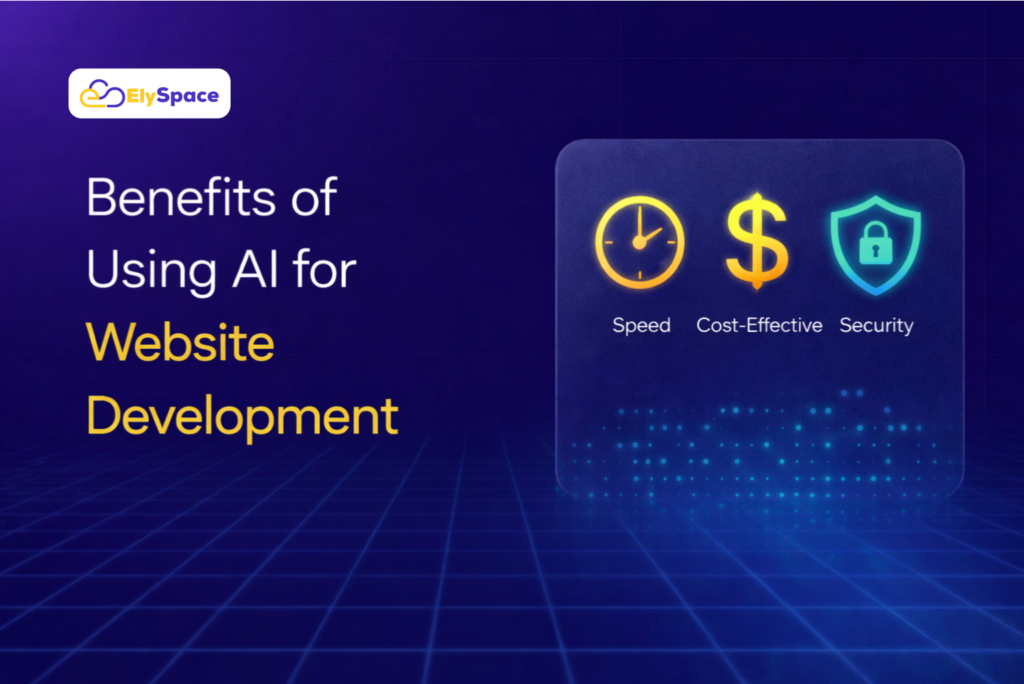
- Speed – AI builders cut weeks off the timeline from initial concept to launching a finished product, often resulting in only hours of work.
- Cost Effectiveness – By removing the need for extensive Dev Teams, the initial and ongoing costs are significantly reduced.
- Pre-Format of Built-In Optimisation – Most AI platforms automatically compress images, minify code, and apply caching rules when building sites – this is one of the key factors in determining a site’s performance.
- SEO-Ready Structures – AI tools will produce clean HTML code structures and custom meta frameworks that meet SEO criteria.
- Meet Accessibility Standards – Leading AI builders will automatically mark and resolve any accessibility issues that may exist within a site, making it easier for you to meet the WCAG guidelines without having to do manual audits.
- Scalability – When you use an AI-managed infrastructure, it can automatically adjust whenever there is an increase or decrease in site traffic, resulting in your site always maintaining optimal bin performance even when under heavy load.
Common Mistakes Beginners Should Avoid
Neglecting mobile experience. If a website performs well on desktop, it will not rank well on mobile if it does not behave well or load quickly on mobile devices. Always verify your page on every device before launching it.
Overloading a page with too many plugins. Even with an A.I.-built website, you will slow down the loading time of your page when you add additional third-party scripts through plugins. By adding third-party plugins to your site, you increase HTTP requests and reduce the likelihood of the browser rendering engine quickly displaying your page content due to render-blocking code in the plugin.
Failing to optimize images for web usage. Large, uncompressed images are among the most common causes of slow page load times on websites. Image optimization in next-gen image formats, such as W.E.B.P., should be automatic through A.I. image optimization tools.
Poor website hosting. Even the best-designed websites will perform poorly if they are hosted on a low-quality hosting provider. Choose a hosting provider that uses solid-state drives, A.C.D.N. (Application Content Delivery Network) integration, and server-side caching technology.
Not using A.C.D.N.s (Application Content Delivery Networks). An A.C.D.N. is a service that stores your website’s assets across multiple server locations globally, so your users can experience reduced latency based on their physical location. By 2026, using a content delivery network for website hosting will be an accepted industry standard.
Failing to clearly define a website’s goals. If you don’t have clearly defined website objectives, your website will be cluttered, slow to load, and will lack overall focus. This negatively affects website performance and conversion rates.
Future of AI in Web Development
The expected direction of AI in the future of web development is total automation of repetitive developer tasks, plus advanced personalisation powered by intelligence.
In the coming months, expect AI to control A/B testing, routine predictive performance alteration, and on-the-fly layout variation based on user interactions. You will see continual, on-demand, or constant adjustment of a site’s content structure, giving different users completely different experiences with zero manual effort.
In the long run, natural language user interfaces will be the primary way for non-programmers to create and manage websites. You will tell the AI what you want, in simple terms; then, the AI will create, test, and launch your site.
The direction for the future of web application development is not simply to replace programmers. It is really about giving everyone (regardless of how technically competent you are) the ability to create fast, smart, and useful digital content.
Related Resources
Want to take your online presence from simply having a fast website to being visible to your target market? Elyspace’s digital marketing services include:
- Elyspace’s AI-driven online Marketing Services – Use artificial intelligence to generate leads to your website, so you can convert those leads into customers.
- Elyspace’s Professional Website Development Services – Develop a professional website based on the goals of your business.
- Elyspace’s Search Engine Optimization Services – Use Data to develop strategies to improve your website’s search engine rankings and increase your website’s organic traffic.
Frequently Asked Questions (FAQs)
Question 1: What does it mean to utilize AI tools when creating a website? AI tools will help you create a website by taking away the need for someone with extensive technical knowledge to build and maintain your website. With AI tools, you will have access to numerous automation features that allow you to auto-generate page layouts, recommend copy for your pages, reduce file sizes, and keep track of your page performance without ever needing to write any code.
Question 2: Can I create a professional-looking website in 2026 as a beginner?
Absolutely! There are plenty of AI website creation tools available to help you create a professional-looking website, even if you are brand new to website creation, and those tools will be specifically designed for beginners. With these tools, you’ll receive step-by-step guidance from selecting your layout to publishing your website, using prompts and drag-and-drop; no coding experience is necessary!
3. What is the most effective AI Website Builder for Small Business? The Best AI Website Builder for Small Business will depend on your Personal Goals. The Hostinger AI Builder is great for budget-conscious Small Business Owners, while the Wix AI Website Builder gives them more creative freedom with their Designs.
For Small Business owners in the service industry, the Durable AI Website Builder enables the rapid creation of Complete Websites. Before making a Commitment to a platform, evaluate the platform that works best for you based on your industry, content needs, and required integrations.
4. In What Ways Does AI Improve the Speed and Performance of a Website? The use of AI to improve the Speed and performance of a Website is twofold. Firstly, by Automating Best Practices Associated with site performance, i.e., Image Compression, Code Minification, Lazy Loading, Caching Configuration, etc. Secondly, Many AI Platforms Offer Real-Time Monitoring of Core Web Vitals and Generate Recommendations for Resolving Performance Issues Before Those Performance Issues Impact Your Website Rankings or your users’ experience
.
5. Will AI Website Development be the Future of Website Development? AI Website Development is NOT only the Future of Website Development, but it is also the present. Two Thousand Twenty-six AI Will Already Be Able To Generate Website Designs, Optimize Website Content, Perform SEO Audits, And Monitor Website Performance.
As AI Tools Continue To Evolve, They Will Be Able To Perform More Complex Tasks More Rapidly, More Easily, More Accessibly, And With Much More Digital Information Than Ever Before.
Conclusion
Web speed is no longer an optional enhancement for technical purposes; it’s now considered vital to most businesses. Every optimization (properly selecting your hosting and CDN provider, compressing images before uploading, using smart caching techniques) builds on the others to create a faster and more reliable user experience.
Fortunately, by 2026, anyone can create a website without programming skills. The availability of AI tools will allow you to develop a web-based site, addressing performance, design, and search engine optimization all within one single, simplified workflow.
Elyspace can help you at every stage of your digital presence – from creating a website to ongoing SEO and AI-based marketing. If you want to build a faster, smarter website, now is the time to do it, with the tools and resources needed to eliminate excessive complexity in the process.
Utilize the techniques in this guide as a solid foundation. Use them consistently, and if additional assistance would be helpful, Elyspace can help you become confident and move forward.
Absolutely! There are plenty of AI website creation tools available to help you create a professional-looking website, even if you are brand new to website creation, and those tools will be specifically designed for beginners. With these tools, you’ll receive step-by-step guidance from selecting your layout to publishing your website, using prompts and drag-and-drop; no coding experience is necessary!