 Live Chat
 Contact
 Shopping Cart
 Rashid Malla
If you’ve opened GitHub, LinkedIn, or even a dev meetup group lately, you’ve probably noticed one thing everyone is talking about: AI tools for software development. What used to be a “nice-to-have” autocomplete feature has turned into a full ecosystem of assistants, agents, and copilots that write, test, and even ship code alongside human developers.
This guide is written for beginners who feel a little lost in the noise. We’ll walk through what these tools actually do, which ones are worth your time in 2026, and how to start using them without breaking your existing workflow. No jargon, no fluff, just a practical starting point based on how real development teams are using AI tools for software development today.
What Are AI Tools for Software Development?
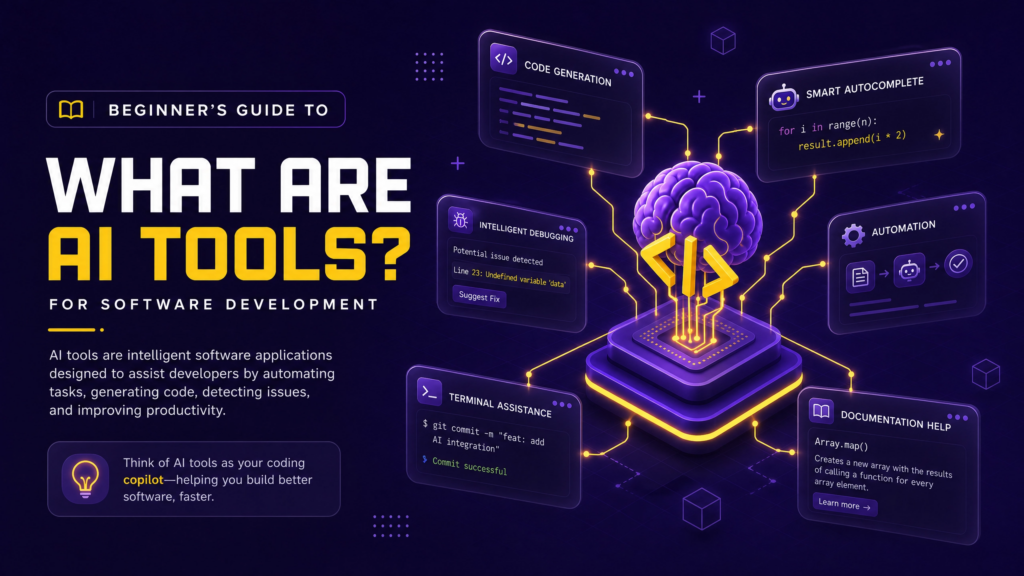
AI tools for software development are applications that use large language models (LLMs) to help with coding tasks. That includes writing new code, explaining unfamiliar code, fixing bugs, generating tests, reviewing pull requests, and even planning an entire feature from a plain-English description.
They generally fall into your editor as a plugin, live inside a standalone app, or run in your terminal as a command-line agent. Some only suggest the next few lines of code. Others can read your whole codebase, make changes across multiple files, and open a pull request on their own.
The important thing to understand as a beginner is this: these tools don’t replace your judgment. They speed up the parts of coding that are repetitive or time-consuming, so you can spend more energy on architecture, logic, and actually solving the problem in front of you.
Why Developers Are Adopting Them in 2026
Adoption of AI tools for software development has moved from “early experiment” to “standard practice” in just a couple of years. A large share of code committed on platforms like GitHub today is either generated or meaningfully assisted by AI, and most developers report using at least one AI coding assistant regularly.
There are a few clear reasons for this shift:
- Speed: boilerplate code, repetitive functions, and test scaffolding get written in seconds instead of minutes.
- Learning support: beginners can ask an AI tool to explain a block of code line by line, which shortens the learning curve.
- Debugging help: instead of scanning Stack Overflow for an hour, you can paste an error and get a plausible fix immediately.
- Lower barrier to entry: you can describe what you want in plain English and get a working starting point, even before you fully understand the underlying syntax.
None of this means junior developers are becoming unnecessary. If anything, companies are looking for developers who know how to work well with AI tools for software development, not just people who can write code from scratch.
Types of AI Tools for Software Development
Not every AI tool does the same job. Understanding the categories will help you avoid picking the wrong tool for your task.
AI Code Completion Tools
These sit inside your editor and suggest the next line, function, or block as you type. GitHub Copilot and Tabnine are classic examples. They’re the easiest entry point for beginners because they don’t change how you work; they just make typing faster.
AI Coding Agents
Agents go further than autocomplete. You give them a task in plain language, like “add a login page with email and password fields,” and they can create files, write the code, run tests, and report back. Claude Code, Cursor’s agent mode, and OpenCode fall into this category. These are best once you’re comfortable reading and reviewing code you didn’t write yourself.
AI Code Review and Testing Tools
Some tools focus specifically on catching bugs, security issues, or logic errors before code is merged. They act like a second pair of eyes on every pull request, which is especially useful for small teams without a dedicated QA process.
AI App Builders and Design-to-Code Tools
Tools like Replit, Bolt.new, and v0 let you go from an idea, a sketch, or even a Figma design straight to a working app or UI component. These are popular with beginners and non-developers who want to build something fast without deep coding knowledge.
Best AI Tools for Software Development to Try
Here’s a practical shortlist based on how these tools are actually being used by development teams in 2026. Pricing and features shift often, so treat this as a starting point rather than the final word.
GitHub Copilot remains one of the most widely used AI coding assistants, mainly because of how deeply it’s integrated into GitHub, VS Code, and JetBrains IDEs. It’s a solid first tool for beginners since it works quietly in the background without forcing you to change editors.
Cursor is a full code editor built around AI from the ground up. It’s a strong choice once you’re ready for deeper AI involvement, including multi-file edits and codebase-wide context, though it does mean switching your editor.
Claude Code is built for larger, more complex tasks. Instead of just suggesting code, it can read a repository, understand dependencies, and carry out multi-step engineering work through the terminal or IDE. It tends to suit developers who want an assistant that can handle bigger chunks of work with less hand-holding.
Windsurf offers a similar AI-first editor experience to Cursor, with a more proactive, flow-oriented style and multiple pricing tiers, including a solid free option.
Tabnine is worth a look if privacy is a priority. It offers a no-train, no-retain policy and can run fully air-gapped, which matters for enterprise teams working with sensitive codebases.
Replit and Bolt.new are browser-based tools that let you describe an app and get a working version instantly, then deploy it without extra setup. They’re a good fit for beginners building small projects or prototypes.
v0 converts designs into clean, production-ready front-end code, which is useful if you work closely with designers and want to skip manual UI implementation.
How to Choose the Right Tool for You
There’s no single “best” tool, only the best tool for your situation. Ask yourself these questions before picking one:
- What’s my skill level? Beginners usually do better starting with code completion tools before moving to full agents.
- What’s my budget? Some tools are free or have generous free tiers; others charge per seat or per usage.
- Do I need privacy guarantees? If you’re working with proprietary or sensitive code, check the tool’s data retention and training policy.
- What’s my existing setup? Some tools work inside VS Code or JetBrains; others require switching your entire editor.
- Am I building solo or with a team? Team-based work benefits more from code review and PR-focused tools, not just autocomplete.
Instead of adopting five tools at once, start with one that fits your daily workflow and expand only when you hit a real limitation.
A Simple Workflow for Beginners
Here’s a low-risk way to start using AI tools for software development without overwhelming yourself:
- Install one AI code completion tool inside your current editor.
- Use it for small, everyday tasks, writing functions, fixing typos, and generating comments.
- Once comfortable, try asking it to explain unfamiliar code you’re reading.
- Gradually move to asking it for small features, always reviewing the output yourself.
- Only after that, experiment with an agent-based tool for larger, multi-file tasks.
This step-by-step approach keeps you in control of your code while still getting the speed benefits AI tools are known for.
Common Mistakes Beginners Make
- Trusting AI output blindly. Always read and test generated code before shipping it. AI tools can produce code that looks correct but has subtle bugs or security gaps.
- Skipping the fundamentals. AI tools work best when you already understand basic programming concepts. Use them to accelerate learning, not replace it.
- Using too many tools at once. Stacking five different AI assistants creates confusion rather than productivity. Pick one, learn it well, then add more if needed.
- Ignoring data privacy settings. Check whether a tool trains on your code before pasting anything sensitive into it, especially for client or company projects.
What’s Next for AI in Software Development
The category is moving fast. Coding agents that can plan, write, test, and deploy with minimal supervision are becoming more common, and model-agnostic tools that let you switch between different AI providers are gaining traction among developers who don’t want to be locked into one ecosystem.
For beginners, the takeaway is simple: the fundamentals of programming logic, debugging, and system design are becoming more valuable, not less, because they’re what let you evaluate whether the AI-generated code is actually good. Learning to work well with AI tools for software development is quickly becoming a core skill on its own, alongside traditional coding ability.
FAQs
Are AI tools for software development good for complete beginners? Yes, especially code completion tools like GitHub Copilot, which explain code and speed up simple tasks. Just make sure you’re still learning the underlying concepts rather than only copying suggestions.
Do I need to pay for AI coding tools? Not necessarily. Many tools, including GitHub Copilot, Windsurf, and Replit, offer usable free tiers. Paid plans usually unlock higher usage limits and advanced features like full-repo context.
Can AI tools replace software developers? Not currently. AI tools handle repetitive coding tasks well, but they still lack deep business context, architectural judgment, and the ability to make trade-off decisions the way an experienced developer can.
Which AI tool is best for learning to code? Tools with strong explanation features, like GitHub Copilot Chat or Claude, work well for learning because you can ask “why does this work” instead of just accepting suggestions.
Final Thoughts
AI tools for software development aren’t going anywhere, and starting early gives you a real advantage. Pick one tool, learn how it fits into your workflow, and build from there. The goal isn’t to let AI think for you: it’s to remove the repetitive parts of coding so you can focus on becoming a better developer.
Looking for more beginner-friendly guides on modern developer workflows? Check out our related posts on choosing the right code editor and software development best practices from ElySpace.