 Live Chat
 Contact
 Shopping Cart
 Eshan Riyaz
Most people spend weeks feeling overwhelmed before they start creating their first website. They open five browser tabs comparing website builders, read contradictory advice, get confused about hosting versus domains, and eventually either pick something randomly or give up entirely.
This guide skips the confusion. It walks you through every decision in the right order, what to choose, what to avoid, and what actually matters for a first website that works rather than just existing.
No technical jargon. No hidden product promotions. Just a clear, honest path from zero to a live website.
Before You Touch Any Tool: The Decision That Changes Everything
There’s a question nobody asks beginners before sending them toward website builders and hosting plans:
What do you need this website to actually do?
Not “I need a website for my business.” That’s a starting point, not an answer. The specific job your website needs to do determines every decision that follows, which platform to use, how many pages you need, what your homepage should say, and how much to invest.
A portfolio website for a freelance photographer is fundamentally different from an eCommerce store selling handmade products. A service business website for a local tour company is different from a blog you want to monetise over time. Same technology, completely different strategy.
Answer this before anything else: when someone lands on your website, what is the one thing you most want them to do? Call you? Submit an inquiry form? Buy something? Book an appointment? Read your content?
Every decision you make from here should serve that one outcome.
Step 1: Define What Your Website Needs to Do
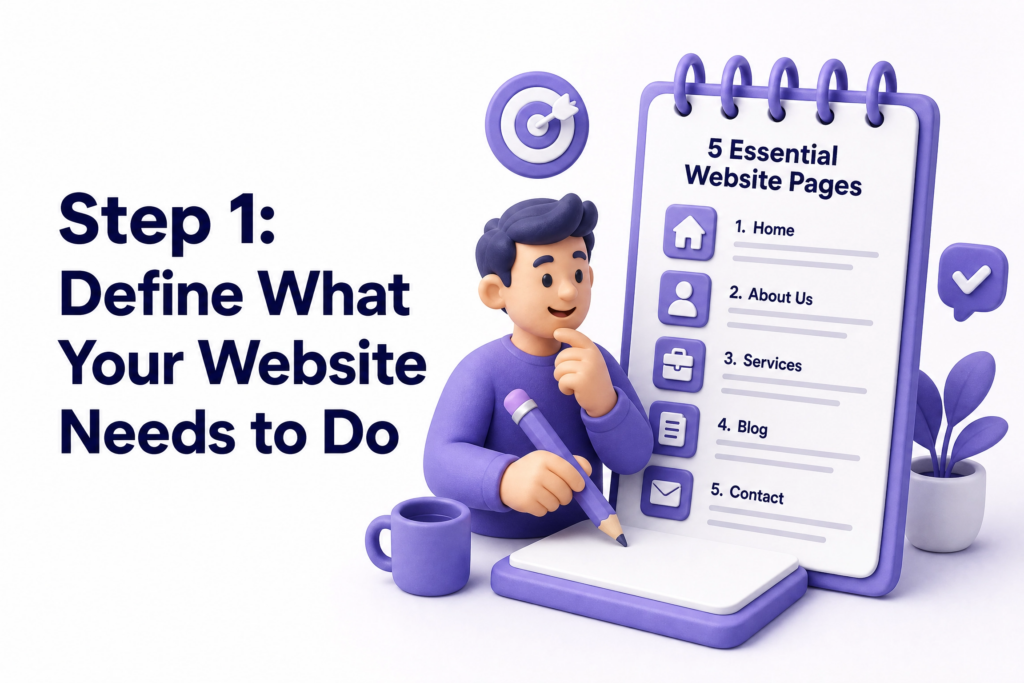
Once you know your primary goal, map out the minimum your website needs to achieve it.
Most business websites fail because they skip the planning phase. Before touching any website builder or hosting platform, define exactly what you want your website to achieve.
For most small businesses, the minimum is:
- A homepage that immediately tells visitors who you are, what you offer, and who it’s for
- A services or products page detailing what you sell and why it’s worth choosing
- An about page that builds trust by showing the real people behind the business
- A contact page with multiple ways to reach you, phone, email, WhatsApp, and a form
- A blog section if you plan to use content for SEO and customer education
You don’t need 20 pages to start. Five clear, well-written pages outperform 20 vague, rushed ones every time.
Write out what each page needs to communicate before you design anything. This is the step most beginners skip, and the one that saves the most time later.
Step 2: Choose Your Platform Wisely
This is where most beginner guides overwhelm you with comparisons. Here’s the honest simplification:
WordPress.org: the most widely used platform in the world, powering over 43% of all websites. Gives you full control over your website, unlimited customisation, and the best SEO capabilities. Requires hosting (which you choose separately) and a small learning curve, but that curve is far shallower than it used to be. Best for: almost any business website, especially if you plan to grow.
For most small business websites, WordPress is the right choice. If you want something you truly own, control, grow and scale, you need a proper foundation, not just something that looks passable from a prompt. WordPress gives you that foundation.
The rest of this guide assumes WordPress, but the principles apply regardless of platform.
Step 3: Pick a Domain Name You Won’t Regret
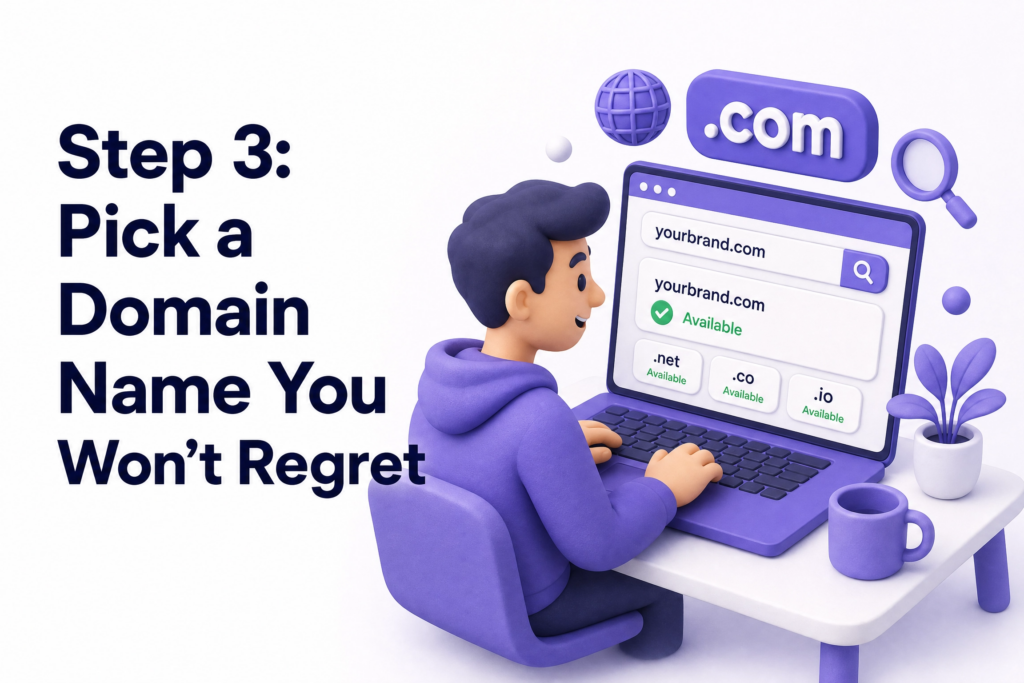
Your domain name is your website’s address: yourbusiness.com. It’s permanent enough that choosing it carelessly causes real problems later.
A few rules that save beginners from regret:
Keep it short. The longer the domain, the more likely people are to mistype it or forget it. Under 15 characters is ideal.
Make it obvious. Your business name, or your business name plus your city or service, works well. traveladventures.com or elyspacedigital.com are clear. thebest-unique-digital-solutions-for-you.com is not.
Avoid hyphens and numbers. They create confusion when spoken aloud and look unprofessional.
Choose .com when available. If your business is in India, .in or .co.in are credible alternatives. .com is still the most universally trusted extension.
Check social media availability. Ideally your domain name is also available as a username across Instagram, Facebook, and LinkedIn — for consistency.
You can search and register domains at ElySpace typically ₹1100–₹1200 per year for a standard .com.
Step 4: Choose Hosting That Won’t Let You Down
Hosting is where your website’s files live. The server your hosting runs on determines how fast your site loads and how reliably it stays online.
More than 70% of consumers visit a website before making a purchasing decision, and nearly half say they won’t trust a business that doesn’t have one. If your hosting is slow or unreliable, those visitors leave before they form any trust at all.
For a first business website, look for hosting that offers:
- Free SSL certificate included (non-negotiable: gives your site the https:// security prefix)
- At least 99.9% uptime guarantee
- One-click WordPress installation
- Automated daily backups
- Responsive support via live chat
Avoid the absolute cheapest plans, the ones priced below ₹99/month tend to have hundreds of websites sharing the same overcrowded server, leading to slow loading times that affect your Google rankings and customer experience.
A solid managed WordPress hosting plan from a reputable provider is worth the slightly higher investment. The difference between good and bad hosting is invisible when things are working and catastrophic when they aren’t.
Step 5: Plan Your Pages Before Designing Anything
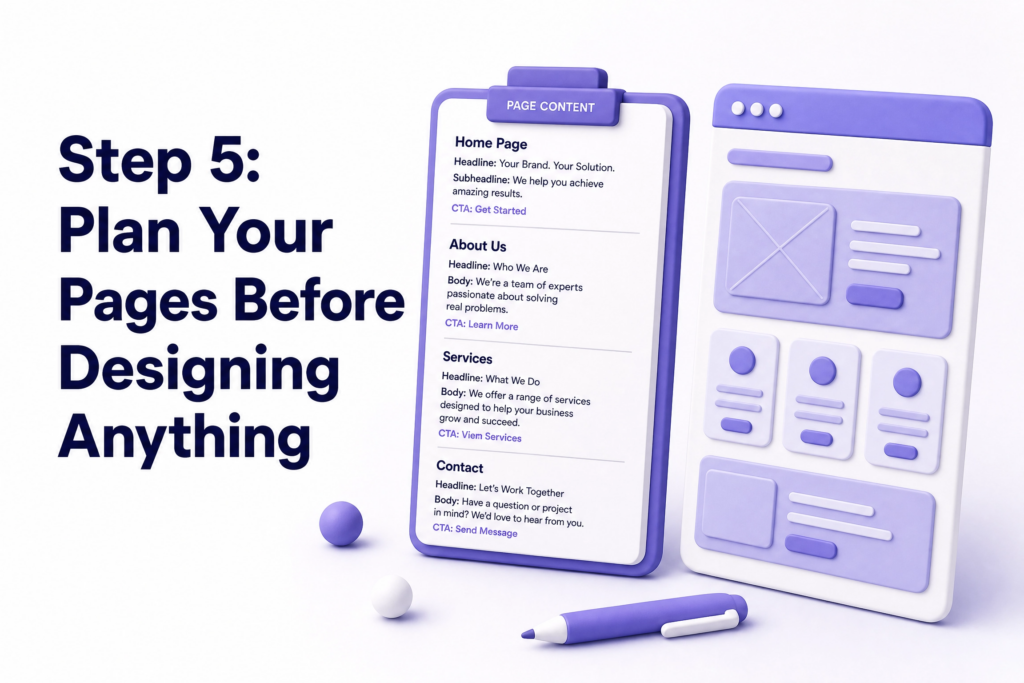
Before opening your website builder and choosing colours, write down, in plain text, what each page needs to say.
This sounds slow. It saves hours.
When you design and write simultaneously, you end up with design choices that were made to fill space rather than to communicate something specific. Text gets written around layouts rather than the other way around.
Instead: open a document and write the content of each page first. Your homepage headline. Your about page story. Your services list with descriptions. Your contact page text.
Then design. With real content in hand, every design decision becomes faster and more purposeful. According to Google’s helpful content guidance, pages that clearly answer visitor questions and demonstrate genuine expertise perform best in search, and clear content planning is how that gets built in from the start.
Step 6: Design for Clarity, Not Creativity
The biggest design mistake beginners make is trying to be too creative too soon.
A first website doesn’t need to win design awards. It needs to be clear. Visitors should understand within five seconds what your business does and what to do next. If they have to think for even a moment, something is wrong.
A few principles that work for almost every first website:
One primary colour, one secondary colour, one neutral. More than that creates visual noise.
Two fonts maximum. One for headings, one for body text. Mixing three or four fonts looks unprofessional even when each font is individually attractive.
Plenty of white space. Beginners tend to fill every inch of a page. Empty space is not wasted space, it makes content easier to read and emphasis easier to create.
Real photos over stock photos. A real photo of your team, your workspace, or your product builds far more trust than a smiling stock model nobody recognises as genuine.
Your phone number or CTA is visible without scrolling. On every page, the most important action should be reachable without scrolling down, especially on mobile.
Keep navigation simple with no more options than necessary so people can quickly find what they’re looking for.
Step 7: Write Content That Actually Works
Your website content has two jobs: convincing human visitors to contact or buy, and signalling to Google what your pages are about.
Both jobs require clear, specific writing. Generic descriptions, “We provide high-quality services with a customer-first approach”, fail at both. They say nothing to a visitor and give Google nothing to rank.
Instead, be specific:
- Not “We offer tour packages” but “We plan 3-14 day Kashmir tours for families, couples, and groups, including permits, accommodation, transport, and a local guide”
- Not “We build websites” but “We build fast, SEO-ready websites for small businesses in Kashmir and across India, starting from ₹20,000”
Specificity builds trust because it shows you understand exactly what you do and who you do it for. It also helps with SEO because specific language matches the specific searches your potential customers type.
Write at a reading level your customers are comfortable with. Short sentences. Short paragraphs. Plain language. No jargon unless your customers use it too.
Step 8: Set Up SEO Basics Before Going Live
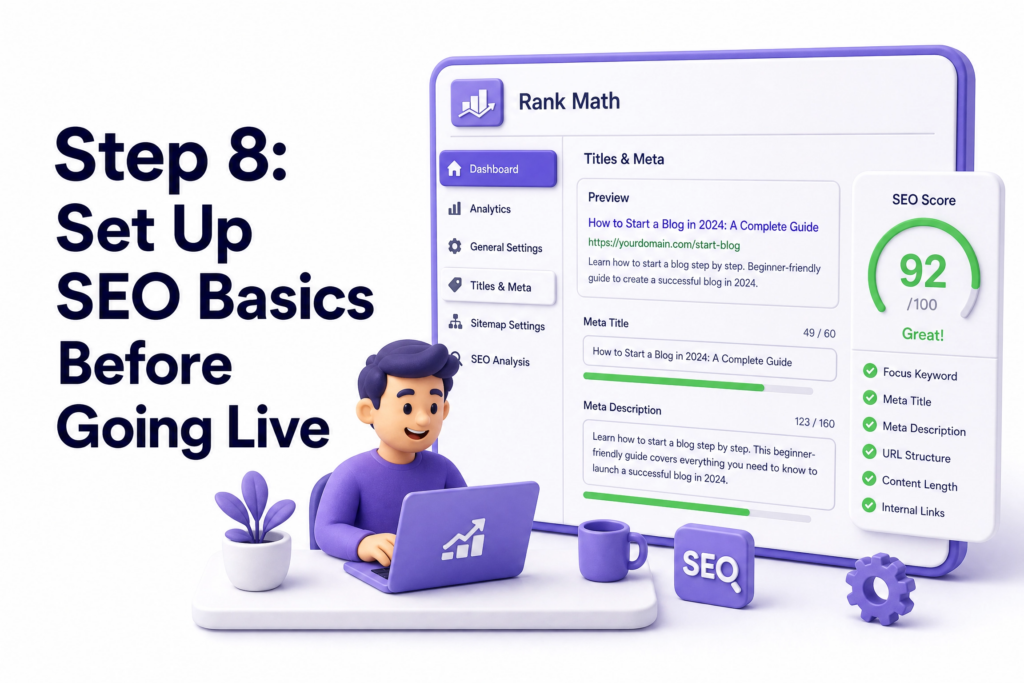
Creating your first website without SEO basics in place means you’re building a shop with no signage. You exist, but you’re invisible.
The essentials, all achievable without technical knowledge:
Install an SEO plugin: If you’re on WordPress, Rank Math or Yoast SEO guides you through adding page titles and meta descriptions to every page in plain language.
Set a unique title and meta description for each page: Your homepage title shouldn’t be the same as your services page title. Each page should be optimised for different keywords.
Add alt text to every image: A short description of what’s in the image. This helps Google understand your content and improves accessibility.
Create a Google Search Console account and submit your website’s sitemap after launch, this tells Google your site exists and asks it to crawl and index your pages.
Claim your Google Business Profile; free, and essential for showing up in local search results and Google Maps.
None of this requires expertise. It requires about two to three hours of focused setup time before you go live.
Step 9: Test Everything Before You Launch
The most common beginner launch mistake is going live without testing. Problems that feel obvious in hindsight only appear once real visitors are on the site.
Before publishing, go through this checklist:
- Open your website on your own phone, does everything display correctly?
- Click every navigation link, do they all go to the right page?
- Fill in your contact form and submit it, do you receive the message?
- Tap your phone number on mobile, does it trigger a call?
- Check your site speed at Google PageSpeed Insights, aim for above 70 on mobile
- Confirm your site shows https:// in the address bar , SSL is active
- Read every page for spelling errors, fresh eyes catch more, so ask someone else to read too
- Check that your site looks correct on both Chrome and Safari
One hour of testing before launch prevents weeks of problems after it.
Step 10: Launch – Then Keep Going
The moment you publish your first website, something important happens: the work isn’t over. The launch is the beginning, not the end.
A website needs ongoing attention to stay effective. Content goes stale. Plugins need updating. New services need new pages. Customer questions suggest new blog topics. Search rankings shift.
The businesses that get the best long-term results from their websites treat them as living tools; regularly reviewed, updated, and improved, not as completed projects.
Set a monthly reminder to:
- Update any outdated information
- Check for plugin or theme updates
- Review your Google Search Console for new search queries
- Publish at least one new blog post
Consistency compounds. A website that improves every month becomes genuinely powerful within a year.
Common Mistakes First-Time Website Owners Make
Spending too long on design, not enough on content. Most visitors don’t remember colours and fonts. They remember whether the website answered their question and made them feel confident enough to get in touch.
Using a free domain or hosting. Free hosting plans include the provider’s branding in your URL (yourbusiness.wordpress.com) and have severe limitations. For any real business, a paid domain and hosting is a non-negotiable baseline.
Going live without mobile testing. Over 60% of your visitors will arrive on a phone. A site that looks great on desktop but breaks on mobile is costing you from day one.
No call-to-action on the homepage. Visitors need to be told clearly what to do next. Without a visible, specific CTA above the fold, most people leave without taking any action.
Ignoring SEO completely at launch. Even basic SEO setup at the start gives your site a head start that’s hard to build later. Skipping it entirely means months of lost organic visibility.
Perfecting everything before launching. A good website live today is more valuable than a perfect website live in three months. Launch, then improve. You learn more from real visitors than from any amount of pre-launch preparation.
What You Can Do This Week
- Write down your website’s primary goal, the one thing you want every visitor to do
- List the five pages your site needs at minimum
- Write the content for your homepage in a plain document before opening any website builder
- Search your preferred domain name and check availability
- Compare two or three managed WordPress hosting options
If after reading all of this, creating your first website still feels like more than you want to manage yourself, that’s a completely reasonable position. Not every business owner needs to become a web developer.
At ElySpace (+91 9103853627), we build the first websites for small businesses that are fast, SEO-ready, and designed to actually generate leads from day one. We handle the technical setup, the design, and the on-page SEO so you don’t have to, and we make sure you understand how to manage and update it yourself going forward. If that sounds like what you need, reach out and we’ll walk you through what the process looks like.
FAQs (Frequently Asked Questions)
Do I need technical skills to create my first website? Not anymore. Platforms like WordPress with modern page builders allow complete beginners to build professional-looking sites without writing code. You do need patience and a willingness to learn a few new tools, but the learning curve is far gentler than it used to be.
How much does it cost to create a first business website? A self-built website costs roughly ₹4000-₹5,000 per year for a domain and hosting. If you hire a professional, costs vary from ₹15,000 for a basic five-page site to ₹80,000+ for something more complex. The investment pays off quickly if the site is built to generate leads.
How long does it take to create a first website? A simple five-page site built by a beginner takes one to three weeks of part-time effort, assuming content is prepared in advance. A professional developer can deliver the same in one to two weeks. The biggest time sink is always the content, not the technical setup.
Can I build my website and then get it redesigned later? Yes but migrations take time and money. Starting with a solid platform choice (WordPress is easiest to redesign in place) and a professional hosting setup means you can refresh the design later without rebuilding everything from scratch.
Do I need a blog on my first website? You don’t need to publish blog posts immediately, but setting up the blog section from the start is worth doing. It gives you the infrastructure to start publishing when you’re ready, and even two or three well-written posts at launch help with SEO and give visitors more reason to stay on your site.
What is the difference between a domain and hosting? Your domain is your web address: yourbusiness.com. Your hosting is the server where your website’s files actually live. You need both. They’re often purchased separately, though some providers offer both together. Think of the domain as your street address and the hosting as the building at that address.