 Live Chat
 Contact
 Shopping Cart
 Eshan Riyaz
You have a website, or you’re thinking about getting one. But when someone mentions “hosting,” “DNS,” or “server response time,” your eyes glaze over and you nod along hoping the topic changes soon.
That’s completely normal. And it’s also worth fixing, not so you can become a developer, but so you can make smarter decisions about your business. Understanding how a website works means you can ask the right questions, spot problems earlier, and know when someone is overcomplicating things that should be simple.
This guide explains everything clearly, with no jargon and no assumed knowledge. By the end, you’ll understand what actually happens between someone typing your web address and your website appearing on their screen.
What a Website Actually Is
Start with the simplest possible definition.
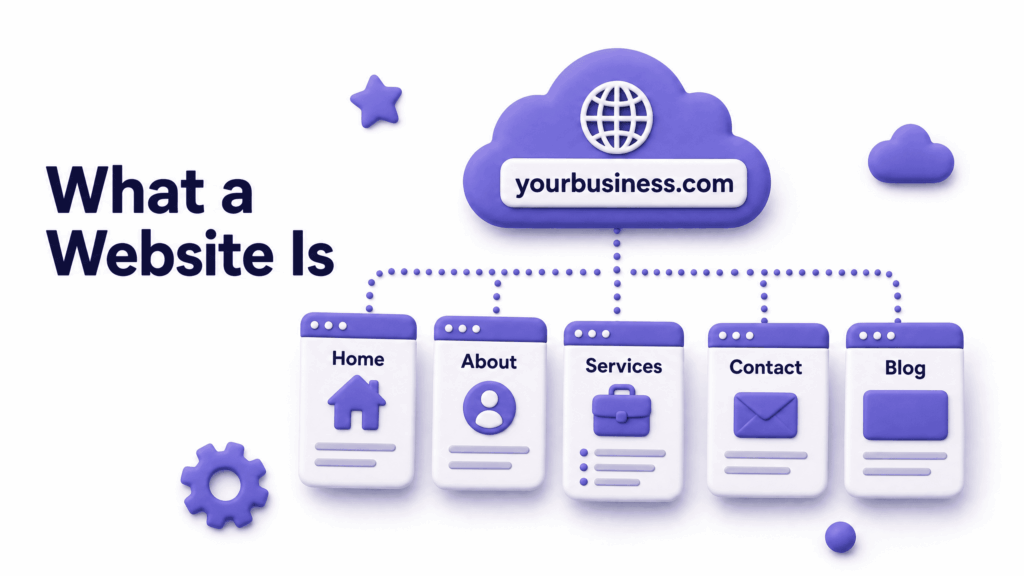
A website is a collection of related web pages, like a school or company, but online. A webpage is one page inside a website, exactly like a page inside a book.
So your homepage is one page. Your services page is another. Your contact page is another. Together, they form your website, all living under the same web address and connected by links.
A website is identified by a common domain name and published on at least one web server, accessed via the internet through web browsers.
The web pages themselves are files, just like the documents and photos saved on your computer. The difference is that your website’s files are stored on a special computer called a server, which is connected to the internet around the clock so anyone, anywhere, can access them at any time.
The Three Things Every Website Needs
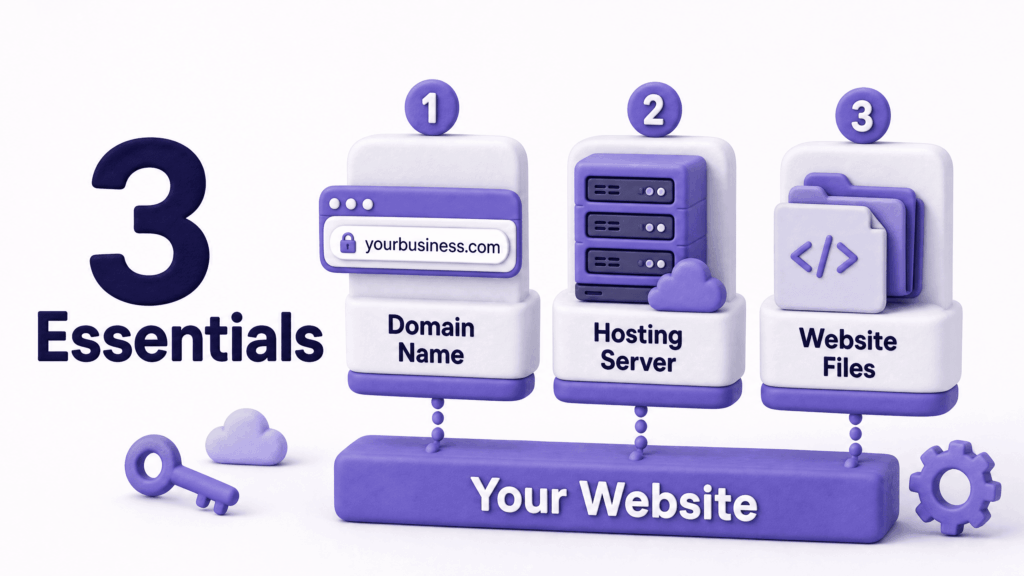
Before getting into the mechanics, here are the three components every website requires, and the simplest way to understand each one:
1. A Domain Name This is your web address; yourbusiness.com. It’s what people type to find you. Think of it as your street address. It tells the internet where to look for your website.
2. Web Hosting This is the server where your website’s files actually live. Think of it as the building at that address. Without hosting, there’s nowhere for your website to exist. Your hosting provider maintains the server, keeps it connected to the internet, and makes sure your files are accessible 24 hours a day.
3. The Website Files Themselves These are the actual pages, images, and content that make up your website. Think of them as everything inside the building; the furniture, the signage, the information. Without files, you have an address and a building but nothing inside.
In simple terms: Domain = Address, Hosting = Home, Website = Everything inside that home.
These three work together every time someone visits your site. Remove any one of them and the website stops working.
Step by Step: What Happens When Someone Visits Your Site
This is the part most people have never explained clearly. Here’s exactly what happens in the roughly one second between someone typing your address and your website appearing:
Step 1: They Type Your Address A visitor opens their browser; Chrome, Safari, Firefox, and types yourbusiness.com. Or they click a link that takes them there.
Step 2: The DNS Lookup The browser doesn’t actually know where yourbusiness.com is. It needs to look it up; like checking a phone book. It contacts a DNS (Domain Name System) server, which translates your domain name into a numerical IP address that identifies the exact server where your website lives.
Think of DNS as the directory that connects a name to an actual location. Without it, the internet would require you to memorise a string of numbers like 192.168.1.1 instead of a readable domain name.
Step 3: The Browser Sends a Request Now that the browser knows where your server is, it sends a request, essentially knocking on the door and saying “please send me the homepage.”
The browser and the server communicate using protocols such as HTTP and HTTPS. HTTP defines how messages are formatted and transmitted so that both sides understand each other. HTTPS is a more secure version of HTTP that encrypts the data travelling between browser and server.
This is why your web address should start with https://; the ‘s’ stands for secure, meaning the connection is encrypted.
Step 4: The Server Responds Your hosting server receives the request and sends back the files that make up the requested page; the text, the images, the layout instructions.
From your point of view, visiting a website is simple: you type the web address in your browser, your browser asks the website’s server for the site, and the server sends the website files to your browser.
Step 5: The Browser Builds the Page The browser receives these files and assembles them into what you see on screen; the layout, the text, the images, all in the right places. This happens in milliseconds. According to MDN Web Docs, this entire process, from request to rendered page, is what’s happening every time any page loads anywhere on the internet.
The speed of Steps 3, 4, and 5 is what determines how fast your website loads. A slow server in Step 4, for instance, is one of the most common reasons business websites feel sluggish, and it’s entirely determined by your hosting quality.
What Is HTML, CSS, and JavaScript: In Plain English
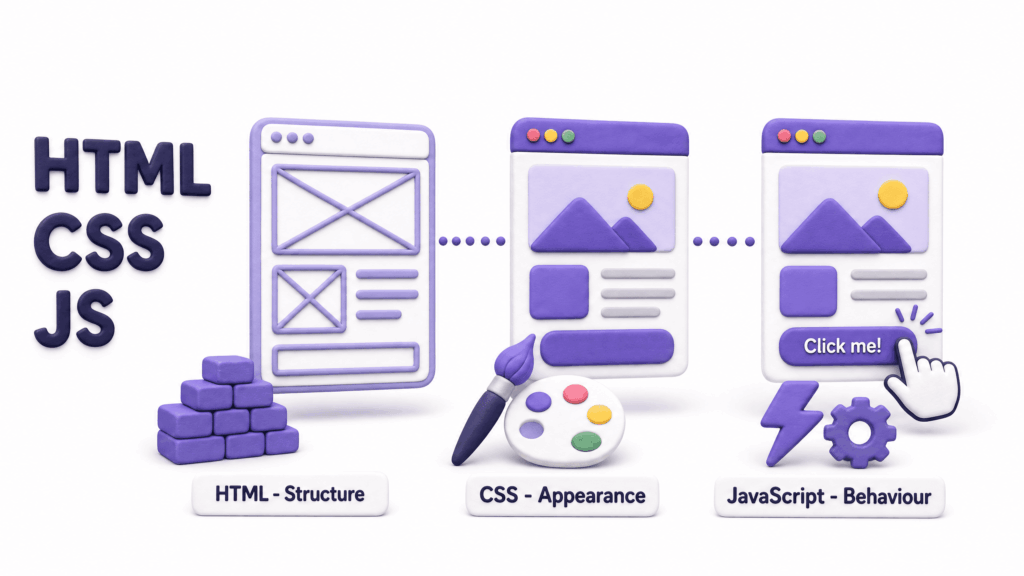
When your server sends files to the browser, those files are written in three languages. You don’t need to learn them, but knowing what each one does helps you understand what your developer is talking about.
HTML – the structure: HTML is the skeleton of every web page. It defines what exists on the page, a heading here, a paragraph there, an image, a button. It’s the content and its basic arrangement, with no visual styling applied.
CSS – the appearance: CSS is what makes HTML look good. It controls colours, fonts, spacing, layout, and how everything is positioned on screen. The same HTML content can look completely different depending on the CSS applied to it.
JavaScript – the behaviour: JavaScript makes things interactive. When a dropdown menu opens on click, when a form validates your input before submitting, when content slides in as you scroll; that’s JavaScript. It adds behaviour and interactivity that HTML and CSS alone can’t provide.
Together, these three languages are what every webpage is built from, whether it was coded by hand or generated by a page builder tool. Under the surface, it’s always HTML, CSS, and JavaScript.
Static vs Dynamic Websites: What’s the Difference?
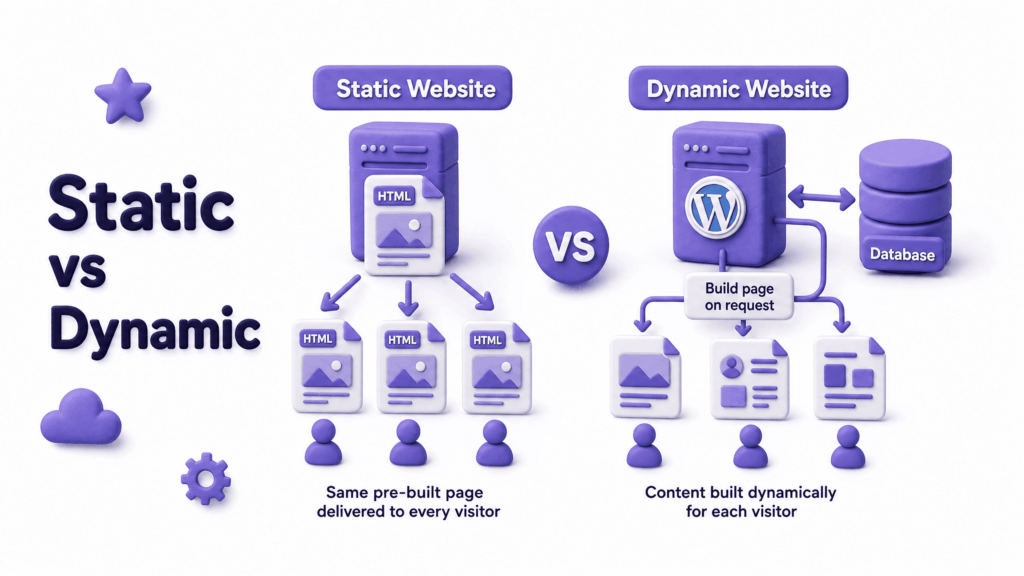
You may have heard these terms. Here’s what they actually mean:
Static websites deliver the same content to every visitor. The files are pre-built and the server sends exactly what’s stored. They’re fast, simple, and cheap to run; but every change requires manually editing the files.
Dynamic websites build pages in real time based on who’s visiting or what they’re requesting. A news website showing today’s articles, a shop displaying available stock, a membership site showing your personal dashboard; these are dynamic. The server pulls information from a database and assembles the page fresh for each visitor.
Most business websites today are dynamic, particularly those built on WordPress, which uses a database to store content and builds pages on request. This is what allows you to log in, write a blog post, and have it appear on your site without touching any code.
The trade-off: dynamic sites are slightly more complex and can be slower if not properly optimised, which is why caching (storing a pre-built version of the page) matters so much for WordPress performance.
What Makes a Website Fast or Slow?
Now that you know how a website works, the factors that affect speed make much more sense.
Server speed: how quickly your hosting server responds to browser requests. This is called Time to First Byte (TTFB). Cheap, overcrowded shared hosting produces slow TTFB. Better hosting infrastructure responds in milliseconds.
File sizes: large image files take longer to transfer from server to browser. An uncompressed photo from your phone might be 5MB. Properly compressed for the web, the same image could be under 200KB; loading in a fraction of the time.
Number of requests: every element on a page (image, script, font, stylesheet) requires a separate request to the server. More elements mean more requests and more time to load.
Caching: a cached website stores a ready-made version of the page so the server doesn’t have to rebuild it from scratch for every visitor. Proper caching dramatically reduces load times on dynamic sites.
Distance from server: data travels physically through cables. A server in Mumbai loads faster for a visitor in Srinagar than a server in Germany does. Content Delivery Networks (CDNs) solve this by storing copies of your site on servers around the world.
What Makes a Website Show Up on Google?
Understanding how a website works also means understanding how Google finds and ranks it.
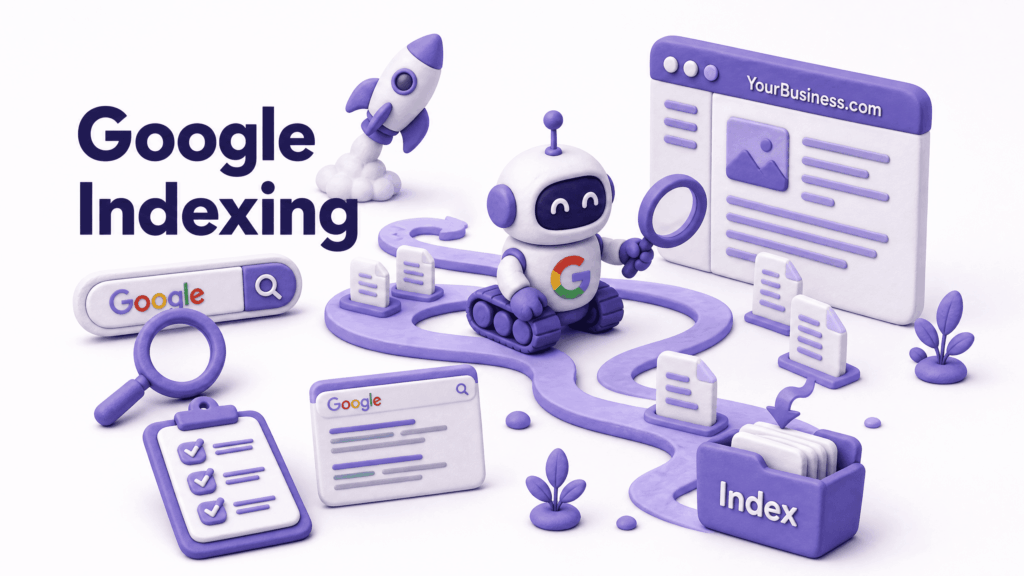
Google uses automated programs called crawlers, sometimes called spiders, that continuously visit websites across the internet, reading their content and following their links. When a crawler visits your site, it reads your pages and adds them to Google’s index; a massive catalogue of web content.
When someone searches for something, Google looks through its index and ranks pages based on hundreds of factors; how relevant the content is, how fast the page loads, how many other reputable sites link to it, whether it works well on mobile, and whether the site is secure (HTTPS).
This process is what SEO (Search Engine Optimisation) is designed to improve, making your website easier for Google’s crawlers to read, understand, and rank highly for relevant searches.
A website that Google can’t easily crawl, due to broken pages, missing content, or technical errors, won’t show up in search results regardless of how good it looks.
What Can Go Wrong And Why
Now that you understand the process, common website problems become much easier to diagnose:
Site not loading at all: usually a hosting server issue (downtime) or a domain problem (expired domain, DNS misconfigured).
Site loading very slowly: server response time is the most common culprit, followed by unoptimised images and too many page elements.
“Not Secure” warning: your SSL certificate is missing or expired. The HTTPS connection isn’t established, so browsers warn visitors.
Pages returning “404 Not Found”: the page was moved or deleted but the old URL still exists somewhere (in a link, a Google result, a social media post). Without a redirect, visitors hit a dead end.
Site not appearing in Google: either it hasn’t been crawled yet (new sites), the pages are blocked from crawlers by a setting, or there are technical issues preventing Google from indexing the content properly.
Forms not delivering submissions: the form is working but email delivery is broken, often because the server’s email configuration isn’t set up correctly or messages are landing in spam.
Each of these has a specific technical cause, and knowing what they are means you can describe the problem accurately when seeking help rather than just saying “something’s wrong with my website.”
What This Means for Your Business
You don’t need to understand the code behind your website. But understanding the mechanics behind how a website works helps you:
- Make smarter hosting decisions: knowing that server speed affects both your visitor experience and your Google rankings means cheap hosting is never a neutral choice
- Understand why SSL matters: it’s not just a padlock, it’s an encrypted connection and a trust signal that Google uses as a ranking factor
- Communicate more effectively with developers: describe problems accurately and understand the solutions being proposed
- Spot when someone is overcomplicating things: a lot of website jargon exists to justify charges for things that should be straightforward
- Plan your website investment better: knowing what components exist means knowing what questions to ask before spending money
A well-built business website handles all of the complexity above invisibly; fast servers, proper SSL, optimised images, good caching, clean code that Google can crawl, so you never have to think about it.
At ElySpace, that’s exactly how we build websites for small businesses. Everything set up correctly from the start; hosting chosen for performance, SSL included, speed optimised, and SEO foundations in place, so your website works the way it should without you having to manage the technical details. If you want a website that works properly and brings in actual enquiries, let’s talk.
FAQs (Frequently Asked Questions)
What is the difference between a website and a web page? A web page is a single page, like your homepage or contact page. A website is the collection of all pages under one domain name. Your website might have five pages or five hundred, each one is a separate web page, all part of the same website.
Do I need to know how to code to have a website? No. Platforms like WordPress allow you to build, manage, and update a website without writing any code. Even the most technically complex websites can be managed through visual interfaces once a developer has set them up properly. Understanding how a website works doesn’t require knowing how to code it.
What is web hosting and why does it matter? Web hosting is the server where your website’s files live. It matters because the quality of that server directly determines how fast your site loads and how reliably it stays online. Cheap hosting produces slow server response times and more downtime, both of which affect your visitor experience and your Google rankings.
Why does my website load fast for me but slow for others? Your browser stores a cached version of your website, so when you visit it, many files load from memory rather than the server. New visitors load everything fresh. Always test your website speed using Google PageSpeed Insights in a private/incognito window for an accurate reading of what new visitors actually experience.
What does it mean when a website says “Not Secure”? It means the website is using http:// instead of https://; there’s no SSL certificate installed or it has expired. The connection between the visitor’s browser and the server is unencrypted. Google Chrome shows a “Not Secure” warning before any content is read, which reduces trust and visitor confidence significantly.
Can Google find my website automatically? Eventually yes, Google’s crawlers continuously discover new websites. But it can take weeks for a new site to appear in search results, and there’s no guarantee Google will find all your pages without help. Submitting your website’s sitemap through Google Search Console speeds up the process and gives you visibility into how Google is indexing your content.
What is a domain and who owns it? A domain name, like yourbusiness.com, is registered through a domain registrar, typically through your hosting provider. You pay an annual fee to maintain ownership. If you stop paying and the domain expires, it becomes available for anyone else to register. Always set up auto-renewal to prevent accidentally losing a domain you’ve built your business on.
Why does the same website look different on my phone versus my laptop? A responsive website uses CSS rules that adjust the layout based on screen size, so the design adapts automatically to whatever device is viewing it. A non-responsive website shows the same fixed layout regardless of screen size, which is why it can appear tiny or broken on a phone. Google evaluates your mobile version first when deciding your search rankings.