 Live Chat
 Contact
 Shopping Cart

 Eshan Riyaz
You open your inbox on a Monday and find dozens of messages from your website. Some are links to pills. Some are “SEO offers” from people you’ve never heard of. One is just the letters “asdf”, repeated. Welcome to contact form spam, and it seems to have arrived overnight.
Nothing about your website changed. So why now? And more importantly, how do you stop it without making real customers jump through hoops?
This guide explains what’s going on in plain English, then gives you seven fixes. Most take minutes. None need you to be a developer.
Why Is Contact Form Spam Suddenly Getting Worse?
Contact form spam isn’t personal. Nobody picked your business. Automated programs, called bots, crawl the web all day looking for forms. They don’t read your content. They look for a box that accepts text and a button that submits it. Then they fire the same message at every form they find.
Your site can become visible to these bots for a few ordinary reasons:
- Your website started ranking or got indexed. More visibility means more crawlers, including bad ones.
- You added a new form, or published an old one on a new page.
- A plugin update changed your settings. Spam protection that was on can quietly switch off or break.
- Your form’s address got shared. Once a bot finds a form, the address can be passed around and reused.
- Your old defence stopped working. Bots improve, and a trick that worked two years ago may not work now.
What the spam is trying to do
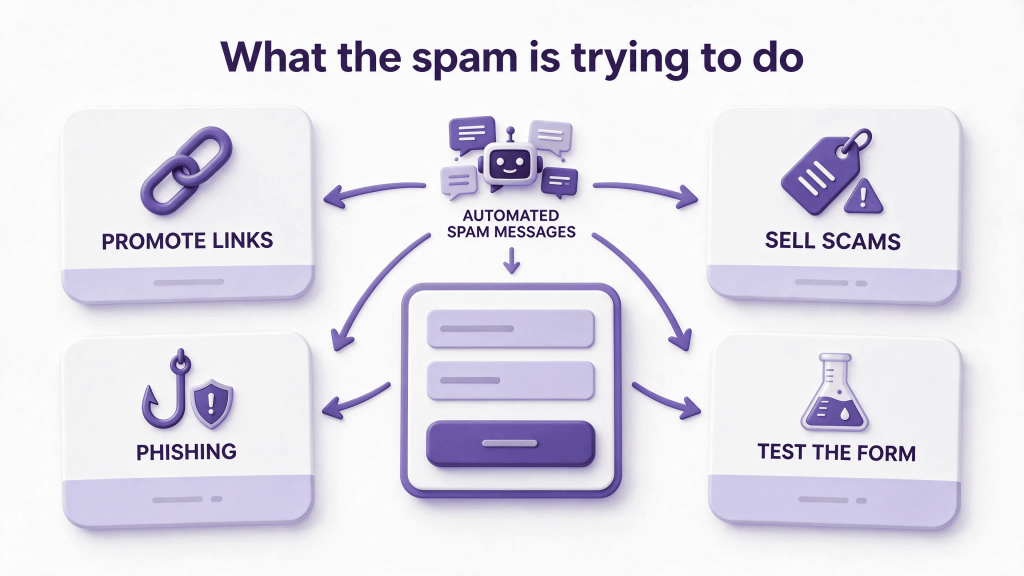
Most contact form spam is trying to do one of four things: promote a link, sell something shady, phish for a reply, or test whether your form works so it can be used again. Some are sent by software. Some are typed by cheap human workers. That difference matters, because the fix changes.
How Contact Form Spam Hurts Your Business
It’s easy to dismiss spam as a nuisance. It costs more than that.
- It buries real leads. When forty junk messages arrive a day, the one genuine enquiry gets skimmed past or deleted by mistake.
- It wastes time. Even two minutes a day of sorting adds up to hours every month.
- It can hurt your email reputation. If your form sends automatic replies to fake addresses, those replies bounce, and bounces count against your sending reputation. We explain why in our guide to business email going to spam.
- It can slow your site. A flood of requests to your form puts load on your server, which is one more reason a cheap hosting plan struggles.
Left alone, contact form spam turns a lead channel into noise. Treat it as a business problem, not just an annoyance. The sooner you tackle contact form spam, the less likely a genuine customer gets lost in the pile.
Start Here: Read the Spam Before You Block It
Don’t install anything yet. Ten minutes of reading tells you which fix to use first.
- Look at the timing. Messages arriving seconds apart, or in bursts at 3am, point to bots.
- Look at the content. Random letters, copy-pasted pitches and stacks of links suggest automation. Messages that read like a person wrote them usually mean human spam.
- Look for patterns. Same IP address, same email domain, same phrase, same link? Write them down.
- Check which form. If only one old form gets hit, it may be forgotten or exposed.
- Check your logs, if your host offers them. Bots often send straight to the form’s background address and never load your page at all. That’s a sign you need server-side checks.
Bot-style contact form spam is usually crude and fast, so Fixes 1 to 5 handle it. Human-written spam needs Fixes 3 and 6.
Match the pattern to the fix
- Messages seconds apart: honeypot, minimum fill time, rate limiting.
- Gibberish or random letters: honeypot and validation.
- Same pitch, link or phrase over and over: keyword blocklist and spam filtering.
- One address sending hundreds: rate limiting and IP blocking.
- Readable pitches from real people: validation, link limits and filtering, because a human gets past CAPTCHA.
Your pattern decides where to start. Matching it to the right fix is the quickest way to cut contact form spam without guessing.
Fix 1: Add a Honeypot Field
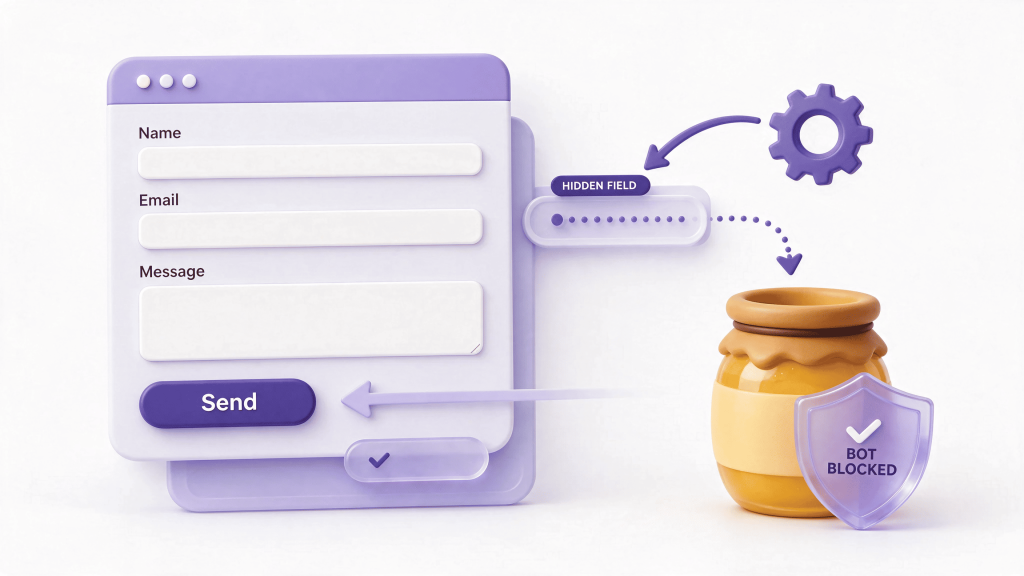
A honeypot is a trap. It’s a form field hidden from real people with code. Humans never see it, so they never fill it in. Bots see every field and fill in all of them. If the hidden field comes back with text in it, the submission is spam.
It’s the cheapest defence there is. Visitors notice nothing. There’s no puzzle to solve and no lost leads.
How to add one: many form plugins have a honeypot or “anti-spam” option in their settings. Some need a small add-on. Switch it on, save, and test the form yourself to confirm it still sends.
Honest limit: a honeypot catches simple bots. Smarter ones skip hidden fields. If contact form spam keeps coming after you’ve added one, that doesn’t mean it’s broken. It means you need more layers.
Fix 2: Add CAPTCHA the Right Way
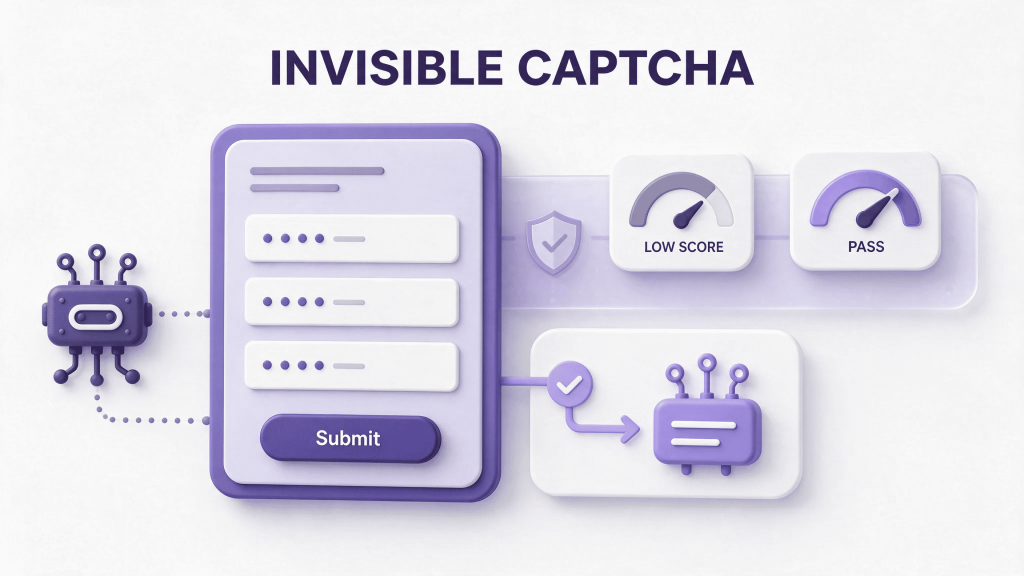
CAPTCHA asks visitors to prove they’re human. The old “click all the traffic lights” version annoys people. Newer ones, like Google reCAPTCHA in invisible mode, score visitors in the background and only challenge the suspicious ones.
If you add one:
- Prefer invisible or low-friction versions. Every puzzle costs you some real enquiries.
- Add it to the forms that get hit, not necessarily every form on the site.
- Keep the keys valid. An expired or wrong key can block every submission, including genuine ones. We covered that trap in our guide to a website contact form not sending emails.
- Test on your phone. Some challenges behave badly on mobile.
- Think about accessibility. Image puzzles are hard for people with visual impairments, so invisible checks are kinder as well as faster.
A CAPTCHA isn’t a complete answer on its own. Services exist that solve CAPTCHAs for bots, and some contact form spam is typed by actual people. Treat it as one layer.
Fix 3: Validate What People Submit
Validation means checking each submission against sensible rules before accepting it. Think of it as a bouncer with a short checklist.
Useful rules:
- Limit links. Real enquiries rarely contain more than one link. Rejecting messages with several links removes a lot of contact form spam.
- Set a minimum fill time. A human can’t read and complete a form in one second. Reject anything submitted faster than a few seconds.
- Check the email format and, if your plugin supports it, reject throwaway email domains.
- Require a real name and a sensible message length. A message that’s one word long, or thousands of characters long, is suspicious. Keep the rules loose enough for real visitors, though. A name like “Li” is short but genuine.
- Block known spam phrases that keep appearing in your own spam.
One important point: validation must happen on the server, not just in the visitor’s browser. Bots often skip the page entirely and send data straight to the server, so browser-only checks never run. Most reliable form plugins validate on the server by default, but it’s worth confirming.
Fix 4: Add Rate Limiting
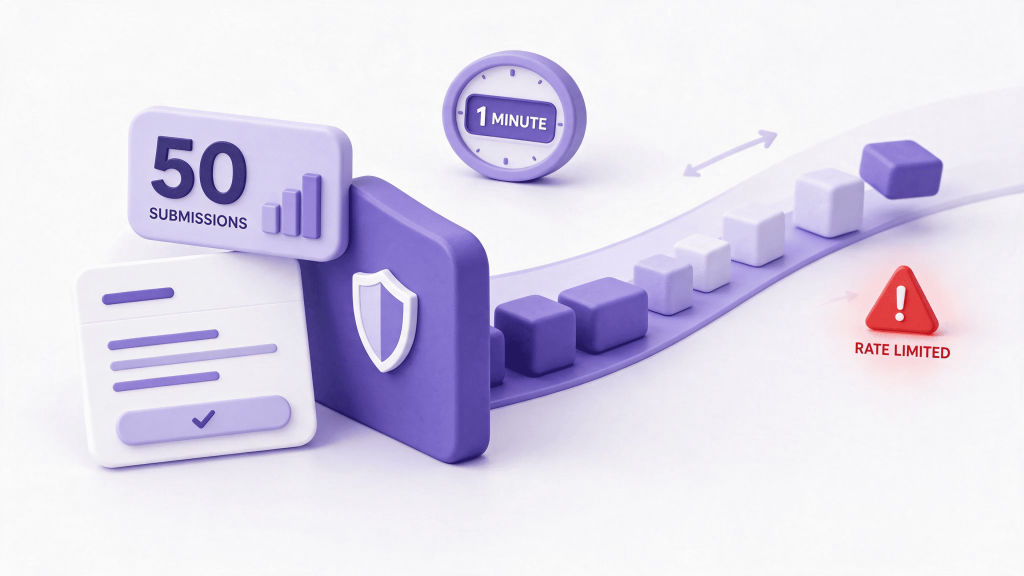
Rate limiting caps how many times one visitor can submit within a window of time. If something sends fifty messages in a minute, it’s not a customer.
A sensible starting rule for a small business form is a few submissions per visitor per hour. Real people almost never need more. Rate limiting is one of the quickest ways to cut contact form spam that arrives in bursts.
You can set this up in several places:
- Your form or security plugin. Many have a “limit submissions” option.
- Your hosting firewall. Some hosts offer rules that throttle requests to specific addresses.
- A firewall or CDN service in front of your site, where you can limit requests to your form’s address.
Rate limiting is excellent at stopping floods. It’s weak against slow, scattered attacks that stay under the limit. One more catch: offices and mobile networks share addresses, so set limits generously enough that real people at the same company aren’t blocked.
Pair it with honeypots. Floods get throttled, and lazy bots get caught.
Fix 5: Block Abusive IPs and Regions
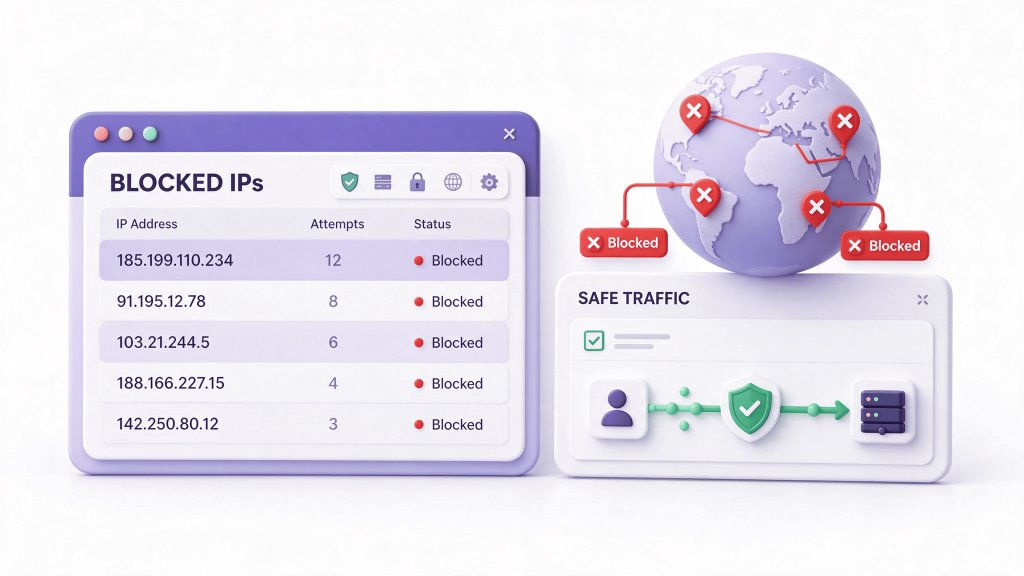
If the same address keeps showing up in your spam, block it. If a whole region you don’t serve keeps sending contact form spam, you can block that too.
Where to block:
- Your security plugin or firewall. Easiest for beginners.
- Your host’s control panel, which often has an IP deny tool.
- The server’s access rules. On Apache, a rule like this denies one address:
<RequireAll>
Require all granted
Require not ip 203.0.113.5
</RequireAll>
That address is a documentation example. Swap in the real one.
Be realistic about this one. Spammers change addresses constantly, so blocking is a game of whack-a-mole. It works best against persistent sources. Region blocking is blunter: only use it if you truly don’t serve that region, and check you’re not blocking real customers who travel or use a VPN.
When in doubt, challenge instead of blocking. Show a CAPTCHA to suspicious addresses rather than banning them outright.
Fix 6: Filter Submissions Before They Reach Your Inbox
Even with good defences, some contact form spam gets through. Make sure it doesn’t land in your inbox.
- Use a spam-checking service. Several well-known plugins check each submission against databases of known spam, and flag likely junk automatically.
- Send flagged entries to a spam folder inside your form plugin instead of emailing them to you.
- Build a keyword and domain blocklist from the spam you actually receive. Update it monthly.
- Check the spam folder weekly. Filters make mistakes, and you don’t want to bin a real customer.
That last step matters more than it sounds. A strict filter that blocks ten spam messages and one real lead can cost more than it saves.
Also check that real enquiries still reach you. If your form suddenly stops sending anything after you tighten protection, work through the same steps as for any form that isn’t sending.
Fix 7: Remove Forgotten Forms and Keep Watching
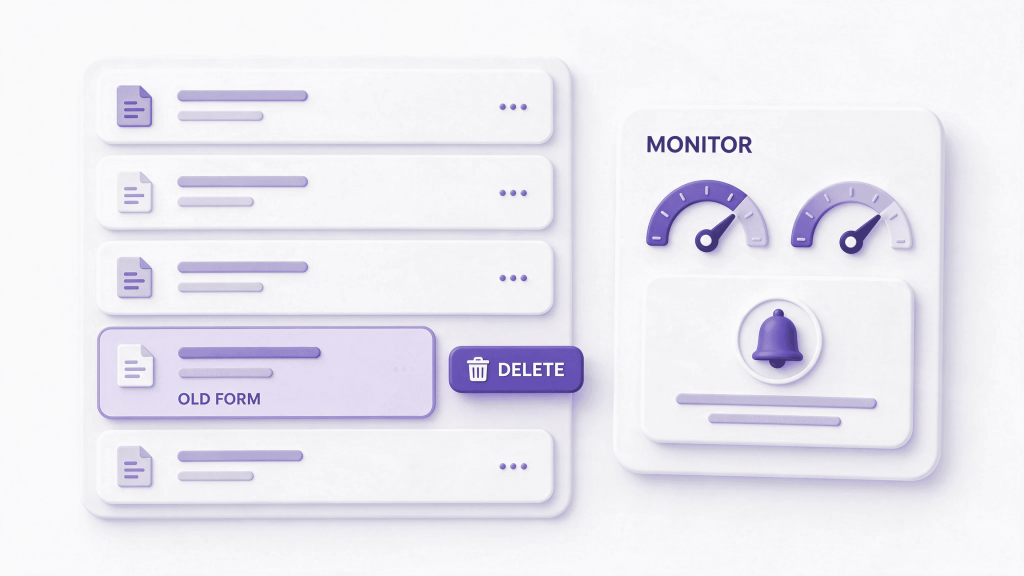
Attackers love old, forgotten forms: a page from a past campaign, a duplicate contact page, a test form nobody deleted. They get less protection than your main form, and sometimes none.
- List every form on your website. Search your pages for form blocks, and check old landing pages.
- Delete or disable the ones you don’t use.
- Keep your form plugin and WordPress updated. Old versions have known weaknesses. WordPress covers this in its hardening guide.
- Don’t publish your email address in plain text next to the form. Scrapers love it.
- Review spam weekly. Five minutes tells you whether your defences still work.
For some businesses in Kashmir and across India, there’s another option: add a WhatsApp click-to-chat button next to the form. Plenty of customers find it quicker than typing a form, and it gives bots far less to attack. Fewer forms means fewer targets.
What Not to Do About Contact Form Spam
A few instincts make things worse.
- Don’t reply to spam. Replying confirms your address works and invites more.
- Don’t click the links in suspicious messages, even to “see what they want”.
- Don’t remove the form entirely unless you have another way for customers to reach you. You’d be trading spam for lost leads.
- Don’t rely on browser-only checks. Bots skip the browser.
- Don’t add any protection overnight. More layers mean more chances to block a real person.
Why You Shouldn’t Add Everything at Once
It’s tempting to switch on every defence tonight. Don’t. Every layer adds friction or the risk of blocking real people.
Add layers one at a time:
- Honeypot and updates first. Free and invisible.
- Validation and a minimum fill time next.
- Rate limiting after that.
- CAPTCHA only if spam continues.
- IP and region blocking last, for persistent sources.
After each change, submit a test form from your phone and check it arrives. Then watch the spam for a few days. If contact form spam drops, stop adding. The goal is the lightest defence that works.
The security community treats this as part of a wider group of automated attacks. OWASP’s automated threats project lists spamming alongside other bot-driven abuse, and it’s a useful read if you want the bigger picture.
Your 10-Minute Checklist
If contact form spam is flooding your inbox right now, work through this list in order.
- Read the last twenty spam messages and note the patterns.
- Update WordPress, your form plugin and add-ons.
- Switch on the honeypot option.
- Add a minimum fill time and limit links in messages.
- Set a submission limit per visitor.
- Add invisible CAPTCHA if spam continues.
- Block persistent IP addresses.
- Send flagged entries to a spam folder, not your inbox.
- Delete forms you no longer use.
- Test the form from your phone.
When It’s Worth Getting Help
Some owners fix contact form spam in an hour. Others find it keeps returning, or the protections start blocking genuine enquiries. That’s when a proper setup pays for itself.
ElySpace builds and maintains WordPress websites. We can layer honeypots, validation, rate limiting and filtering on your forms, and test them so real customers still get through. Tell us what’s hitting your inbox and we’ll pick the lightest fix that works. Contact form spam looks like a flood, but it usually needs only two or three layers.
Conclusion
Contact form spam is annoying, but it’s rarely a sign you’ve been hacked. It’s automation finding an unguarded door. Start with a honeypot and updates, add validation and rate limiting, and bring in CAPTCHA and IP blocking only if you need them.
Keep an eye on your spam folder so real leads aren’t lost. Done sensibly, you can stop contact form spam without making your customers work for it.
FAQs (Frequently Asked Questions)
Why am I suddenly getting contact form spam?
Bots found your form. That usually follows more visibility, a new or republished form, a plugin update that weakens protection, or an older defence that no longer works. It isn’t personal, and it doesn’t mean your site was hacked.
What’s the best way to stop contact form spam?
Use layers. A honeypot catches simple bots, validation and a minimum fill time catch fast ones, rate limiting stops floods, and CAPTCHA or filtering handles the rest. No single tool stops everything.
Is CAPTCHA enough to stop contact form spam?
Not on its own. Some bots solve CAPTCHAs, and some spam comes from real people. CAPTCHA works best as one layer alongside a honeypot, validation and rate limiting.
Will blocking spam stop real customers from contacting me?
It can if you’re too strict. Tight limits, aggressive region blocking and heavy filters can catch genuine people. Test your form from a phone, and check your spam folder weekly for false positives. Stopping contact form spam should never cost you customers.
Is contact form spam a sign my website was hacked?
Usually not. Most of it is automated bots filling in public forms. If you also see strange new users, unknown files or changed pages, check your security separately.
How often should I check my form spam protection?
Weekly for a few minutes, and after every plugin or theme update. Updates can switch protections off without warning. Regular checks keep spam from creeping back.
That is contact form spam, and when it starts, it rarely trickles in—it floods. One week your form is quiet and reliable; the next, automated scripts are hitting it every few minutes, burying real customer leads under junk and putting your domain’s email reputation at risk.
The frustrating part is that nothing on your site broke. Your form is simply doing what it was built to do: accepting text from anyone who visits the page. Once automated bots find that open door, they never stop knocking on their own.
This guide shows why that sudden flood happens and gives you seven proven fixes, in the order I’d try them. Most need no coding at all.
Why Are Website Contact Forms Suddenly Getting Spam?
Most site owners assume a sudden wave of contact form spam means someone targeted their business personally. Almost never.
Automated spam works like a dragnet, not a sniper rifle:
- Continuous web crawlers scan for form markup. Bots constantly crawl the internet looking for standard HTML <form> tags, common WordPress plugin endpoints (like Contact Form 7, WPForms, or Gravity Forms), and unprotected POST URLs. The moment your page gets indexed or linked, it enters their list.
- Direct endpoint submissions bypass your page entirely. Many spam bots do not even load your website in a browser. Once they know your form’s submission URL, they fire thousands of fake submissions straight at the server endpoint using automated scripts.
- Leaked or scraped domains get resold in bot lists. If your domain recently gained search visibility, ran ads, or appeared in a public directory, scraper bots pick it up and share the target URL across multiple spam networks at once.
- One unprotected form feeds dozens of campaigns. Some fake submissions are trying to drop backlinks; others are testing whether your form auto-replies so they can use your mail server to relay spam to third-party addresses.
Stopping it does not require turning your contact page into an obstacle course for real customers. It requires layering quiet, server-side and form-level filters so bots get blocked while humans barely notice anything changed.
Start Here: A 5-Minute Check Before You Change Anything
Before installing three security plugins at once, inspect what is actually hitting your form:
- Check the submission speed and timestamps. Open your form entries or server logs. If multiple messages arrive within seconds of each other—or at 3:00 AM every four minutes—you are dealing with automated scripts, not human spammers.
- Look at the email addresses and message patterns. Disposable domains (.ru, .xyz, random Gmail strings), identical first/last names, or URLs crammed into the message body tell you which validation rules will cut the noise immediately.
- Verify whether notifications are triggering auto-responders. If your form sends an automated confirmation email back to the submitted address, turn that off temporarily. Spammers abuse auto-responders to bounce junk mail off your domain, which can land your legitimate business emails in spam.
Once you know what pattern you are dealing with, work through these seven fixes in order—starting with the least intrusive to real visitors.
Fix 1: Add a Honeypot Field (Invisible to Humans, Fatal to Bots)
If you want to stop contact form spam without annoying a single customer, start with a honeypot.
A honeypot is a hidden form field—something like website_url or company_fax—concealed using CSS (display: none or positioned off-screen) so human visitors never see it and never fill it in. Automated bots, however, read the raw HTML rather than the visual layout. They see an empty input field, assume it is required, and dutifully fill it out.
When the form submits and that hidden field contains text, your server silently discards the submission without sending an email or saving a database entry.
- Why it works so well: Zero friction for real users, zero extra clicks, and effective against basic scraping bots.
- What to watch for: Make sure browser autofill does not accidentally populate your honeypot. Give the field an uncommon name and add autocomplete=”off” so legitimate visitors using Chrome or Safari autofill do not get silently blocked.
Fix 2: Enforce Strict Server-Side Input Validation
Client-side validation (the red text that pops up in the browser when someone forgets an @ symbol) is helpful for humans and completely useless against bots. Scripts bypass browser JavaScript in milliseconds and send raw data directly to your server.
Server-side validation checks the payload after it arrives and rejects anything that breaks your rules before an email is ever generated:
- Reject URLs in text fields. Unless you specifically ask clients for their website, block submissions containing http://, https://, or www. inside the Name or Message fields. That single rule eliminates a huge percentage of SEO and crypto spam.
- Enforce realistic length and character rules. Block messages shorter than 10 characters, reject gibberish strings with no spaces, and require valid email syntax with an active MX record on the sender’s domain.
- Match field types to expected data. If a phone number field contains letters or links, drop the request immediately.
Fix 3: Enable Rate Limiting on Form Submissions
A human customer takes 20 to 60 seconds to read your page, type a message, and click Send. A bot can fire 40 fake submissions in two seconds.
Rate limiting caps how many times a single IP address or session can submit your form within a given window:
- Set a submission cooldown. Limit form submissions to 2 or 3 attempts per IP address every 10 minutes.
- Add a minimum time-to-submit check. Record a timestamp when the form loads. If the form is submitted in less than 3 seconds, no human typed it—block it automatically.
- Configure it at the server or WAF level. Tools like Cloudflare, Nginx limit_req, or security plugins like Wordfence can throttle repeated POST requests before PHP or WordPress even processes them, saving server CPU during heavy bot waves.
Fix 4: Use Modern, Low-Friction CAPTCHA
Traditional CAPTCHAs—where visitors squint at blurry crosswalks and bicycles—hurt conversions. Plenty of real customers on mobile phones simply give up and leave.
Modern alternatives verify human behavior in the background without making visitors solve puzzles:
- Cloudflare Turnstile: Runs non-intrusive browser checks silently and only shows a single checkbox if traffic looks suspicious. It is free, fast, and does not sell visitor data.
- Google reCAPTCHA v3: Scores user interaction behind the scenes (from 0.0 for likely bot to 1.0 for likely human) and lets your form reject anything below a threshold like 0.5.
- hCaptcha (Passive Mode): Offers privacy-focused behavioral verification without forcing every visitor through image challenges.
Honest take: Do not rely on CAPTCHA alone. Advanced spam farms solve CAPTCHAs for fractions of a cent. Pair a passive CAPTCHA with a honeypot and validation rules so you are not relying on one gatekeeper.
Fix 5: Block Abusive IPs, ASNs, and High-Risk Traffic
When your logs show thousands of fake submissions hammering your form from the same IP ranges or cloud hosting providers, stop letting those requests reach your website at all.
- Block repeat offending IPs: If an IP submits spam ten times in an hour, ban it at the firewall level (Cloudflare WAF, .htaccess, or server firewall) rather than letting WordPress handle it.
- Challenge data-center traffic: Real customers fill out contact forms from residential ISPs and mobile carriers—not from DigitalOcean, Hetzner, or AWS data-center IP blocks. Setting a WAF rule to challenge or block POST requests originating from known hosting ASNs cuts out automated bot networks immediately.
- Apply geographic filtering if you only serve local clients: If your business operates strictly within one country or region and 90% of your spam originates overseas, blocking or challenging form POST requests from outside your service area stops the flood overnight.
Fix 6: Disable Direct XML-RPC and Unprotected REST Endpoints
On WordPress sites, bots frequently bypass your contact page altogether and hammer background endpoints like xmlrpc.php or exposed form plugin REST API routes.
- Disable XML-RPC if you do not use the WordPress mobile app or Jetpack. It is one of the oldest automated attack vectors on WordPress.
- Require nonces (security tokens) on form submissions. A valid cryptographic nonce ensures the submission actually originated from a session that loaded your page, not an external script firing blind POST requests at your server.
Fix 7: Add Keyword and Disposable-Email Filtering
Even with bots filtered out, low-cost human click-farms still submit manual spam pitching backlinks, web redesigns, or guest posts.
Maintain a clean blocklist inside your form settings for:
- Common spam phrases (“guest post”, “SEO services”, “crypto”, “casino”, “domain authority”).
- Known disposable email providers (mailinator.com, tempmail, guerrillamail).
- Submissions where the sender’s email domain does not match their claimed company or uses obvious auto-generated patterns.
Instead of displaying an error message that teaches spammers which word triggered the block, show a generic confirmation or silently drop the notification so they move on to the next target.
What a Healthy, Spam-Resistant Contact Form Setup Looks Like
Once you’ve configured your defenses, aim for a balanced setup that won’t fail or frustrate users:
- A hidden honeypot field active on every form.
- Server-side validation filtering out raw URLs and malformed data.
- Rate limiting or a 3-second minimum submission timer.
- A passive verification tool like Cloudflare Turnstile or reCAPTCHA v3.
- Entry saving enabled so legitimate leads are never lost if notification emails bounce.
None of this requires complex architecture. It is the difference between wading through 200 daily spam entries and keeping your inbox clean for actual clients.
Your 10-Minute Checklist
If your contact form is getting flooded right now, work through this list in order:
- Turn off form auto-responder emails so bots cannot bounce spam off your domain.
- Switch on a hidden honeypot field in your form builder.
- Add server-side validation to block URLs inside Name and Message fields.
- Implement a 3-second minimum submission timer.
- Set up a passive CAPTCHA like Cloudflare Turnstile.
- Enable rate limiting and block repeat offending IPs in your firewall.
- Turn on form entry logging so you have a backup record of all submissions.
When It’s Worth Getting Help
Some site owners lock down their forms in twenty minutes. Others hit a wall with advanced script spoofing, distributed botnets, or server resource limits. That’s when a second pair of eyes saves time.
ElySpace builds and maintains secure websites, optimizes server firewalls, and implements robust anti-spam protection across business platforms. Tell us what’s happening and we’ll get your forms cleaned up.
Conclusion
Contact form spam is rarely personal—it’s automated scanning targeting open endpoints. By deploying honeypots, strict server-side validation, rate limiting, and passive CAPTCHAs, you can eliminate 95% or more of your spam within an hour without adding friction for real customers.
FAQs (Frequently Asked Questions)
Why am I suddenly getting contact form spam?
Bots found your form. That usually follows more visibility, a new or republished form, a plugin update that weakened protection, or an older defence that no longer works. It isn’t personal, and it doesn’t mean your site was hacked.
What’s the best way to stop contact form spam?
Use layers. A honeypot catches simple bots, validation and a minimum fill time catch fast ones, rate limiting stops floods, and CAPTCHA or filtering handles the rest. No single tool stops everything.
Is CAPTCHA enough to stop contact form spam?
Not on its own. Some bots solve CAPTCHAs, and some spam comes from real people. CAPTCHA works best as one layer alongside a honeypot, validation and rate limiting.
Will blocking spam stop real customers from contacting me?
It can if you’re too strict. Tight limits, aggressive region blocking and heavy filters can catch genuine people. Test your form from a phone, and check your spam folder weekly for false positives. Stopping contact form spam should never cost you customers.
Is contact form spam a sign my website was hacked?
Usually not. Most of it is automated bots filling in public forms. If you also see strange new users, unknown files or changed pages, check your security separately.
How often should I check my form spam protection?
Weekly for a few minutes, and after every plugin or theme update. Updates can switch protections off without warning. Regular checks keep spam from creeping back.