 Live Chat
 Contact
 Shopping Cart
 Eshan Riyaz
Your website is only as good as the foundation it sits on.
You can have a stunning design, great content, and solid SEO but if your hosting is the wrong fit, your site will be slow, unreliable, or unnecessarily expensive. And most business owners only discover this after they’ve already made the wrong choice.
The shared hosting vs cloud hosting debate comes up every time someone is launching or upgrading a website. Both options can work but for very different businesses, at very different stages. The goal of this article is to help you figure out which one you actually need, without wading through technical jargon or biased hosting comparisons.
What Is Shared Hosting?
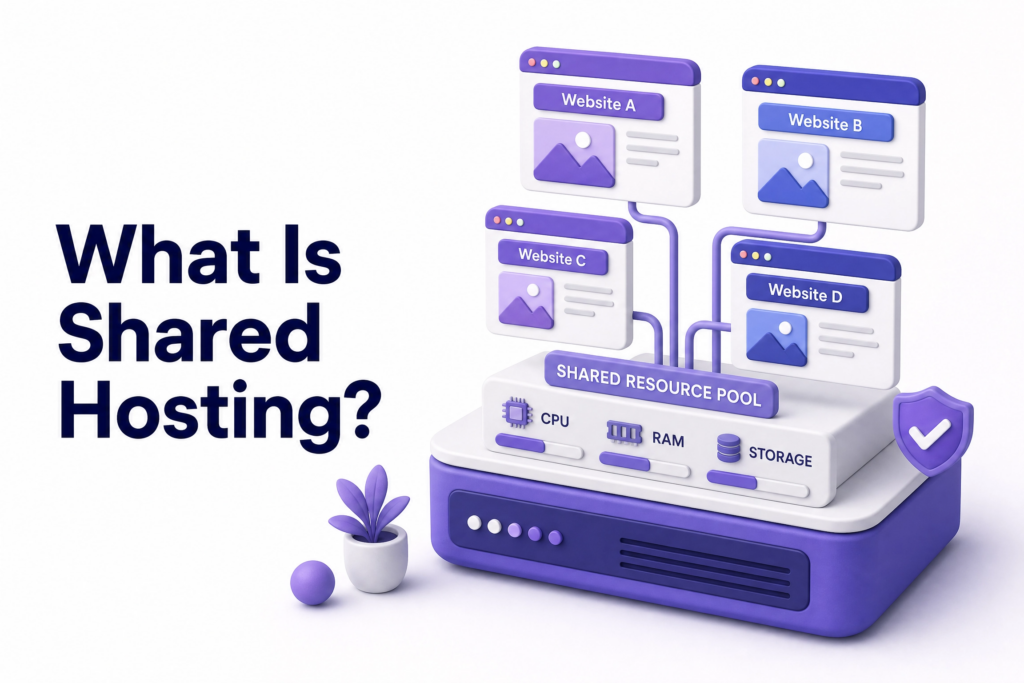
Shared hosting is exactly what the name suggests, your website shares a physical server with hundreds of other websites. All of them draw from the same pool of CPU, RAM, and bandwidth.
Think of it like a shared apartment. You have your own room, but the kitchen, electricity, and water are shared. When everyone’s cooking at the same time, things slow down.
Your hosting provider manages everything, security patches, server maintenance, software updates, so you never have to think about server administration. You log in, upload your site, and it’s live.
The upside: It’s cheap. Plans typically start from a few hundred rupees per month, making it accessible for anyone just getting started.
The downside: You’re at the mercy of your neighbours. If another website on your server gets a traffic spike, your site slows down too. This is called the “noisy neighbour” problem, and it’s a fundamental architectural limitation not something that can be fixed with a better plan.
What Is Cloud Hosting?
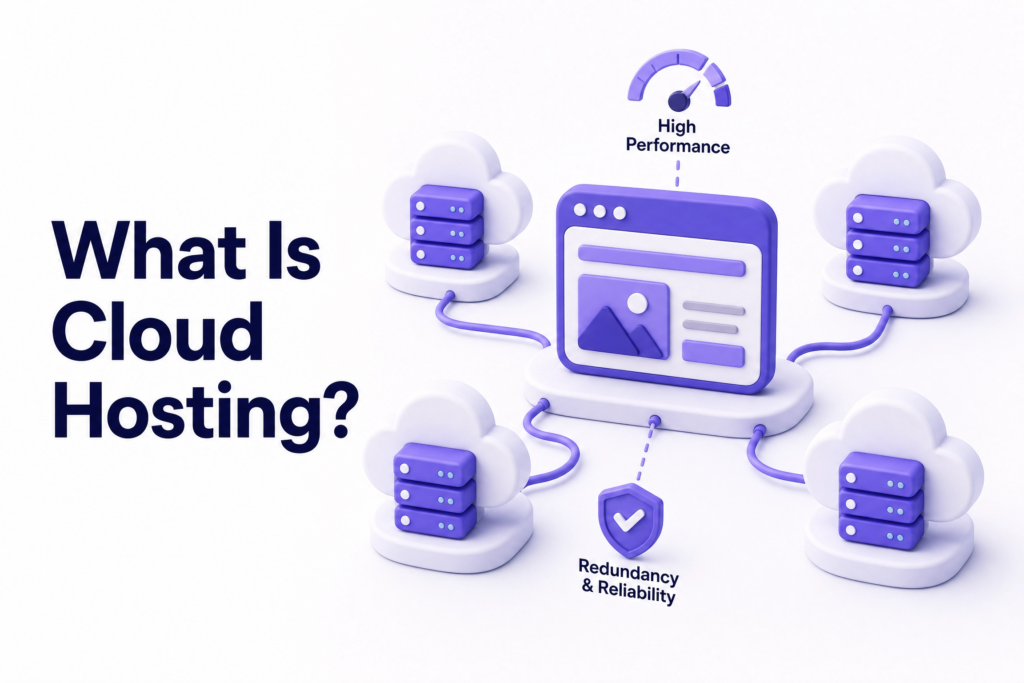
Cloud hosting spreads your website across multiple servers instead of one. Rather than relying on a single physical machine, your site draws resources from a network, so if one server has issues, others instantly pick up the load.
The result: better speed, better uptime, and the ability to scale automatically when traffic increases. If you run a promotion and traffic spikes overnight, cloud hosting handles it without your site going down.
Cloud hosting auto-scales resources in real time when traffic increases, keeping your site fast and available. Shared hosting has no auto-scaling, when your server hits its resource ceiling, your site slows to a crawl or goes offline entirely.
The upside: Reliability, speed, and scalability that shared hosting simply can’t match.
The downside: It costs more, and some cloud hosting setups require more technical knowledge to manage, though managed cloud hosting options have made this much simpler in recent years.
Shared Hosting vs Cloud Hosting: Head-to-Head Comparison
| Feature | Shared Hosting | Cloud Hosting |
| Cost | Very low (₹100–₹500/month) | Moderate to higher (₹500–₹3000+/month) |
| Performance | Limited, affected by neighbours | Fast, consistent, scalable |
| Uptime | ~99.5% (roughly 2 days downtime/year) | 99.9%+ (minutes of downtime/year) |
| Scalability | Minimal: upgrade means migrating plans | Instant: resources scale automatically |
| Security | Shared environment = higher risk | Isolated resources, better protection |
| Technical skill needed | Very low | Low to moderate (less with managed plans) |
| Best for | New sites, low traffic, tight budgets | Growing businesses, eCommerce, bookings |
Who Should Choose Shared Hosting?
Shared hosting gets a bad reputation in some circles but it’s genuinely the right choice for a specific type of website owner.
You should consider shared hosting if:
- You’re launching your first website and want to test the waters without spending much
- Your site is a simple brochure or portfolio, five to eight pages, no eCommerce, no online booking
- You expect low traffic, a few hundred visitors per month, not thousands
- You’re on a tight budget and need something live quickly
- You’re comfortable with the idea of upgrading later when your business grows
A small local business just starting out online doesn’t need cloud infrastructure on day one. Shared hosting is a sensible, affordable starting point as long as you understand its limits and plan to move when the time comes.
Who Should Choose Cloud Hosting?
Cloud hosting makes sense when your website needs to perform reliably not just exist.
You should consider cloud hosting if:
- Your website generates revenue directly: bookings, eCommerce, lead generation
- You expect traffic to grow or fluctuate unpredictably
- You can’t afford downtime, every hour offline is money lost
- Your site already has decent traffic and is starting to feel slow
- You’re running a client-facing business where your website represents your brand professionally
- You’re in a competitive industry where site speed directly affects SEO rankings
A site loading in under one second on cloud infrastructure might take three to five seconds on a congested shared server. That’s not a marginal improvement, it’s the difference between a site that converts and one that doesn’t.
For tour companies handling online inquiries, agencies showcasing client work, or any business where a slow or unavailable site means lost revenue, cloud hosting pays for itself.
The Hidden Costs Nobody Mentions
Most articles compare the monthly plans and stop there. But the real cost comparison goes deeper.
The hidden cost of shared hosting is lost business. If your site goes down during peak hours, if it loads in five seconds on mobile, if a security breach affects your shared server, those aren’t just technical problems. They’re revenue problems. The monthly savings on hosting can evaporate quickly against the cost of lost inquiries.
The hidden cost of cloud hosting is complexity. Some cloud providers charge based on resource usage, which can be unpredictable if you’re not monitoring it. Unmanaged cloud hosting requires technical knowledge to set up and maintain. If you pick a complex setup without the skills or support to manage it, you’ll spend money fixing problems rather than running your business.
The sweet spot for most small businesses is managed cloud hosting, where someone else handles the technical side, and you get cloud-level performance without needing to become a server administrator. According to Google’s Web Vitals documentation, page speed directly affects both user experience and search rankings, making hosting quality a business decision, not just a technical one.
Common Mistakes When Choosing a Hosting Plan
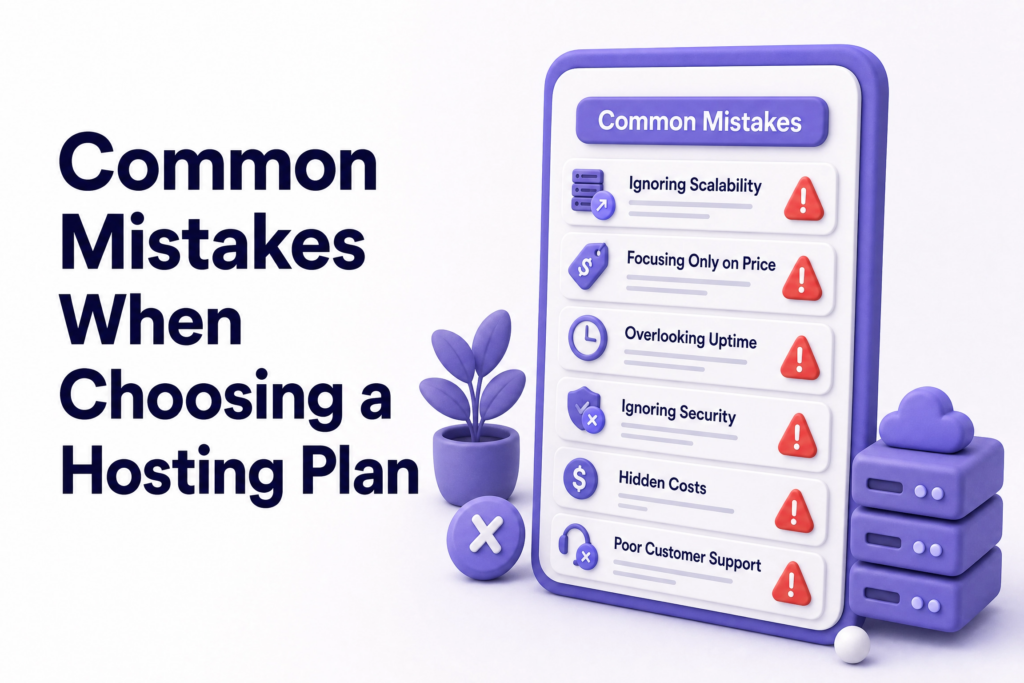
Choosing based on price alone. The cheapest shared plan seems like a bargain until your site is offline at the worst possible moment. Hosting quality directly affects your SEO, your user experience, and your reputation.
Buying more than you need. On the flip side, a five-page business brochure site doesn’t need enterprise cloud infrastructure. Overspending on hosting doesn’t make your site better, it just costs more.
Not checking renewal prices. Many hosting providers offer a very low first-year price that doubles or triples on renewal. Always check what year two costs before committing.
Ignoring uptime guarantees. Shared hosting maintains an average uptime of only 99.5%, which sounds acceptable until you do the math, that’s nearly two full days of downtime per year, an unacceptable risk for any site generating real revenue. Ask your provider what their uptime guarantee actually is and what compensation they offer when they miss it.
Staying on shared hosting too long. Business owners who outgrow shared hosting and don’t move often don’t realise their slow site is costing them customers. If your site is noticeably slower than competitors, your hosting might be why.
Choosing unmanaged cloud hosting without technical support. Cloud hosting without management is powerful, but also complicated. Most small business owners don’t have time to manage server configurations. A managed option or a hosting partner who handles it for you is the smarter choice.
What You Can Do Right Now
- Test your current site speed using Google PageSpeed Insights if your mobile score is below 70, your hosting may be contributing
- Check your uptime record: your hosting provider’s dashboard or a free tool like UptimeRobot can show you how often your site has gone down
- Read your renewal pricing: log into your hosting account and check what your plan costs after the promotional period
- Ask yourself honestly: Is my site losing customers because it’s slow or unreliable? If the answer might be yes, it’s time to look at upgrading
If you’re starting a brand new website, shared hosting from a reputable provider is a perfectly reasonable starting point. If you’re running a growing business and your site is core to generating leads or revenue, cloud hosting is the smarter investment.
At ElySpace, we help small businesses choose the right hosting plan for where they are now and where they’re going and we handle the technical setup so you don’t have to. Whether you’re launching your first site or migrating an existing one to faster infrastructure, we can guide you through it.
FAQs (Frequently Asked Questions)
What is the main difference between shared hosting and cloud hosting? Shared hosting puts your website on one physical server alongside many others, sharing its resources. Cloud hosting spreads your site across multiple servers, giving you dedicated resources, better speed, and the ability to scale automatically with traffic.
Is shared hosting bad for SEO? Not inherently but slow shared hosting is. Page speed is a Google ranking factor, and if your shared server is congested and making your site load slowly, it will affect your search rankings over time. Fast shared hosting from a reputable provider is acceptable for smaller sites.
Is cloud hosting worth the extra cost for a small business? It depends on what your website does. If your site is purely informational with low traffic, shared hosting is fine. If your site generates leads, bookings, or sales and downtime or slowness costs you business, cloud hosting is worth every extra rupee.
Can I start on shared hosting and move to cloud hosting later? Yes, and this is actually a common and sensible approach. Start with shared hosting while your site is new and traffic is low, then migrate to cloud hosting as your business grows and performance becomes more critical. Most hosting providers make migration straightforward.
Does cloud hosting mean my site will never go down? Nothing guarantees zero downtime, but cloud hosting gets much closer. Because your site runs across multiple servers, a single server failure doesn’t take your site offline. Reputable cloud hosting providers offer 99.9% or higher uptime guarantees.
What is managed cloud hosting? Managed cloud hosting gives you cloud-level performance while the provider (or your web partner) handles the technical server administration: updates, security, configuration, and backups. You get the benefits of cloud without needing to become a server expert. It’s usually the best option for small businesses that want performance without complexity.
Which is more secure: shared or cloud hosting? Cloud hosting is generally more secure because your resources are isolated from other users. On shared hosting, a security breach affecting another website on your server can potentially impact yours too. That said, good security practices: strong passwords, updated software, and SSL, matter on any hosting type.