 Live Chat
 Contact
 Shopping Cart
 Irfan Bhat
If you’re looking for AI tools designed for students, you might have seen how the list you always look up has only been repeating the same 5 names, most of which are pretty outdated, and which also don’t tell you which tool is suitable for your case. I decided to create this guide for ElySpace to break down the different free AI tools for students, freelancers, and small businesses in 2026 based on their real-life applications, not mere guesses.
In the past few months, I have been trying out these tools on my coursework, freelance jobs, and small business jobs — in short, the kind of daily work that people who live in Kashmir and elsewhere are doing. No ads, no noise, just a straightforward analysis of what works and what doesn’t.
What Makes an AI Tool Worth Using in 2026

Not all tools that advertise to be “AI-powered” are really worth being installed on your device. There are four conditions I would like to check for every tool I’m considering incorporating into my workflow.
First, the free tier must deliver real functionality and not simply act as a five-minute demo. Second, the tool should carry out a certain task well instead of proclaiming its desire to do everything. Third, it must really save time rather than just increase the number of browser tabs. Fourth, the tool should be safe enough to use for storing notes, drafts, and information about clients.
Think of these four points while going through the list I have prepared. They will prevent you from installing a lot of applications you’d never even open.
Best Free AI Tools for Students
For students, this is arguably the first choice for a reason. The past couple of years have seen the rise of AI tools for students that are more than just fancy chatbots that write essays. Nowadays, these tools help with research, revisions, coding, and managing a whole semester’s worth of content.
1. ChatGPT — All-in-one tool
ChatGPT is undoubtedly the first tool that most students go to, and for good reason. It helps simplify difficult ideas, offers essay structures, helps debug code, and can serve as a study partner when stuck on assignments. The free version is convenient for average occasional use, but long-term users might hit the soft limit.
Use it to brainstorm ideas and create first drafts, but remember to check all the information before submitting assignments for grading, since it can be quite misleading.
2. Gemini — Best for All Things Google
If you do your academic work in Google Docs, Gmail and Drive, Gemini would fit perfectly in your routine. Students with eligible .edu emails can enjoy even more opportunities and benefits through Google
3. NotebookLM – The Best for Studying Using Your Own Notes
NotebookLM is one of the least known applications that deserves more recognition. Instead of giving you answers based on the open internet, you can upload your notes, PDFs, or any reading material and create your personalised study assistant that will know only your materials. You can ask it to summarise any chapter or quiz you on some material, and it will only refer to the information you uploaded.
It’s free with a Google account, and you can use it a lot without any major limit.
4. Perplexity AI – The Best for Research with Authentic Sources
Unlike normal chatbots, Perplexity reveals the exact sources of its answers, so you can check the accuracy of the information before using it in your paper. So it saves hours when conducting research for your paper.
5. Grammarly – The Best for Polishing Your Writing Skills
Grammarly ensures the accuracy of your grammar, clarity, and tone in real-time as you write. It’s best when used as a second reader and not to replace your one-of-a-kind voice. It is the best tool to catch your mistakes and keep your writing style authentic.
6. Quizlet AI – The Best for Active Recall
If you are studying a subject that requires memorising various facts, like languages, biology, or history, Quizlet allows you to create flashcards from your notes at no cost and utilise a method known as spaced repetition to study. It’s a simple yet effective tool with which you can study.
Tip for students: Avoid using all six tools simultaneously. Instead, use one tool for writing, one for research, and one for revision. This will keep you from getting tired of learning how to use different tools for a semester.
Best Free AI Tools for Freelancers
As a freelancer, one adopts multiple roles, such as those of a writer, designer, accountant, and salesperson, often simultaneously. But these tools help reduce the burden.
1. Claude – The Best Software for Long-form Writing and Editing
Claude is good at handling lengthy documents, producing text that feels human-written — essential for freelance writers and consultants involved in client work. The software can take an entire document, analyse it, and provide useful feedback that goes beyond surface-level compliments.
2. Canva AI (Magic Studio) – The Best Tool for Designing Without a Designer
Canva’s free plan comes with a limited amount of Magic Studio credits every month for various tasks such as background removal, text-to-image services, and the Magic Write copy function. A freelancer who publishes a few pieces of content each week will get good value from this service.
3. Otter.ai – The Best Choice for Making Meeting Notes
If you find yourself on client calls daily, Otter does all the transcription work for you, allowing you to focus on taking part in the conversation.
4. Notion AI – The Most Effective for Client Work Management
According to its free plan, Notion gives limited AI service – summarising pages, generating text, or correcting grammar in existing notes and project boards. The tool comes in handy if you are already using Notion to manage deadlines and deliverables.
5. Perplexity AI – The Ideal Tool for Competitor Research
The same source-search feature that helps students also comes in handy for freelancers in search of market confirmation or for recent statistics for a client presentation.
Best Free AI Tools for Small Businesses
When running a small business with limited resources, you don’t have to forgo AI altogether anymore, either. Here are some free tools that can do the jobs that had to be outsourced before.
1. ChatGPT and Claude – Writing and Planning
They can be used to write emails, product descriptions, social media posts, and to make business decisions before spending money.
2. Canva Magic Studio – Marketing visuals
A small company that posts three or four times a week in social media can produce a full month’s worth of postings using only free credits in Canva, without resorting to hiring a designer.
3. HubSpot Free CRM – Tracking leads and customers
The free version of HubSpot includes email tracking, a deal pipeline, and some simple automated follow-up communications. For a business with fewer than 500 contacts, this makes the use of messy spreadsheets needless.
4. Zapier – Connecting Your Applications
The free variant of Zapier allows automation of around 100 tasks monthly with five “zaps.” This is enough to connect a form to an email notification or a sale to an automatic letter of thanks before there is a need for more payments.
5. Perplexity AI – Market Research
It is used in the same way as freelancers use it: fast and correctly sourced and documented answers when doing competitor research, looking up a market claim, or creating a presentation.
Reality check: an AI tool cannot make a non-viable business model viable. However, it allows using time effectively; however, it cannot be used instead of a solid business plan.
How to Choose the Right AI Tool for You
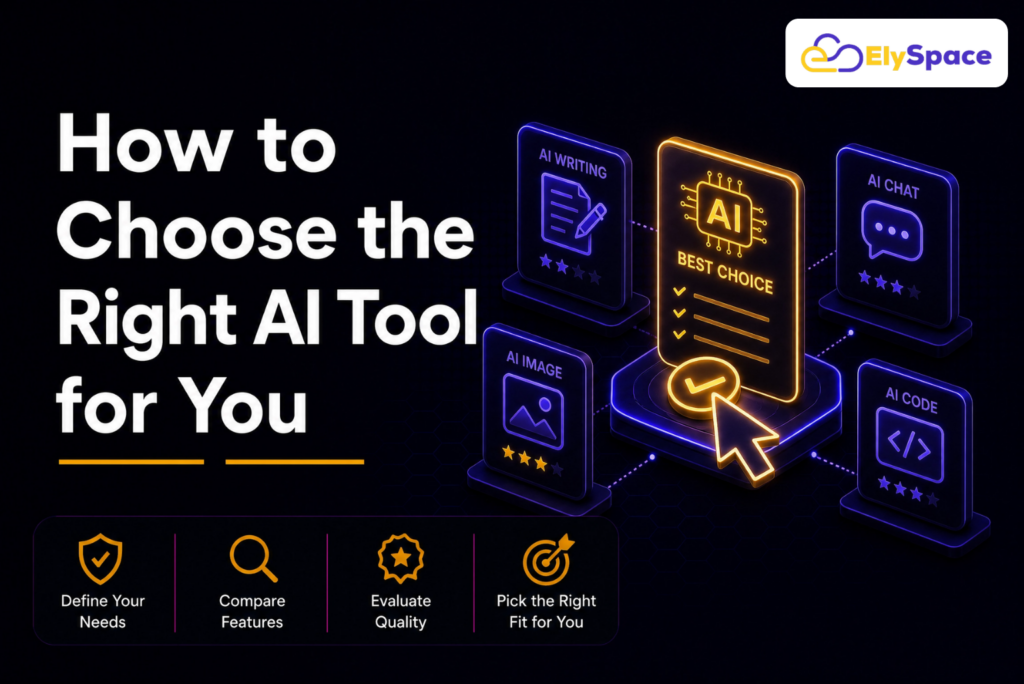
There are plenty of options available today, and many individuals make the error of attempting to utilise everything simultaneously. Instead, it is better to identify your largest time-consuming activity — whether that activity is writing, researching, design, or administration — and then find one tool that helps solve this issue.
Use this first tool consistently for a period of two or three weeks. This period of time will allow you to see if it really saves you time or if it just adds another tool into your system.
Once it becomes easier to use two tools, adding the third one should not require a lot of effort.
Also, it is important to be extra careful with what information is being inserted into any AI software. Avoid revealing sensitive information, such as academic records or contractual details, until you have checked the privacy policy of the software.
Frequently Asked Questions
Are the free AI tools available to students truly free, or do they lock many vital features behind a paywall?
The majority of the listed tools come with a functional free version for their daily operations. The paid editions unlock higher limits of usage and advanced functionalities, but the usual and moderate usage of such tools does not require one to upgrade to a premium account.
Can any of the feasible features offered by AI tools be enough to replace study or hiring professionals to complete business tasks?
No. AI tools make drafting, research, and organising faster, yet they still need direction and revision. You must use tools as a strong assistant rather than replacing yourself.
Are AI tools safe for schoolwork or working with clients?
Most of the reputable and popular AI tools are safe to use in daily life, but this does not mean you can share sensitive personal, academic, or client-related information.
Which AI tool is recommended for people with no experience at all?
Students can start their work with ChatGPT or Gemini and later switch to NotebookLM to support their studies. Those who work as freelancers or own small businesses are recommended to start with ChatGPT or Claude and add Canva to their operations later.
Final Thoughts
The top free AI tools for students, freelancers, and small businesses in 2026 aren’t the ones with the most expensive and best features, but precisely the tools that can seamlessly blend with your workflow and be practically helpful for more than just one week. Start with the simplest ones, identify your most critical problem, and proceed in the right direction.
ElySpace conducts tests and writes about AI tools so that users don’t have to do it by themselves. In case this guide was practical to you, have a look at our other articles about productivity workflows and free design tools for small businesses.
This guide is up-to-date in terms of the tools and their limitations in mid-2026. AI products change rapidly, and it is better to check the current pricing and limitations from the official pages of their providers before applying them for anything important.
Sources referenced for accuracy: OpenAI — ChatGPT, Google NotebookLM, Google Gemini, Grammarly, Perplexity AI, Canva, HubSpot Free CRM, Zapier.