 Live Chat
 Contact
 Shopping Cart
 Shahid
AI web hosting sounds like marketing jargon, but in 2026 it’s a real technical distinction – and most websites are sitting on hosting that wasn’t built for the AI features they now run.
That’s the gap we keep running into at Elyspace. A client launches a beautiful site with an AI builder, plugs in a chatbot, switches on AI-powered search, maybe adds an automated content generator on the backend – and the moment real traffic shows up, everything starts crawling. The site isn’t broken. The hosting just wasn’t designed for what the site is actually doing.
This guide isn’t about scaring you into upgrading. It’s about understanding what AI web hosting actually requires, what changed, what didn’t, and what your hosting needs under the hood when your website does more than serve static pages.
What “AI on a website” actually means in 2026
The phrase gets thrown around loosely, so let’s be specific. When people say a website “uses AI,” they usually mean one or more of these:
- A chatbot or AI assistant answering visitor questions in real time
- AI-powered search that understands intent, not just keywords
- Personalized content that adjusts to the visitor — recommendations, dynamic landing pages
- AI-generated content running on a schedule — articles, product descriptions, summaries
- API calls to AI providers like OpenAI, Anthropic, or Google, or a self-hosted model
- AI-built sites where the entire front end is generated or assembled by a builder
Each of these stresses hosting differently. A chatbot mostly hits an external API and waits. Generated content runs heavier server-side jobs. Personalization needs fast database reads and smart caching. Lump them all under “AI” and you’ll make bad decisions about AI web hosting.
Why basic shared hosting struggles with AI features
Shared hosting was designed around a simple assumption: most pages are static or close to it, databases stay small, and PHP execution finishes quickly. That model still works beautifully for blogs, small business sites, and brochure WordPress installs.
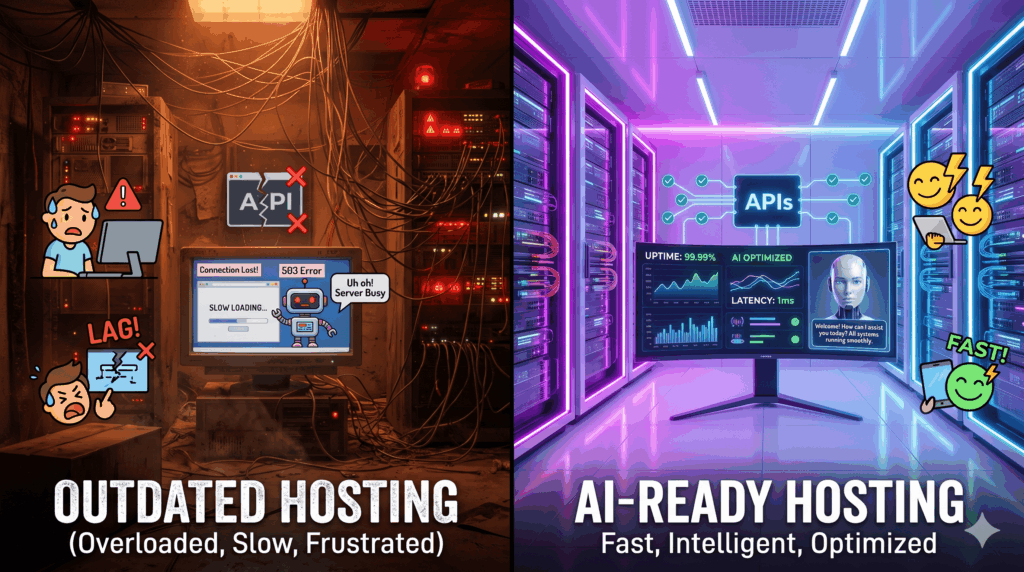
AI features break a few of those assumptions.
Longer execution times. When your site calls an AI API, you’re waiting on an external server to think. That can take five seconds, ten, sometimes thirty. Most shared hosts cap PHP execution at 30 seconds or less. Your AI chatbot times out before it finishes the response.
Higher memory per request. AI plugins for WordPress and similar platforms aren’t lean. They load larger libraries and hold more in memory. Multiply that by ten visitors hitting the bot at the same time and you can blow past the memory limit on a standard plan.
More frequent outbound connections. Every AI call is an outbound HTTPS request. Some hosts quietly rate-limit outbound traffic, especially to high-volume API endpoints. We’ve seen entire AI integrations fail silently because the host throttled the connections without telling anyone.
Inconsistent CPU. Shared hosting splits CPU between accounts. If a neighbour’s site has a runaway script, your AI features slow down even though nothing on your side changed. For real-time chat, that’s the difference between a customer staying and leaving.
None of this means shared hosting is bad. It means the gap between hosting that runs a brochure site and proper AI web hosting is wider than most people realize.
What actually matters in AI web hosting
Forget the marketing pages for a moment. These are the things that matter in practice.
1. Realistic execution time and timeout limits
Your hosting needs to let PHP (or Node, or Python — whatever you’re running) wait long enough for an AI response. We recommend at least 60 seconds of execution time and a matching proxy timeout at the web server level. Without both, requests die halfway.
2. Enough RAM per process
AI plugins, vector libraries, and integration code aren’t lean. Plan for at least 512 MB per PHP process on AI-heavy sites — 1 GB is safer. On CloudLinux servers, this is configurable per account through LVE limits, which is one of the reasons we built our AI web hosting stack on it.
3. A working caching layer
Caching matters more, not less, with AI on a site. The trick is caching the parts that don’t change — page shells, navigation, static content — so the server has resources free for the AI calls that genuinely have to run live. LiteSpeed with LSCache, Redis for object caching, and a CDN in front are the baseline.
4. Outbound API reliability
If your host blocks or throttles outbound HTTPS to common AI endpoints, your features will be flaky in ways that are hard to debug. A good host either has no such restrictions or is transparent about them and willing to whitelist.
5. SSD or NVMe storage with real IOPS
AI features mean more database writes logs, chat history, generated content, embeddings. Slow disk shows up as a sluggish admin panel and laggy bot responses. NVMe is standard on serious hosting now. If it isn’t included, that’s a signal.
6. Honest resource accounting
This one’s underrated. Some hosts oversell so aggressively that the stated resource limits mean nothing. The plan says 2 GB RAM and 4 CPU cores; in reality you’re sharing with 200 accounts pushing the same limits. Ask a host directly how many accounts they put per server. The ones with good answers are the ones worth using.
Common AI web hosting mistakes we see
A few patterns come up constantly when clients move AI-heavy sites to us.
Picking hosting on marketing alone. “AI-optimized hosting” is the new buzzword. Most of the time it means nothing technical a relabelled version of the same shared plan. Look at the actual specs.
Running expensive AI features on the live request path. If your site generates product descriptions with AI, do it in a background job and store the result. Don’t generate fresh on every page load. This is a code problem more than a hosting problem, but the wrong hosting hides it until traffic shows up.
Ignoring the database. AI features almost always increase database load. A site that ran fine on a basic MySQL setup can start choking once you add chat history, embeddings, and analytics. Either tune the database or pick a plan where it’s already tuned.
No CDN. A CDN is the single cheapest performance upgrade for any modern site. It frees the origin server to do the work only the origin can do — which, on an AI site, is the AI part.
Skipping staging. AI integrations break in strange ways. A staging environment isn’t a luxury here; it’s a requirement.
What to look for in AI web hosting
If you’re shopping for hosting and your site uses AI in any meaningful way, check these before you sign up:
- Execution time and timeout limits — ask for the actual numbers
- PHP memory limit – 512 MB minimum, ideally configurable
- Concurrent connection limits — matters most for chat features
- Storage – NVMe or fast SSD, not spinning disk
- Caching stack – LiteSpeed and Redis are good signs
- Outbound HTTPS policy — are AI API endpoints reachable without negotiation?
- Support quality — when something breaks, is there a human who understands AI integrations, or just a ticket queue?
That last point matters more than people admit. Specs get you 80% of the way. Support handles the 20% that actually breaks at 2 AM.
Frequently asked questions
Do I need a VPS or dedicated server for AI web hosting?
Not usually. A well-configured shared or cloud plan with proper resource limits handles most AI features comfortably. You’d only need a VPS or dedicated server if you’re self-hosting large AI models, processing video, or running unusually heavy workloads.
Will my OpenAI or Anthropic API costs go up if I switch hosting?
No. API costs come from the AI provider, not your host. Hosting affects how fast and reliably you can call those APIs — it doesn’t change what they cost.
Does AI web hosting affect SEO?
Indirectly, yes. AI features that slow your site down hurt SEO. AI features that improve user experience — faster search, better answers, personalization help it. Hosting performance sits at the centre of both.
Can I run AI features on cheap shared hosting?
For light use — a contact-form chatbot, occasional API calls yes. For anything with real traffic or background AI jobs, you’ll outgrow it quickly and need proper AI web hosting.
Should I move to one of those “AI hosting” plans I keep seeing advertised?
Check the specs before you do. Most “AI hosting” plans in 2026 are rebranded standard plans. A few genuinely tune their stack for AI workloads. Read the fine print.
Where this all lands
AI is changing how websites get built faster than hosting is changing to support them. That’s the real story underneath every conversation about AI and the web right now. The site you put together in an afternoon with an AI builder can be technically impressive and still feel slow, broken, or unreliable in production — because the hosting it landed on was designed for 2018.
You don’t need exotic infrastructure to run a modern AI-powered site. You need AI web hosting that’s honest about its limits, generous with the resources that matter, and run by people who understand what your site is actually doing.
That’s the kind of hosting we build at ElySpace, and the reason we wrote this guide instead of a marketing page. If you’re planning an AI feature on your site and you’re not sure your current hosting will keep up, talk to us. We’d rather tell you the truth about what you need than sell you something that won’t carry it.