 Live Chat
 Contact
 Shopping Cart
 Rashid Malla
If you manage a website on shared or VPS hosting, cPanel security is probably not something you think about until something breaks. Then it’s an emergency: your domain is redirecting to a spam site, Google has flagged you as “deceptive,” or a client is calling to ask why the homepage now sells counterfeit watches. I’ve seen this exact scenario play out on a client’s WooCommerce store: nothing was wrong with the site files; the DNS records had been quietly changed over a weekend. That’s the part most site owners never expect, and it’s why the two most common culprits behind these incidents are DNS hijacking and malware slipping in through an outdated plugin or a weak password.
This guide is written from the perspective of someone who has actually cleaned up hijacked domains and infected cPanel accounts, not from a generic checklist copied off a forum. We’ll walk through what DNS hijacking actually is, how a website malware scanner fits into your defense, and most importantly, how to stop DNS hijacking on cPanel before it costs you traffic, rankings, or customer trust. No fluff, just the steps that work.
Why cPanel Security Needs to Be Predictive, Not Reactive
Most hosting advice treats security as a cleanup job. Something goes wrong, you scan, you patch, you move on. That approach keeps you one step behind attackers, and with automated bots scanning millions of domains a day, one step behind is enough to get hit.
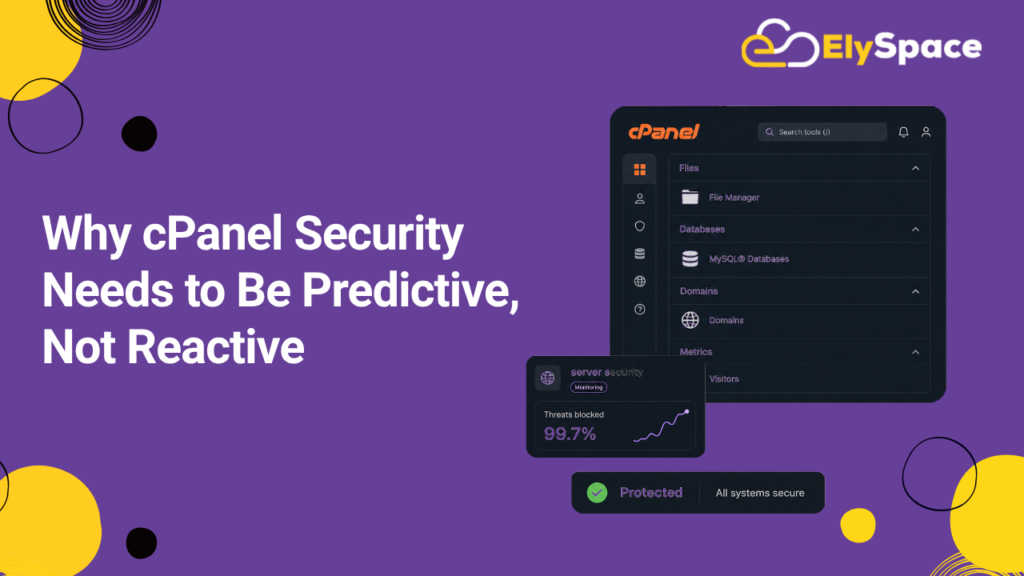
Predictive cPanel security flips this around. Instead of waiting for a malware alert or a customer complaint about a broken link, you set up monitoring and access controls that catch suspicious changes before they spread. That means monitoring DNS records for unauthorized edits, scanning for file changes in real time, and locking down who can access your domain settings in the first place.
The difference matters more than it sounds. A hijacked DNS record can redirect visitors for hours or days before anyone notices, especially over a weekend when nobody’s watching the dashboard. By the time you catch it manually, Google may have already indexed the malicious redirect, and recovering your search rankings can take weeks. Prevention really is cheaper than recovery here in time, in developer hours, and in lost revenue. Ely Space’s own managed hosting security monitoring is built around exactly this idea: catching the change, not just cleaning up after it.
What DNS Hijacking Actually Is
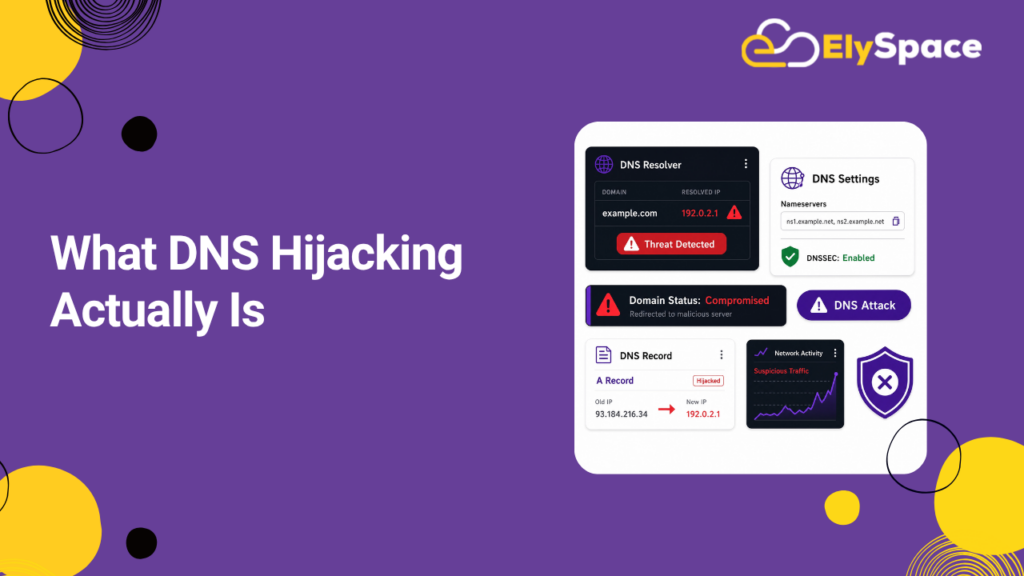
DNS hijacking happens when someone changes your domain’s DNS records without permission, pointing your domain to a server they control instead of your real website. Visitors type in the correct URL, but they land on a phishing page, a spam site, or a page silently loading malware onto their device.
It’s different from a typical malware infection because the attacker often doesn’t need to touch your website files at all. They just need access to your domain registrar account, your DNS provider, or in some cases, your cPanel’s DNS zone editor. This is why cPanel security has to cover more than file scanning; it needs to protect the DNS layer too.
There are a few common ways this happens:
- Compromised registrar or cPanel login: weak or reused passwords let attackers log in directly and edit DNS records.
- Router-level DNS hijacking: malware on a local network changes DNS settings for anyone using that router, redirecting traffic before it even reaches the real DNS server.
- Man-in-the-middle attacks: unencrypted DNS queries get intercepted and answered with fake records.
- Exploited vulnerabilities: in outdated cPanel or WHM versions that expose DNS zone files to unauthorized changes.
Each of these has a different fix, which is exactly why generic “just install a plugin” advice doesn’t hold up. Real cPanel security means addressing each entry point on its own terms. For a deeper technical breakdown of how DNS resolution can be manipulated, Google’s Search Central documentation on site security issues is worth reading alongside this guide.
How to Stop DNS Hijacking on cPanel: Step-by-Step
If you’re specifically looking for how to stop DNS hijacking on cPanel, these are the steps that actually reduce your risk, roughly in the order you should tackle them.
1. Lock Down Access to WHM and cPanel
Start with authentication. Enable two-factor authentication on every cPanel and WHM account with DNS access, and remove any accounts that no longer need it. This single step blocks the majority of unauthorized DNS edits, since most hijacking starts with a stolen or guessed password rather than a technical exploit.
2. Enable DNSSEC on Your Domain
DNSSEC adds a cryptographic signature to your DNS records, so resolvers can verify the response actually came from your authoritative server. Most modern cPanel and WHM setups support DNSSEC directly through the DNS zone manager. Turning it on closes off a large category of spoofing attacks with very little ongoing effort.
3. Restrict DNS Zone Editing Permissions
In WHM, go to your account’s ACL settings and limit which resellers or users can edit DNS zones. If you’re on shared hosting and don’t manage WHM directly, ask your host to confirm this restriction is already in place. Fewer hands on the DNS zone means fewer chances for a mistake or a breach. cPanel’s own documentation on DNS zone management walks through the exact settings to check.
4. Monitor DNS Records for Unauthorized Changes
Set up alerts that notify you the moment an A record, CNAME, or MX record changes. Several DNS monitoring tools do this for free, checking your records every few minutes and flagging anything unexpected. This is the “predictive” part of predictive cPanel security: you find out in minutes, not days.
5. Use a Registry Lock or Domain Lock
Most registrars offer a domain lock feature that prevents transfers and major DNS changes without extra verification. If your registrar supports registry lock, turn it on. It adds a manual approval step that stops automated hijacking attempts cold, and it costs nothing.
6. Keep cPanel and WHM Fully Updated
Outdated versions of cPanel occasionally carry vulnerabilities that get exploited for exactly this kind of attack. Confirm with your hosting provider that automatic updates are enabled, and check the changelog after major updates to see whether any DNS-related security patches were included. If you’re hosted with Ely Space, this is handled as part of our server maintenance plans, so it’s one less thing to track manually.
Choosing and Running a Website Malware Scanner
DNS protection stops one attack vector, but you still need a website malware scanner watching your actual files, because infections can happen through outdated plugins, weak FTP credentials, or vulnerable themes, often with no DNS involvement at all.
A good malware scanner for a cPanel environment should do three things well: scan files on a schedule rather than only on demand, compare files against known-clean baselines to catch subtle changes, and alert you immediately instead of burying results in a dashboard nobody checks. Many cPanel hosts include a scanner like Imunify360 or ClamAV, and both are solid starting points. Imunify360 in particular is built for shared hosting environments and pairs real-time malware detection with a basic firewall, which covers a lot of ground for one tool.
Once installed, don’t just run a scan and forget about it. Schedule automatic scans daily, review quarantine logs weekly, and treat any flagged file as suspicious until you’ve personally confirmed what it is. A scanner is only as useful as the follow-up behind it. We cover this in more depth in our guide to choosing a hosting security stack, if you want to compare a few options side by side.
cPanel Security Checklist for Ongoing Protection
Use this as a working checklist rather than a one-time task list. Good cPanel security is maintenance, not a setup-and-forget project.
- Enable two-factor authentication on cPanel, WHM, and your domain registrar.
- Turn on DNSSEC for every domain you manage.
- Run a website malware scanner on a daily automated schedule.
- Review DNS zone records monthly for anything you didn’t add yourself.
- Keep cPanel, WHM, and all installed applications (WordPress, plugins, themes) updated.
- Use SFTP instead of unencrypted FTP for all file transfers.
- Set strong, unique passwords for every account with server or domain access, and rotate them periodically. Checking your email against Have I Been Pwned is a quick way to know if credentials tied to your accounts have already leaked.
- Back up your site and DNS zone file weekly, stored somewhere outside the same server.
Common Mistakes That Undo Good cPanel Security
Even site owners who take security seriously tend to make the same handful of mistakes. Treating malware scanning and DNS security as two unrelated problems, handled by different tools with no communication between them, is probably the biggest one — in reality, a compromised cPanel account is often the entry point for both.
Ignoring low-severity scanner alerts is another. A single suspicious file dismissed as a false positive is sometimes the first sign of a larger infection building quietly in the background, and by the time it’s obvious, it’s already spread to more of the account. Skipping backups of the DNS zone file specifically is the third one worth flagging. Most people back up website files diligently but forget DNS records need their own backup too, so restoring after a hijack ends up taking far longer than it should.
FAQs About cPanel Security and DNS Hijacking
Is DNS hijacking the same as a domain hack? Not quite. A domain hack usually means someone gained full control of your registrar account, including the ability to transfer the domain elsewhere. DNS hijacking specifically targets the DNS records, redirecting traffic without necessarily taking over the entire domain.
How fast can DNS hijacking be fixed once discovered? Once you regain access and correct the DNS records, propagation usually takes anywhere from a few minutes to 48 hours, depending on your TTL settings and how widely the bad records were cached. Lowering your TTL in advance makes recovery noticeably faster when something does go wrong.
Does cPanel have built-in DNS hijacking protection? cPanel and WHM provide the tools DNSSEC, ACL restrictions, and zone editing controls, but none of them do anything unless you actively configure them. There’s no default setting that fully protects you out of the box, which is honestly the most overlooked point in this whole topic.
How often should I run a website malware scanner? Daily automated scans are the standard for any live website, with a deeper manual review monthly. High-traffic or e-commerce sites should consider real-time scanning if their host supports it, since the cost of even a short infection window is much higher.
Final Thoughts
Predictive cPanel security isn’t about buying every tool on the market; it’s about closing the specific gaps that let DNS hijacking and malware infections happen in the first place: weak access controls, unmonitored DNS records, and scanners that run but never get reviewed. Work through the checklist above, revisit it quarterly, and treat DNS monitoring with the same seriousness as file-level malware scanning. That combination is what actually keeps a domain safe, not a single plugin or a one-time cleanup.
If you want a second set of eyes on your current setup, Ely Space’s hosting security team can review your cPanel configuration and DNS records directly. For further reading on the technical side of DNS integrity, ICANN’s guide to DNS security and CISA’s guidance on DNS best practices are both solid, authoritative references worth bookmarking.