 Live Chat
 Contact
 Shopping Cart
 Irfan Bhat
Customer trust online is the one thing most Srinagar, Baramulla, and Anantnag business owners never budget for — and it’s usually why a visitor lands on a perfectly good website, scrolls for eight seconds, and leaves without so much as a WhatsApp message. If that sounds familiar, you’re not alone, and it’s rarely the product’s fault.
We’ve spent years handling hosting and websites for small and mid-sized businesses across Kashmir, and honestly, the same handful of mistakes show up again and again — whether it’s a single shop’s landing page or a growing online store with hundreds of orders a month. This guide walks through why customer trust online breaks down and exactly how to patch it, in plain language, no jargon.
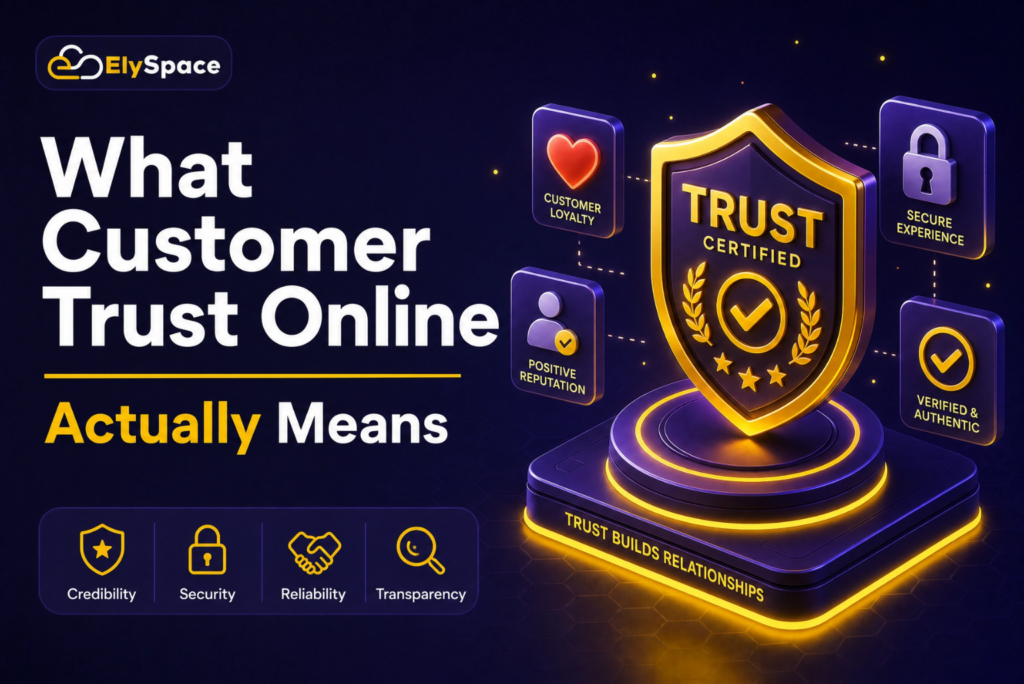
What Customer Trust Online Actually Means
Business trust, in the offline sense, gets built through a firm handshake, a shop you can walk into, a cashier who remembers your name. None of that exists online. A visitor decides whether to trust your business within seconds, based on nothing but what’s in front of them on a screen.
That decision leans on a handful of signals: is the site secure, does it look cared-for, are there reviews from real people, can they actually reach you? Miss even one or two of these, and doubt creeps in — and doubt sends people straight to a competitor’s contact form instead of yours.
Why Customer Trust Online Hits Kashmir-Based Businesses Harder
Buying habits here still run on word of mouth and personal connection, and that’s genuinely a strength. But it also means a lot of local businesses have never had to build trust with a stranger who can’t call a mutual friend to vouch for them.
That gap shows up the moment a business tries to grow past its immediate circle — selling on Instagram, opening an online store, taking orders from outside the Valley. Suddenly, a customer three states away is judging the business purely on what the website looks like, and most local sites just weren’t built with that stranger in mind.
7 Reasons Customers Don’t Trust Your Business Online
1. No SSL Certificate, or a “Not Secure” Warning
If your address doesn’t start with https://, most browsers flag it outright. That single warning can undo customer trust online faster than almost anything else on this list — people don’t need to understand what SSL is to feel uneasy about a site their own browser is warning them about. In 2026, every decent hosting provider throws in a free SSL certificate by default, so there’s really no excuse for running an unsecured site anymore.
2. A Slow or Outdated-Looking Website
People form an opinion before the page even finishes loading. A slow load time, a cluttered layout, or a design that hasn’t been touched since 2016 — any of these quietly tells a visitor the business isn’t paying attention, and if they’re not paying attention here, why would they be careful with an order?
3. Missing or Vague Contact Information
A business with no phone number, no address, and just a bare contact form reads as anonymous. And anonymity is exactly what scammers rely on — so even a completely legitimate business gets lumped in with the risky ones the moment contact details go missing.
4. No Reviews, or Reviews That Feel Fake
Customers want proof that real people have used your service before them. Zero reviews raise an eyebrow. So does a wall of nothing but five-star ratings with no detail — both patterns read as suspicious rather than reassuring.
5. Inconsistent Information Across Platforms
If the phone number on your Facebook page doesn’t match Google, or your address reads differently on your homepage versus JustDial, customers notice. This is often called NAP inconsistency — Name, Address, Phone — and it doesn’t just confuse visitors, it actively hurts your local search rankings too.
6. Poor Mobile Experience
Most of Kashmir shops from a phone. A site with buttons too small to tap, text that needs constant zooming, or a layout that breaks on mobile tells people the business cut corners — and if they cut corners on their own website, customers start wondering what else got skipped.
7. No “About” Page, No Real People Behind the Brand
Faceless websites feel risky. People want to know who’s actually running the business. Even a simple About page — real names, a short story, a couple of photos — builds far more confidence than another paragraph claiming to be “the best in the business.”
Signs You’re Quietly Losing Customer Trust Online
Some red flags are obvious. Others hide in your analytics. Watch for:
- Visitors land on the page and leave within seconds
- Contact forms get filled out, but nothing comes of it
- People message you on WhatsApp asking things your website already answers — meaning they didn’t trust the page enough to rely on it
- Bounce rate keeps climbing, especially from mobile traffic
- Potential buyers ask extra questions to “confirm” you’re legit before paying
Two or more of these showing up at once usually means the real problem is trust, not the product.
How to Build Customer Trust Online, Step by Step
You don’t need to rebuild your whole website to fix this. Most of it can be done one piece at a time.
Secure the site first. Move to hosting that includes SSL by default, so every browser shows the padlock. This single change removes one of the biggest red flags a visitor can hit.
Speed things up. Compress images, drop plugins you don’t actually use, and pick hosting sized for your traffic rather than whatever’s cheapest. Under three seconds to load keeps people around long enough to act.
Get your contact details right — everywhere. Same phone number, same address, same hours, listed identically across your site, Google Business Profile, Facebook, and JustDial.
Collect real reviews. Ask happy customers for a short review right after their purchase. A handful of specific, dated reviews beats fifty generic five-star ratings.
Add a genuine About page. Share how the business started, who runs it, and what makes it different. Photos of the team, the shop, or the workshop do more here than any tagline.
Design mobile-first. Check every page on a phone before assuming it works. Buttons, forms, and checkout should need zero effort on a small screen.
Show proof of delivery. Post photos of completed orders or finished jobs regularly — it’s quiet, consistent evidence that you follow through on what you promise.
What Google Looks for Before Ranking a Trustworthy Site
Google’s Search Quality Evaluator GuidelinesGoogle’s Search Quality Evaluator Guidelines lean heavily on E-E-A-T: experience, expertise, authority, and trust.
In practice, this means Google favours sites that use HTTPS, have clear authorship and business ownership, back up their claims with verifiable facts, and run on dependable hosting. Fix your customer trust online signals, and you’re largely meeting Google’s bar at the same time — the two aren’t really separate projects.
Quick Customer Trust Online Checklist
- Site loads over https:// with the padlock visible, no security warnings
- Page loads in under 3 seconds on mobile
- Phone, email, and address are visible and identical everywhere
- At least 10–15 genuine, recent customer reviews are on display
- About page has real names, photos, or a short company history
- Layout works cleanly on a phone screen
- Hosting provider delivers solid uptime and real support
Fewer than five boxes checked usually means lost sales somewhere in that gap.
FAQs
Why do small businesses in particular struggle with customer trust online? Most skip basic signals — SSL, consistent contact info — assuming trust will just happen naturally. It doesn’t, not with strangers who have no personal connection to fall back on.
Does hosting actually affect trust? Yes. Hosting determines speed, uptime, and whether your SSL certificate works properly. A slow or unreliable site shakes a first-time visitor’s confidence before they’ve even read a word of content.
How long does it take to rebuild trust once it’s damaged? Technical fixes — SSL, speed, contact info — can happen in days. Reputation, on the other hand, builds slowly and takes real consistency over time.
Is a Google Business Profile enough on its own? It helps, but it’s not the whole picture. Once someone clicks through, they still expect a fast, secure, professional website on the other end.
Final Thoughts
Customer trust online doesn’t come from one big fix — it’s built from a stack of small, consistent signals that tell a stranger they’re safe doing business with you. Reliable, secure web hosting, a fast site, honest reviews, and contact information that actually matches across platforms cost very little time or money, and they tend to pay off almost immediately.
If hosting, speed, or security is where your website is falling short, that’s the right place to start. ElySpace has spent years helping Kashmir-based businesses move onto reliable, secure hosting built with local businesses in mind. Read more on our About Us pageor check out our full guide to web hosting.