 Live Chat
 Contact
 Shopping Cart
 Eshan Riyaz
Domain registration services in the USA: Most people spend more time choosing a Netflix password than they do choosing their domain name or registrar.
Then two years later they’re dealing with a renewal they didn’t expect, a WHOIS record showing their home address to anyone who searches, or worst case, a domain they’ve let expire that someone else grabbed overnight.
Domain registration in the USA is one of those decisions that feels tiny at the time and massive when something goes wrong. A domain name is the one part of your online presence you genuinely can’t easily change once it’s established, unlike your website design, your hosting provider, or your social media strategy.
This guide explains what actually matters when choosing a domain registration service, the traps most business owners walk into, and how to protect what might end up being one of your most valuable business assets.
What Domain Registration Actually Involves
When you register a domain name; say, yourbusiness.com, you’re paying an annual fee to maintain the exclusive right to use that address on the internet. You don’t own it outright forever. You rent it, typically in one-year to ten-year increments, from a registrar accredited by ICANN (the international body that oversees domain names).
The registrar keeps the record of who holds the rights to a domain. They also manage your DNS settings, the technical configuration that points your domain to your website’s server and your email.
That’s the core of it. The differences between registrars come down to price, transparency, privacy protection, management interface, customer support, and what additional services they bundle in, or try to upsell.
Not all of those differences are obvious from the homepage.
What to Look for in a Domain Registrar
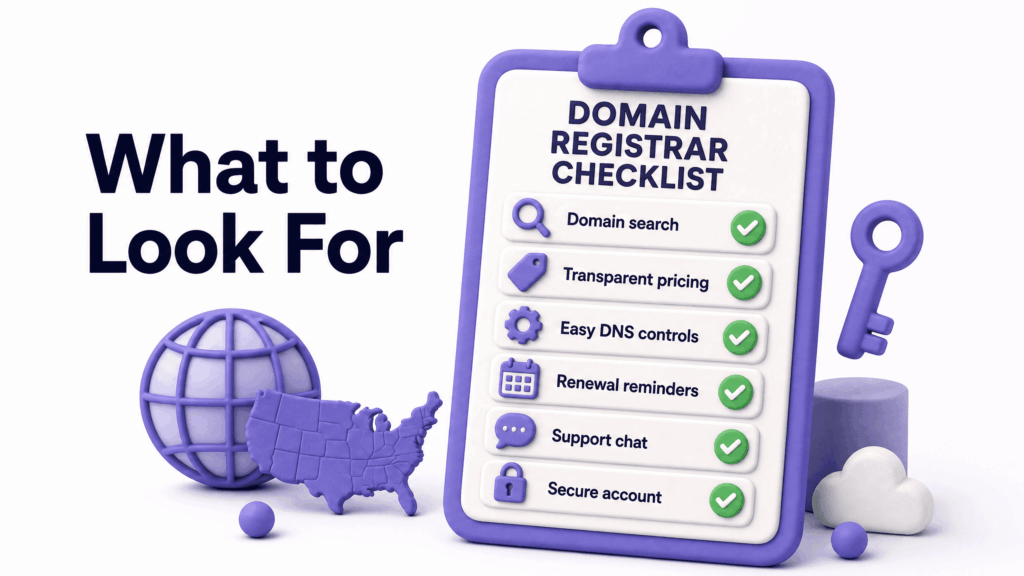
Transparent renewal pricing. This is the single most important factor. More on this in the next section, but the short version is: the first-year price and the renewal price are often very different numbers. A good registrar shows you both, clearly, before you buy.
Free WHOIS privacy protection. When you register a domain, your name, address, email, and phone number get added to the public WHOIS database; searchable by anyone. WHOIS privacy (also called domain privacy or ID protection) replaces your personal details with the registrar’s contact information, keeping yours private. Some registrars include this free. Others charge $8 to $15 per year as an add-on. It should be free.
Simple, clean management interface. You’ll occasionally need to log in and update DNS settings, renew, transfer, or configure email. If the dashboard is cluttered with upsell prompts and difficult to navigate, that creates friction at the worst possible moments, like when you’re troubleshooting a live website issue.
Responsive customer support. Most of the time, domain registration runs silently in the background and you never need help. When something goes wrong; an accidental deletion, a transfer that fails, a renewal that didn’t process, you need a real human who can fix it quickly. Test support responsiveness before you commit.
ICANN accreditation. Only use ICANN-accredited registrars for any domain that matters to your business. Unaccredited resellers exist and they’re riskier; less oversight, less standardisation, and potentially more complicated if you ever need to transfer or recover a domain.
Auto-renewal option. A domain that expires gets added to an expired auction list almost immediately. If you forget to renew, and plenty of businesses have, someone else can register it. Auto-renewal with a reliable payment method on file is non-negotiable for any domain tied to a real business.
The Pricing Trap Most People Fall Into
Here’s the thing about domain pricing: the advertised price is almost never the price you’ll pay in year two.
A domain that costs $1.99 for the first year renews at $18.99. That’s not illegal, it’s disclosed somewhere in the small print. But it’s designed to get you through the door and lock you in before the real cost becomes obvious. Once your domain is established, pointing to your website, in your email address, on your business cards; switching registrars is possible but annoying. Most people just pay the renewal.
The registrar wins. You pay double what you expected.
How to avoid it: before you register with any service, search specifically for their renewal pricing on the domain extension you want. Not the first year, the renewal rate. If it’s not displayed prominently and clearly, that’s deliberate.
A good registrar prices first-year and renewal at similar rates. They compete on actual value, not bait-and-switch promotions. The difference between a first-year and renewal price should be modest, not a 5x markup.
Also watch for add-ons automatically checked at checkout. SSL certificates, email hosting, website builders, logo design services, these show up pre-ticked and get added to your bill without you actively choosing them. Uncheck everything and add only what you actually need.
Domain Privacy: Why It Matters More Than You Think
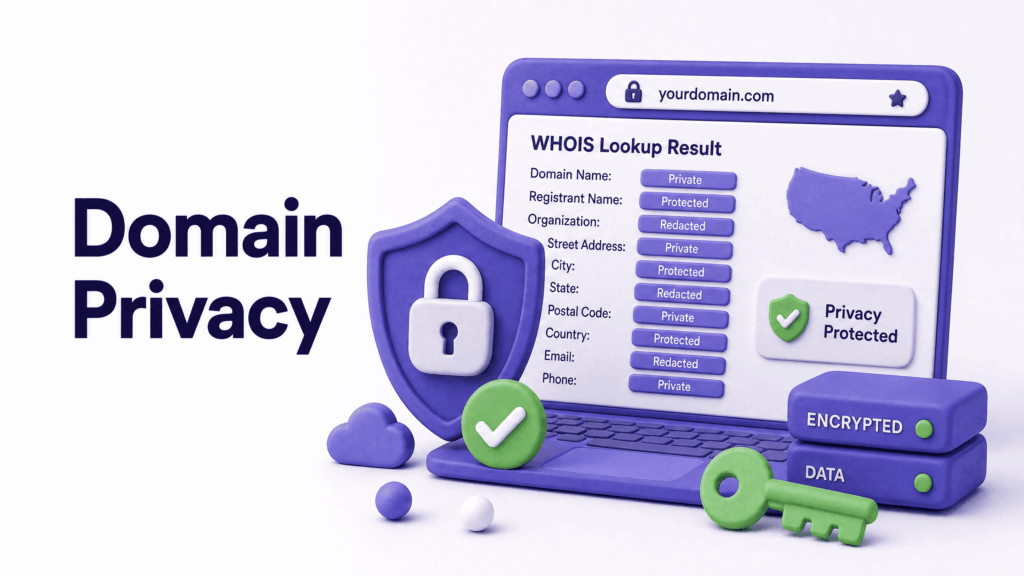
WHOIS lookup is public. Anyone can go to a WHOIS lookup tool right now and search any domain name to find the registered owner’s name, email address, physical address, and phone number, unless privacy protection is enabled.
For a home-based business owner, this means your home address is publicly associated with your business domain. For anyone running a business online, it means your email address is harvestable by spammers and your contact details are available to anyone with a grudge or a sales pitch.
Privacy protection replaces your personal details in the WHOIS record with generic registrar contact information. It doesn’t hide that you own the domain from ICANN or from legal processes, just from the general public.
This should be included by default with any professional domain registration service. It costs the registrar almost nothing to provide. Registrars that charge separately for it are monetising a basic privacy feature that protects their customers. That tells you something about how they see the customer relationship.
The Right Domain Extension for Your US Business
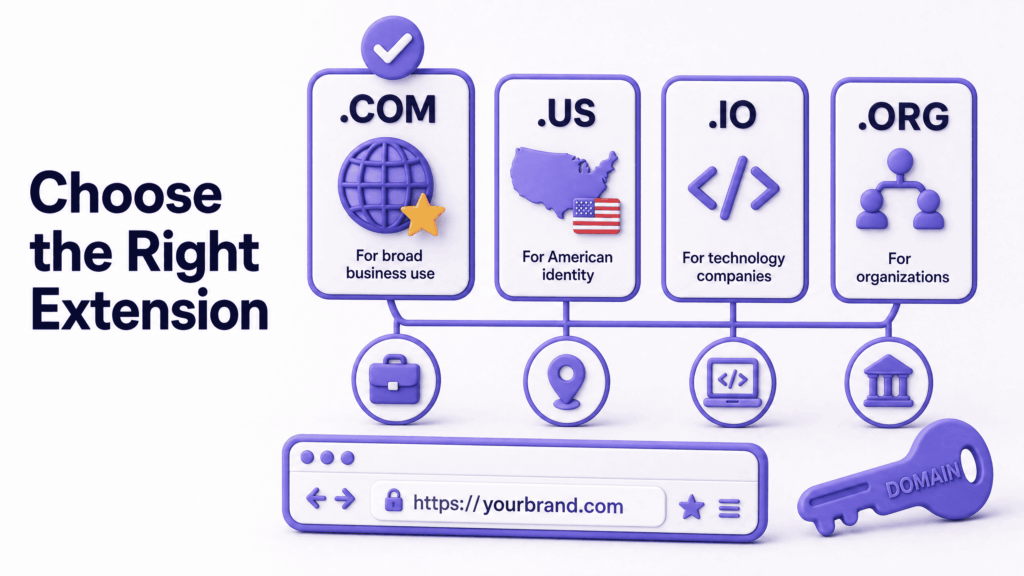
The extension is the part that comes after the dot; .com, .net, .org, .us, .io, and hundreds of others.
.com is still the default. Most people, when they hear a business name, assume it’s a .com. If they hear you mention your website in conversation, they’ll type the .com version. If that version goes somewhere else; a different business, a parked page, an error, you’ve lost them. Start with .com and make it work before considering alternatives.
.us is a legitimate choice for US-based businesses that want to signal local presence. It’s especially useful when your .com is unavailable. Not as universally assumed as .com, but credible and clear.
.io has become common in the tech and startup world. If you’re building a SaaS product, a development tool, or a technology company and the .com is unavailable, .io carries credibility in that context. For a local restaurant or a service business, it doesn’t.
Industry-specific extensions like .design, .agency, .consulting, or .law can work, but they come with risks. Renewal pricing on newer extensions is often unpredictable. They’re less established in user expectations. And if you ever pivot the business, the extension may not fit anymore.
The practical advice: register the .com first. If it’s unavailable, spend 20 minutes brainstorming variations; adding a city name, a descriptor, or a different arrangement of your business name, before accepting a non-.com extension.
Should You Register Through Your Hosting Provider?
Many hosting providers include a free domain registration for the first year when you sign up for a hosting plan. Convenient. One login, one bill, one place to manage everything.
The downside is control. When your domain and hosting are with the same provider, switching hosting becomes a more complex conversation. You have to transfer the domain separately, or point the DNS to the new host, or deal with whatever process they’ve built around domain management.
It’s not a dealbreaker, managing domain and hosting together is perfectly fine for the majority of small businesses. But if independence and flexibility matter to you, or if you want to keep your domain as a completely separate asset from any one hosting relationship, registering with a dedicated registrar and hosting separately gives you cleaner separation.
At ElySpace, we handle domain registration as part of website setup for clients, making sure it’s registered correctly, privacy is enabled, auto-renewal is configured, and the DNS is properly connected to the hosting and email. That way it’s done right from day one rather than picked up as an afterthought.
Red Flags to Watch For
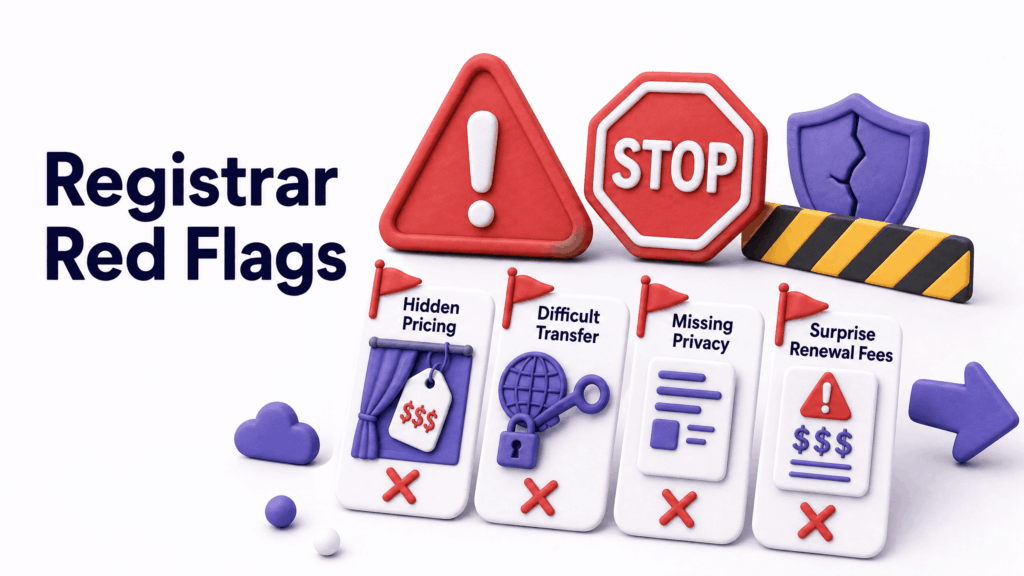
First-year prices that are dramatically lower than renewals. Already covered, but worth flagging again because it’s so common. If a registrar won’t show you the renewal price clearly, that’s a choice they made deliberately.
Pre-ticked add-ons at checkout. Scan the cart before paying. Remove everything that’s been added without you choosing it.
No free WHOIS privacy. Any professional service includes this. If it’s an upsell, look elsewhere.
No clear transfer-out process. A registrar that makes it easy to come in but complicated to leave is one to be cautious about. You should be able to transfer your domain to another registrar without significant friction or unexplained holding periods.
Expiration warnings that look like invoices. Some third-party services send official-looking renewal notices to registered domain owners, hoping they’ll pay without noticing it’s not their actual registrar. These are scams. Always renew through your actual registrar’s dashboard, never through a link in an unsolicited email.
Upselling website security features as urgent. SSL certificates, security seals, malware scanning, these are often pushed as urgent additions during the registration process. Some are genuinely useful. Most can be obtained separately or are included with quality hosting. Don’t let the checkout process pressure you into services you haven’t researched.
How to Protect Your Domain Long-Term
A business domain is an asset. Treat it like one.
Enable auto-renewal immediately. Don’t rely on remembering to renew manually. Keep a valid payment method on file and confirm auto-renewal is active every time you update your card details.
Register for multiple years. Multi-year registration (two, three, or five years) reduces the risk of accidental expiry. It also signals to Google that the domain is a long-term asset, which is a minor positive ranking signal. The difference is small but it costs nothing extra beyond the proportional annual rate.
Enable domain lock. Most registrars offer a domain lock feature that prevents unauthorised transfers. Enable it. It doesn’t affect normal use, your website and email work normally. It just stops someone from initiating a transfer out of your account without your explicit action.
Keep your registrar account credentials secure. Two-factor authentication on your registrar account is not optional for any domain that matters to your business. Someone with access to that account can transfer your domain out in minutes.
Keep your contact information current. Renewal notices, security alerts, and ICANN verification emails go to the email address on your registrar account. If that email address is one you no longer monitor, you could miss something critical.
According to ICANN’s domain protection guidance, domain hijacking and unauthorised transfers are real risks that proper account security and domain lock features prevent, it takes five minutes to set up and can save enormous headaches later.
What ElySpace Offers for Domain Registration
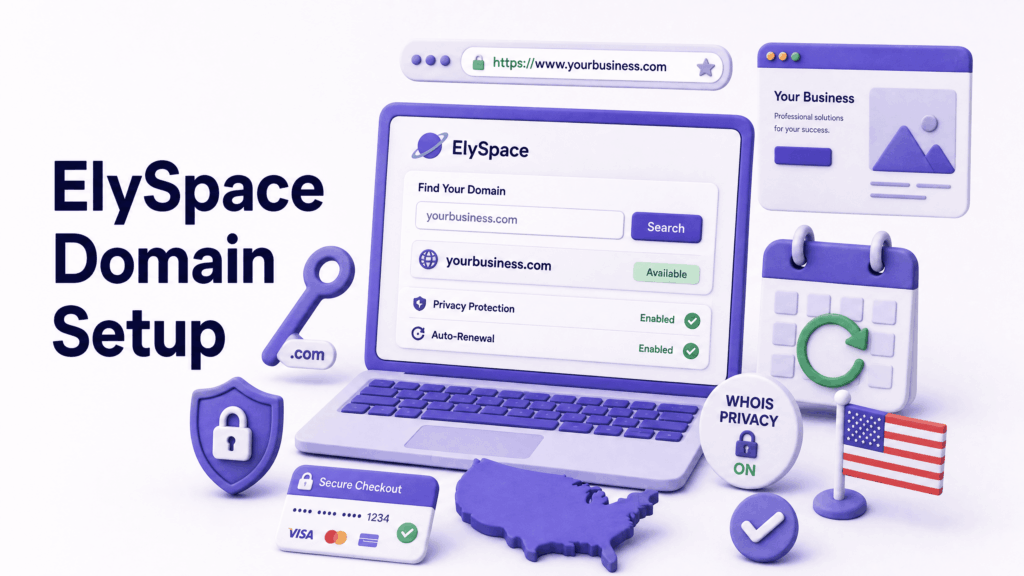
At ElySpace, domain registration is part of how we set up websites for clients, not just pointing you at a registrar and wishing you luck.
We handle the registration under your name and ownership, configure DNS correctly from day one, enable privacy protection, set up auto-renewal, and connect everything properly to your hosting and professional email. You own the domain completely; it’s in your account, under your control, but the setup is done right rather than left for you to figure out.
For US businesses working with us on a website build, this removes one of the most common sources of early technical problems: DNS misconfiguration, missing privacy settings, domains registered in the agency’s account rather than the client’s, or renewal reminders going to an old email address.
If you’re not sure whether your current domain is set up correctly, or if you want to get a new domain registered properly as part of a website project, reach out at elyspace.com and we’ll sort it.
Common Domain Registration Mistakes
Registering the domain in the agency’s account, not yours. This happens more than it should. If your developer or agency registers your domain in their own account, you don’t truly own it, they do. Always confirm your domain is registered under an account you own and control directly.
Using a personal email for the registrar account. When the person who registered the domain leaves the company, the account credentials leave with them. Register with a company email address that stays with the business, not an individual.
Forgetting to renew. It sounds basic. Businesses lose domains they’ve used for years because auto-renewal was off or the payment card on file expired. Once a domain expires and enters the redemption period, recovering it costs significantly more than a standard renewal, if it’s even possible before someone else registers it.
Registering only one variation. If your .com is yourbusiness.com, consider whether yourbusinesses.com (with an ‘s’) is worth registering to prevent confusion. Protect your primary domain from obvious typos and plurals, at least.
Choosing a domain based purely on keyword density. best-plumber-in-chicago-illinois.com is not a memorable domain, it looks spammy, and it doesn’t build brand identity. Keywords in the domain have minimal SEO value in 2026. Brandability and memorability matter far more.
Not transferring the domain before changing developers. If your old developer holds your domain, get it transferred before the relationship ends, not after it’s already awkward.
What You Can Do Right Now
- Check who currently owns your domain: log into your registrar, confirm it’s in your name on an account you control, and verify auto-renewal is active
- Check your renewal pricing: log in and see what you’ll pay when your current registration period ends, not what you paid initially
- Confirm WHOIS privacy is enabled: search your domain on a WHOIS lookup tool and see what information comes up publicly
- Enable two-factor authentication: on your registrar account if it’s not already on
- Check your account email address: make sure renewal notices and security alerts go somewhere you actively monitor
If you’re starting from scratch and want a domain registered correctly as part of a professional website setup, ElySpace handles this as part of our website projects. We make sure the foundation is right before anything is built on top of it.
FAQs (Frequently Asked Questions)
What is domain registration and why do I need it? Domain registration is the process of securing the rights to use a specific web address, like yourbusiness.com for a defined period, typically one year at a time. Without a registered domain, you can’t have a website address or professional email that matches your business name. It’s the foundational step of any online presence.
How much does domain registration cost in the USA? A standard .com domain costs $10 to $20 per year at renewal from reputable registrars. First-year promotional pricing can be much lower, sometimes under $5, but renewal rates are what you’ll actually pay long-term. Always check the renewal price, not just the introductory offer, before committing to any registrar.
What is WHOIS privacy and do I need it? WHOIS privacy replaces your personal contact information in the public domain registry with generic registrar details, keeping your name, address, email, and phone number private. Yes, you need it. It prevents spam, protects your personal information from public exposure, and is especially important for home-based businesses. It should be included free, if a registrar charges extra for it, that’s a red flag.
Can I transfer my domain to a different registrar later? Yes. Domain transfers between accredited registrars are a standard process. You unlock the domain, request a transfer authorisation code, and initiate the transfer from the new registrar. The domain typically transfers within five to seven days. This is worth knowing upfront, you’re not permanently locked into whoever you register with initially.
Should I register my domain and hosting with the same company? It’s convenient, one login, one bill. And it works fine for most small businesses. The downside is reduced flexibility if you ever want to switch hosting. Registering your domain separately from your hosting keeps them as independent assets. Neither approach is wrong, the right choice depends on how much you value simplicity versus flexibility.
What happens if I forget to renew my domain? Your domain enters a grace period, usually 30 days, during which you can still renew at the standard rate. After that, it moves into a redemption period where recovery is possible but expensive. After the redemption period ends, it becomes publicly available for anyone to register. Enable auto-renewal and keep your payment method current, losing a domain you’ve built a business on is entirely preventable.
How many years should I register a domain for? At a minimum, two years, it reduces the risk of accidental expiry and shows stability. Many businesses register for three to five years for the same reason. The annual cost is the same proportionally; you’re just paying further ahead. Google treats longer registration periods as a minor positive signal, the site looks like a long-term investment rather than a temporary project.