 Live Chat
 Contact
 Shopping Cart
 Eshan Riyaz
You open the Google Search Console. The impression line is climbing. Hundreds of impressions. Maybe thousands. You think; great, people are seeing us.
Then you look at the clicks. Flat. Zero. Or close enough to zero that it makes no difference.
Google impressions but no clicks is one of the most frustrating patterns a business owner can see in their analytics, because impressions feel like progress. They mean Google is showing your pages to real people who searched for something. And yet none of them clicked.
Here’s the part most articles skip: not all of these situations have the same fix. Some are about ranking positions. Some are about your title and description. Some are about AI search features you can’t control. Some are about search intent. And some are actually a data problem in the Search Console itself.
Understanding which one applies to you is the difference between fixing the right thing and wasting time on the wrong one.
What Impressions Actually Mean And What They Don’t
An impression in the Search Console is recorded when your page appears in a Google search result, on the screen of someone searching for something. That’s all it means.
It does not mean:
- The person saw your listing clearly
- Your page was in a prominent position
- The person had any intention of clicking your result
- Your page was the right answer to their question
An impression at position 45 on page five means Google showed your URL somewhere on a page that almost nobody ever scrolls to. That registers as an impression. Nobody clicks it. That’s not a failure of your title or description, it’s a position problem.
An impression triggered by an AI Overview means Google’s AI reads your page to generate a response. The user got their answer without ever seeing your organic listing. That registers as an impression. Nobody clicks. That’s not fixable with a better title.
This is why diagnosing the specific cause of Google impressions but no clicks matters before changing anything.
How to Read Your Search Console Data Before Doing Anything
Open Google Search Console → Performance → Search results. Make sure all four metrics are enabled at the top: Total Clicks, Total Impressions, Average CTR, Average Position.
Then do this:
Click the “Pages” tab. Sort by Impressions (high to low). These are your pages getting seen the most but potentially being ignored.
Click into a specific page. Switch to the “Queries” tab. This shows exactly which search queries are triggering impressions for that page, and what position you rank at for each.
Look for two patterns:
High impressions, poor average position (above 10-15): The position problem. You’re appearing but too far down the page. The fix is improving ranking, not the title.
High impressions, decent position (top 10), low CTR: The click-through problem. Your listing is visible but people are choosing someone else. The fix is improving your title, description, and intent match.
These are different problems with different solutions. Mixing them up wastes time.
Reason 1: Your Ranking Position Is Too Low to Get Clicks
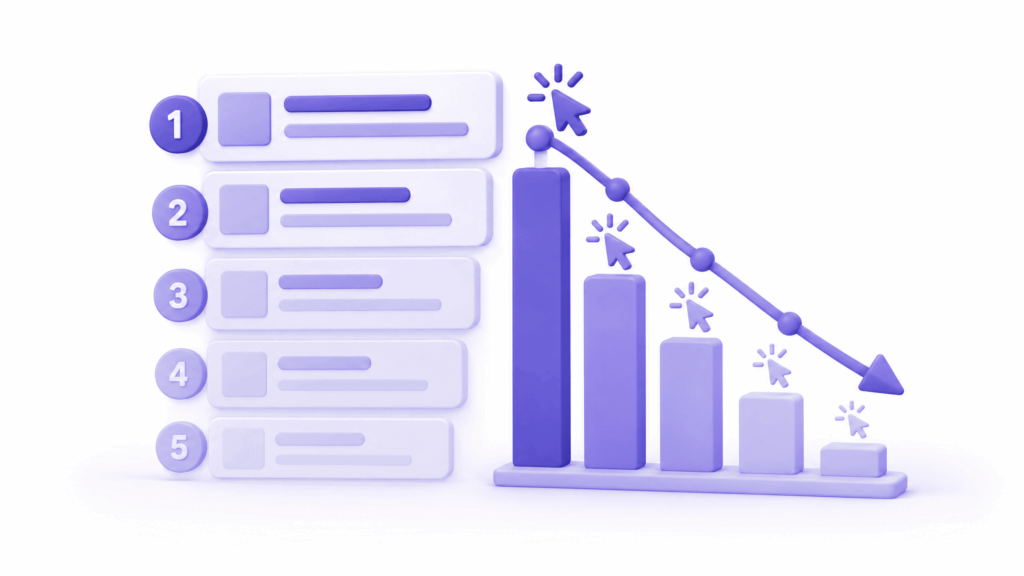
This accounts for the majority of Google impressions but no clicks. Your pages are ranking, just not where anyone actually looks.
The click-through rate (CTR) drop-off by position is brutal:
- Position 1: around 28-39% CTR
- Position 3: around 10-13%
- Position 5: around 5-7%
- Position 10: around 2-3%
- Position 20: under 1%
- Position 30+: essentially zero
If your average position for a query is 25, you’re getting impressions, because Google is technically showing your URL somewhere, but your CTR is effectively zero. Not because your title is bad. Because nobody scrolls that far.
How to check:
In Search Console, enable the Average Position column and look at the queries generating your highest impression counts. If the average position is above 15 for most of them, position is your primary problem.
What to do:
For pages in positions 10-20, you’re in “striking distance”, close enough that improving content depth, internal links, and page authority can move you onto page one. That’s where to focus effort first. For pages below position 20, a broader content quality improvement is usually needed before the position will move meaningfully.
Reason 2: Your Title Tag Is Not Worth Clicking

Your title tag is the blue link text in search results. It’s the most important factor in whether someone clicks your result when they can see it.
A weak title has one or more of these problems:
It doesn’t clearly say what the page offers. “Home – ElySpace” tells a searcher nothing about whether clicking will help them. “Web Design for Kashmir Small Businesses, ElySpace” does.
It doesn’t differentiate from the results around it. If every result on the page starts with “How to Fix” or uses the same structure, yours blends in. Something specific, direct, or slightly surprising stands out.
It’s been auto-generated or truncated. Google truncates titles that exceed roughly 60 characters. If your title is too long, searchers see “Your Website’s Complete Guide to Managing All Your…” and the useful part disappears. Keep titles under 60 characters or ensure the meaningful part comes first.
It doesn’t match what the searcher actually wants. If someone searches “how to fix 502 error” and your title says “What Is a Bad Gateway Error? Full Explanation”, they wanted a fix, not an explanation. They’ll click someone else’s result that promises what they came for.
How to improve it:
In Search Console, find queries where you have a decent position (top 10) but below-average CTR. Look at your title for those pages. Compare it to the titles of the pages ranking above you. Ask yourself honestly; if you were the searcher, which result would you click?
Reason 3: Your Meta Description Is Missing or Generic
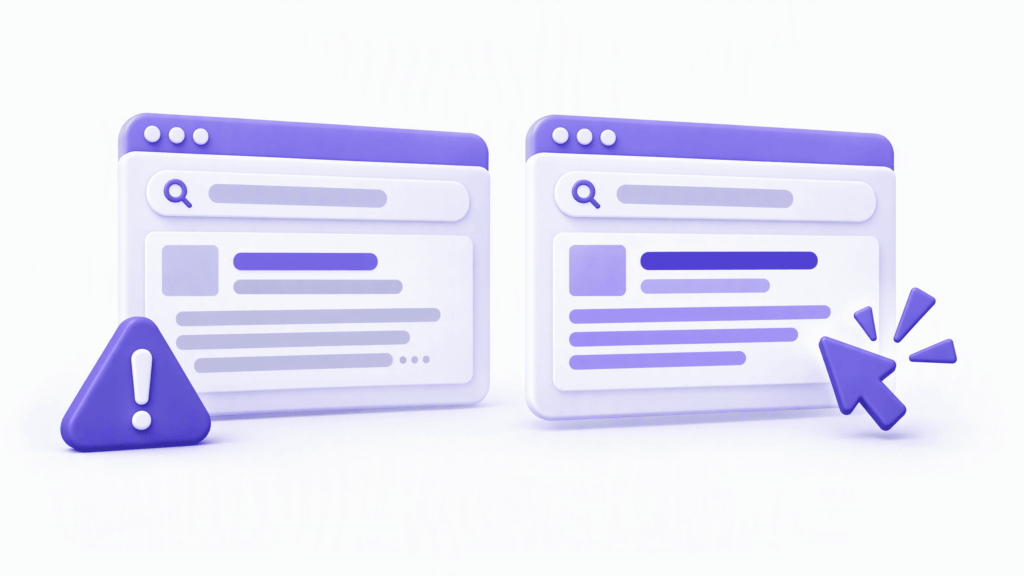
Your meta description is the two lines of text that appear under the title in search results. When it’s missing, Google writes it for you, pulling random text from your page. That random text is almost never the most compelling argument for clicking your result.
A weak meta description leaves clicks on the table. A strong one earns them.
The meta description doesn’t directly affect your ranking position. But it significantly affects CTR, which indirectly signals to Google that your result is useful, which gradually helps rankings. It’s also the last thing a searcher reads before deciding to click or scroll past.
What a strong meta description does:
- Acknowledges the searcher’s specific problem
- Makes a clear, specific promise about what clicking delivers
- Stays under 155-160 characters so it doesn’t get cut off
- Uses natural language, not keyword stuffing
What a weak one looks like:
“We are ElySpace. We provide web design, hosting, and digital marketing services to businesses. Contact us today.”
What a strong one looks like:
“Website showing a 502 error? Here’s every cause explained clearly, plus the exact fix for each one, in plain English.”
The strong one speaks directly to the person who searched. The weak one speaks about the business. The difference in clicks can be significant.
Reason 4: Search Intent Mismatch

This is one of the more subtle causes of Google impressions but no clicks, and it’s common enough to deserve specific attention.
Search intent mismatch happens when Google ranks your page for a query, but the searcher can tell from your title and description that your page won’t give them what they’re looking for. So they don’t click.
Example: you have a detailed educational article about what cloud hosting is. Google ranks it for “best cloud hosting plans.” The searcher wants a comparison and recommendations, not an explanation. Your title mentions “what is cloud hosting” and they skip it.
Your page ranked. You got the impression. They didn’t click. Because the intent was wrong.
How to spot it:
In Search Console, look at the specific queries generating impressions for each of your pages. If a page is getting impressions for queries that don’t really match what the page offers, that’s an intent mismatch. You’re appearing for adjacent queries Google mistakenly thinks your page serves.
Two possible fixes:
Either create a new page that properly matches the query’s intent, or rework the current page to better match the intent of the queries where it’s ranking. Often the latter is faster, updating the angle, adding a section the page is missing, and adjusting the title to match what the searcher actually wants.
Reason 5: Google’s AI Overviews Are Answering the Question
This is the most significant structural shift affecting Google impressions but no clicks today. And it’s one where the fix is limited, but the understanding matters.
When Google’s AI Overview appears at the top of a search results page, it answers the searcher’s question directly before they see any organic results. The user gets what they came for without clicking anything. Your page still registers an impression, Google reads it to generate the AI Overview, but you’ll never get the click.
As of late 2025, about 60% of searches in the United States end without a click to any website. AI Overviews and other zero-click features are a significant reason for this.
You can see the impact clearly when you have queries with high impressions and very low CTR: sometimes under 0.5%, even for pages ranking in positions 3-7. If AI Overviews are appearing for those queries, the clicks are being absorbed before your result is even considered.
What you can do:
You can’t opt out of Google’s AI features. But you can write content that remains valuable to click-through even when a summary exists. Detailed guides, specific tools, templates, calculators, booking systems, local service pages, anything that requires visiting your page to get the full value. Surface-level informational content is most vulnerable to the zero-click problem. Deep, specific, action-requiring content is more resilient.
Reason 6: Rich Results and SERP Features Taking Your Clicks
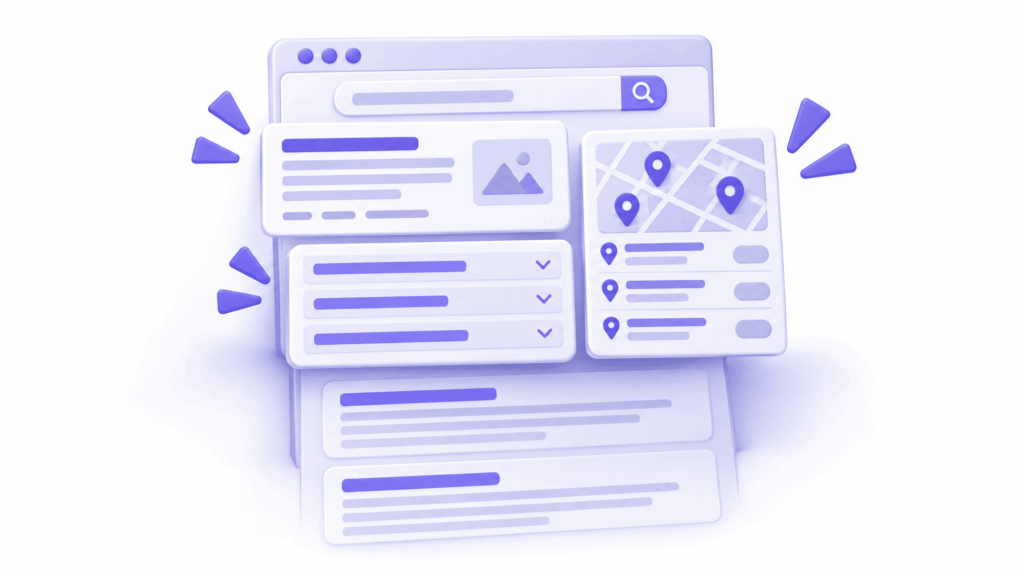
Even outside AI Overviews, Google’s search results page has become increasingly crowded with features that sit above or around the organic listings:
- Featured snippets (answer boxes at the top of results)
- People Also Ask sections
- Image carousels
- Local map packs
- Shopping listings
- Video results
- Sitelinks under top organic results
Each of these captures attention and clicks that would otherwise go to organic listings. If you’re ranking at position 5 but a featured snippet, a local pack, and a People Also Ask section all appear above you, you might be effectively on page two in terms of what a user actually sees before they start scrolling.
The flip side:
If your site achieves a featured snippet or appears in People Also Ask, you get the impression plus a much higher CTR because you’re suddenly the most prominent result on the page. Schema markup, structured data that tells Google what your content is about, increases your chances of appearing in these rich result features.
Adding FAQ schema to your pages, for example, makes them eligible to appear in People Also Ask. Adding HowTo schema to tutorial content makes it eligible for step-by-step rich results. These features push your visibility up the page and improve CTR, even if your organic ranking position stays the same.
Reason 7: Nobody Knows Your Brand Yet
Brand recognition affects CTR more than most SEO articles admit.
When a searcher sees results from names they recognise; established publications, companies they’ve heard of, brands they’ve used before, they’re more likely to click those results even if they’re not at position one. An unfamiliar brand name at position two sometimes loses clicks to a recognised brand at position four.
This is called brand trust. It’s not something you can fix with a title rewrite. It builds over time through consistency; consistently publishing useful content, building a presence across multiple channels, getting mentioned by other sites, and gradually becoming a name that people in your space recognise.
For a new or small business, this is a long-term project. But it’s worth knowing about because it explains why some of your CTR gaps aren’t about your on-page SEO at all, they’re about where you are in the brand-building journey.
Short-term mitigation:
Add recognisable trust signals to your search listing where possible. Review schema markup can add star ratings. LocalBusiness schema can add your business name and details prominently. Clear, specific meta descriptions that tell the searcher exactly what they’ll get can partly compensate for lower brand recognition by making the value proposition undeniable.
Reason 8: The Query Doesn’t Match What Your Page Delivers
Related to intent mismatch but worth separating: sometimes your page ranks for a query that’s close to your topic but not actually what your page is about. The searcher can sense this from your title and description and doesn’t click.
A web design page ranks for “learn web design courses.” The page doesn’t offer courses, it offers services. A Kashmir tour blog post ranks for “Kashmir tour package booking.” The page discusses what to do on a tour, not how to book one.
These aren’t intent mismatches where you tried to serve a need and missed. These are cases where Google has ranked you for a query your page doesn’t serve at all. The impressions are real. The clicks will never come, because your page genuinely isn’t the right answer.
What to do:
In Search Console → Performance → Pages → click a specific page → Queries tab. Scan the queries generating impressions. Are any of them clearly queries your page doesn’t serve? If yes, don’t try to chase those clicks. Focus on the queries where your page genuinely is the right answer and optimise title and description for those.
Reason 9: A GSC Data Problem You Should Know About
This one is specific to the 2026 context and worth flagging because it affects how you interpret your Search Console data.
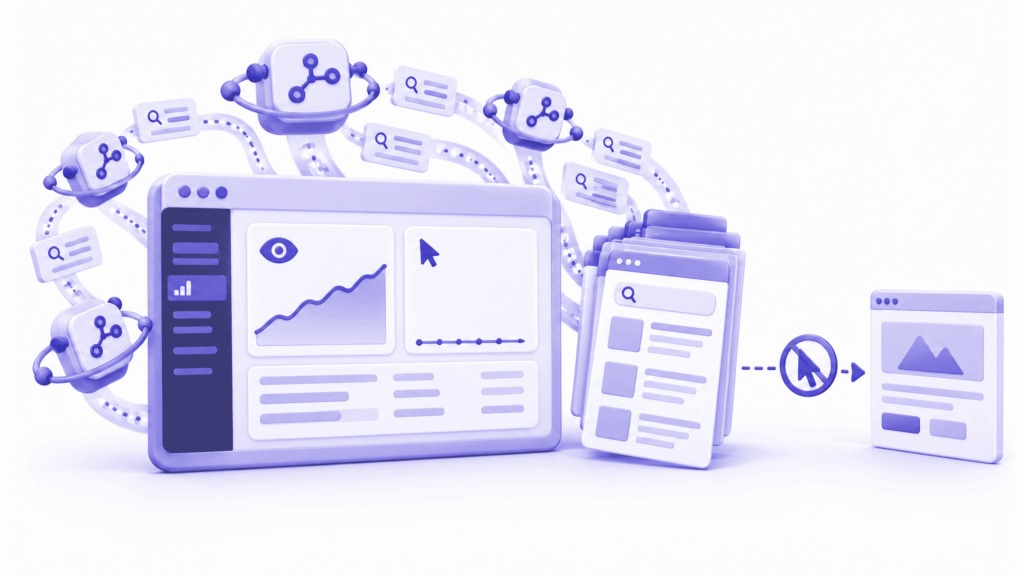
On April 3, 2026, Google disclosed that Search Console had been inaccurately reporting impressions from May 13, 2025 through April 27, 2026. Clicks were unaffected, but impressions, and the derived metrics CTR and average position, were inaccurately reported for eleven months. Google stated they would not reconstruct historical data.
Additionally, AI search agents from tools like ChatGPT and Perplexity now query Google with exclusion operators and never click through. These interactions register as impressions in Search Console, inflating impression counts and depressing CTR figures, particularly in the United States.
This means: if your impression-to-click ratio looks worse than it should, some of that gap is artificial. Your actual performance might be better than the raw numbers suggest.
What to do with this:
Use clicks as your primary traffic metric rather than impressions or CTR for trend analysis. Clicks were unaffected by the reporting error and are not inflated by AI agent queries. Track whether clicks are growing over time, that’s the number that reflects genuine human traffic.
According to Google’s own Search Console documentation, impressions are counted when a page appears in a search result, with specific rules about position and whether the result is visible, meaning not all impressions represent the same level of genuine user exposure.
How to Find Your Worst-Performing Pages in 30 Minutes
Open Search Console → Performance → Search results. Set the date range to the last three months.
Enable all four metrics: Clicks, Impressions, CTR, Position.
Click the Pages tab. Sort by Impressions descending.
Look for pages with:
- High impressions (1,000+)
- CTR below 2% with average position in the top 10, these are your click-through problems
- CTR below 2% with average position above 15, these are your ranking problems
For click-through problems: click into each page, check the title and description, compare to competitors ranking above you, and rewrite to be more specific and compelling.
For ranking problems: click into each page, check the Queries tab, find the queries with the best position, and focus on improving content quality for those specific queries.
This 30-minute audit gives you a prioritised list of exactly what to fix first.
How to Write Titles and Descriptions That Actually Get Clicked
Titles that work:
- Start with what the searcher wants, not what you want to say
- Be specific enough that the searcher knows immediately whether this is for them
- Include a number, a clear benefit, or a specific differentiator where natural
- Stay under 60 characters so nothing gets cut
Descriptions that work:
- Acknowledge the specific problem the searcher has
- Make a clear, honest promise about what clicking delivers
- Add one detail that makes the promise credible; a specific technique, a number, a named feature
- Stay under 155 characters
- End with a soft action cue; “here’s how,” “start here,” “check these first”
A quick test:
Read your title and description as if you’re the searcher and know nothing about your business. Would you click? If you hesitate, rewrite. If you’d click someone else’s result first, look at theirs and understand what they did differently.
At ElySpace, when we audit client websites for Google impressions but no clicks patterns, the most common fix is rewriting title tags and meta descriptions for pages that rank in positions 5-15 with below-average CTR. Combined with position improvements through content updates, this typically produces meaningful traffic increases within four to eight weeks. If you want a proper audit of your Search Console data and specific recommendations for your site, reach out and we’ll take a look.
FAQs (Frequently Asked Questions)
Why am I getting Google impressions but no clicks?
The most common reasons are: ranking position too low to attract clicks (positions 15+), a title or description that doesn’t make a compelling case for clicking, search intent mismatch where your page doesn’t match what the searcher actually wants, and AI Overviews answering the query before searchers reach your organic listing. Each requires a different fix, so identifying which applies to your specific pages is the first step.
What is a good CTR in Google Search Console?
CTR depends heavily on position. Position 1 averages 28-39% CTR. Position 3 averages around 10-13%. Position 10 averages around 2-3%. If your average position is 8 and your CTR is 1%, something is suppressing your clicks; likely your title, description, or a SERP feature above you. If your average position is 25, low CTR is just position reality, the fix is improving rankings, not click-through rate.
Do impressions matter if there are no clicks?
Impressions indicate that Google is showing your pages for searches, which means indexing and some degree of relevance has been established. They’re meaningful as a signal that you’re entering the ranking system. But impressions without clicks generate zero traffic and zero business value. The goal is clicks, and impressions are just the precondition for earning them.
Can improving my title and meta description increase clicks?
Significantly, for pages already ranking in the top 10 with below-average CTR. A better title and description can double or triple the CTR on a page without changing its ranking position at all. For pages ranking below position 15, improving click-through matters less because so few people see those results. Fix the ranking first, then optimise the click-through.
Why do my impressions keep going up but clicks stay flat?
Three main causes in 2026: AI Overviews are satisfying more searches without anyone clicking, you’re ranking for more queries but at lower positions where CTR is near zero, or AI search agents (from ChatGPT, Perplexity, and similar tools) are querying Google and registering impressions without ever clicking through. Compare your click trend to your impression trend, if clicks are also growing, the ratio shift is less concerning. If clicks are flat or declining, investigate the specific queries and positions driving the impression growth.
What is CTR in Search Console and why does it matter?
CTR is Click-Through Rate, the percentage of impressions that resulted in a click. A page with 1,000 impressions and 20 clicks has a 2% CTR. CTR matters because it directly determines how much traffic your rankings actually deliver. A page at position 6 with a 12% CTR drives more traffic than a page at position 4 with a 5% CTR. Improving CTR for pages already ranking in the top 10 is one of the highest-leverage SEO activities available.
How do I fix Google impressions but no clicks for a specific page?
In the Search Console, click into the page and switch to the Queries tab. Note the average position for your top queries. If the position is above 15, the fix is content improvement to move up the rankings. If position is 5-15, check whether AI Overviews appear for those queries, and rewrite your title and description to be more specific and compelling than the alternatives. If the queries generating impressions don’t match what your page actually delivers, either update the page or create a new one that properly serves that search intent.