 Live Chat
 Contact
 Shopping Cart

 Eshan Riyaz
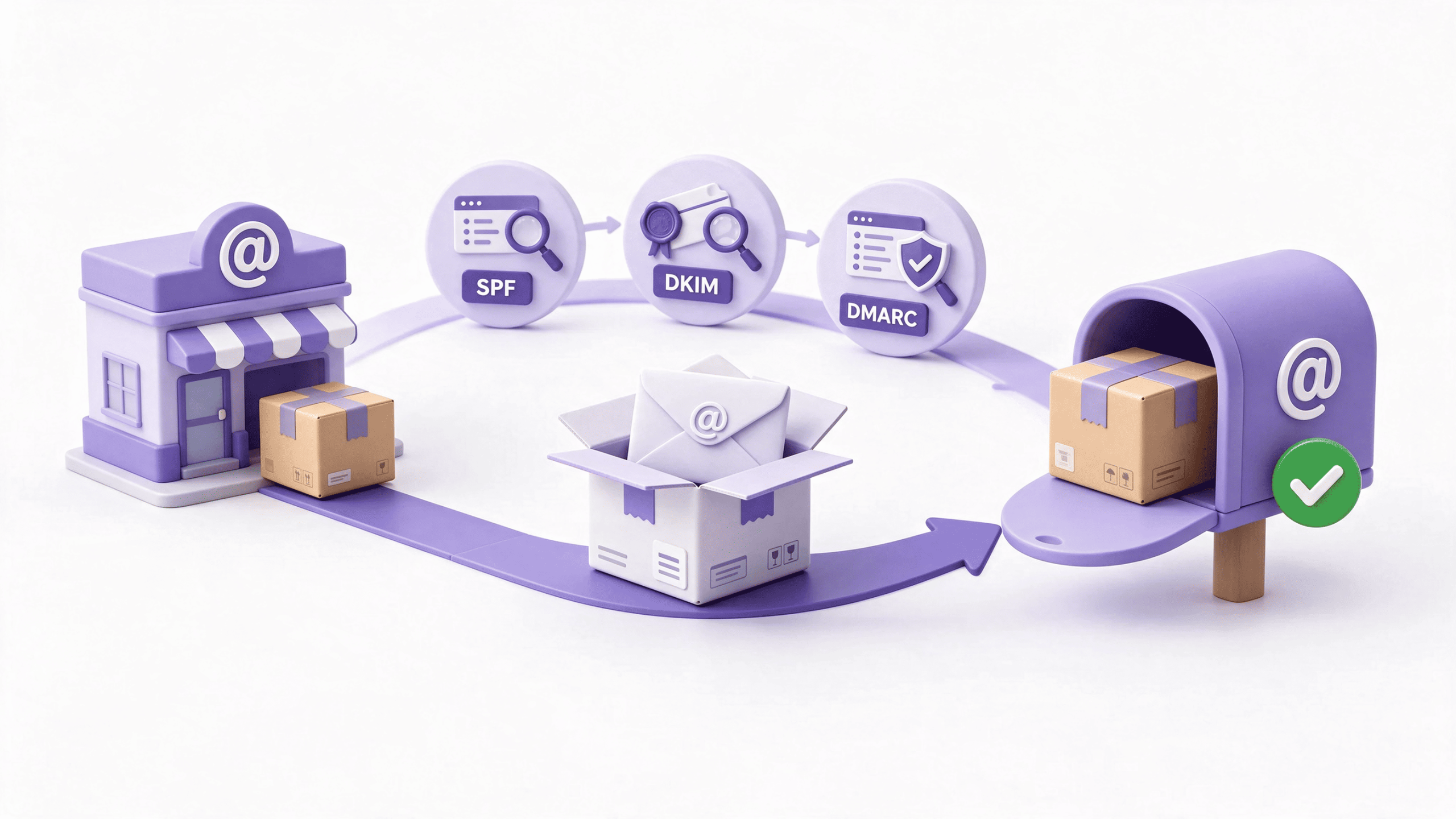
Someone emails your client an invoice. It has your logo, your name and your tone of voice. One digit in the bank details is different. You never sent it, and without SPF DKIM DMARC in place, nothing stopped it.
Or the reverse happens. Your real invoices keep landing in spam, and clients keep saying “I didn’t get it”. Two opposite problems, one shared fix: SPF DKIM DMARC. Three short records in your domain settings that prove your email is really yours.
Most explanations of SPF DKIM DMARC read like a networking exam. This one won’t. We’ll use a single picture all the way through: a shop sending parcels to customers.
By the end you’ll know what each record does, why one or two aren’t enough, how to set up all three safely, and which mistakes trip people up.
What Are SPF DKIM DMARC, in Plain English?
They’re three checks that inboxes run on every email to decide whether it’s genuinely from you. SPF checks the sender. DKIM checks the message. DMARC sets the rules and reports back.
All three live as short lines of text in your domain’s DNS settings. DNS is the control panel that tells the internet where your domain’s services live. You don’t need to understand it deeply. You just need to know where to paste three lines.
The parcel analogy
Imagine your business is a shop and every email is a parcel going to a customer. The customer’s inbox is their front door, and a doorman decides which parcels come in.
- SPF is your list of approved couriers. The doorman checks whether the courier at the door is on it.
- DKIM is the tamper-proof seal on the box, stamped with your signature. It proves the parcel is yours and nobody opened it on the way.
- DMARC is your written instructions to the doorman. What to do if the courier isn’t on your list or the seal is broken, and a request to send you a report. It also insists the name on the label matches your shop.
Keep that picture in mind. It explains SPF DKIM DMARC better than any acronym will.
SPF: The List of Approved Couriers
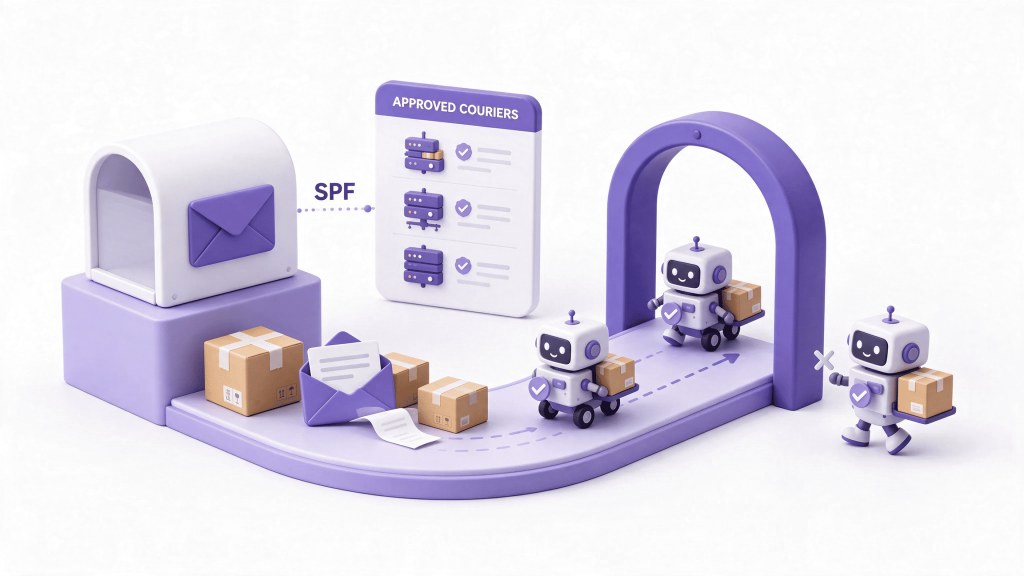
SPF stands for Sender Policy Framework. It’s a single line of text that names every server and service allowed to send email as your domain. When a message arrives, the receiving server reads your list and checks the sender against it.
On the doorstep, it looks like this: the parcel says it’s from your shop, and the doorman checks the courier’s name against your approved list. No match, and the parcel looks suspicious.
An SPF record looks like this:
v=spf1 include:mail.yourhost.com include:newsletter.example.com ~all
Read it as “these two services may send for me, and treat everyone else with suspicion”. Your email host and each sending tool publish the exact include: part for you to copy.
What goes wrong with SPF:
- No SPF record at all. Nobody told the doorman who your couriers are.
- Two SPF records. You can only have one. Two records confuse the check, and both fail.
- A missing courier. Your website form, invoicing tool or newsletter service sends mail as your domain but isn’t on the list.
- Too many lookups. SPF allows ten. Add too many services and the whole record breaks.
One detail on the ending. ~all means “probably suspicious”, and -all means “reject”. Start with ~all.
SPF has a limit worth knowing. It checks the courier’s paperwork, not the name printed on the label. And when a message gets forwarded, the forwarding courier isn’t on your list, so genuine mail can fail SPF. That’s the first reason a proper SPF DKIM DMARC setup needs more than SPF alone.
DKIM: The Tamper-Proof Seal
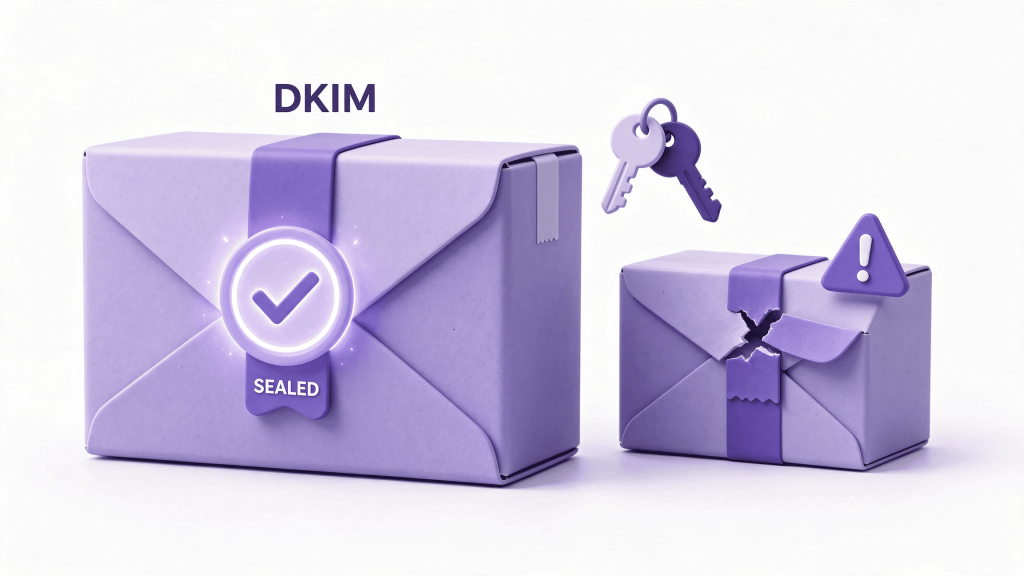
DKIM stands for DomainKeys Identified Mail. Your mail server stamps every outgoing message with a digital signature. A matching public key sits in your DNS. The receiving server checks the signature against the key.
In parcel terms: the box carries your seal. If anyone opened it or swapped what’s inside, the seal is broken and the doorman can tell. The seal also usually survives forwarding, which SPF can’t manage.
Setting up the DKIM part of SPF DKIM DMARC is a short job:
- Switch DKIM on in your email host’s admin panel. Most don’t enable it by default.
- Copy the record it gives you into your DNS.
- Check the status. The panel usually has a button that confirms it’s working.
- Repeat for every service that sends as you. Your newsletter tool and your website form don’t sign mail unless you set them up.
What goes wrong with DKIM:
- It was never switched on. Common, and invisible until something fails.
- Only the mailbox host signs. Mail from your other tools goes out unsigned.
- The record was pasted wrongly. One missing character breaks the signature check.
DKIM’s limit: it proves the box is intact, but it doesn’t tell the doorman what to do when it isn’t. That’s DMARC’s job.
DMARC: The Rule Book and the Weekly Report
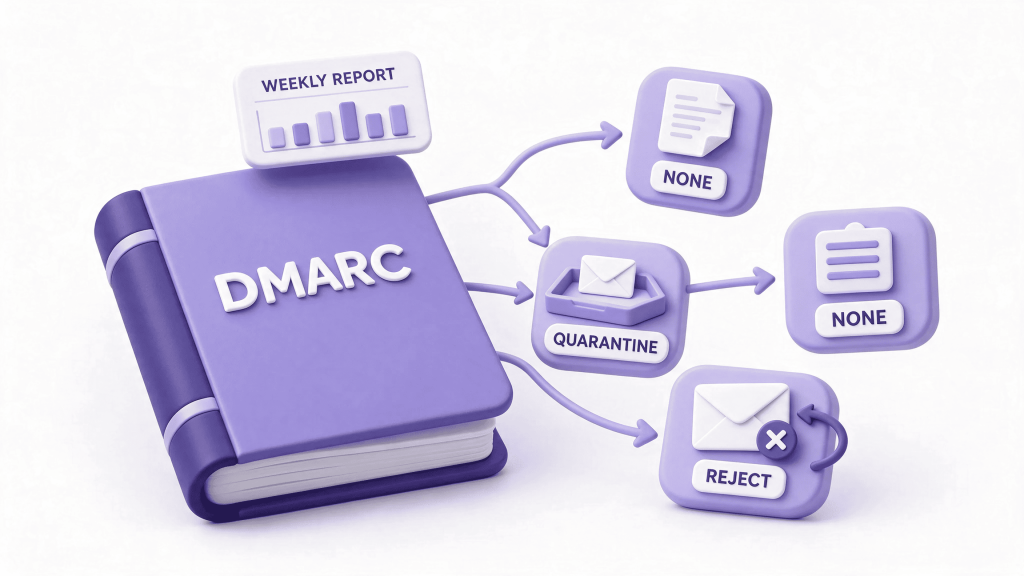
DMARC stands for Domain-based Message Authentication, Reporting and Conformance. It does two things.
First, it sets the rule. It tells receiving servers what to do with mail that fails the other two checks. There are three choices, and each fits the parcel picture:
- none: “Let it through, but make a note.” Just watch.
- quarantine: “Set it aside.” In email terms, the spam folder.
- reject: “Send it back.” The message is refused.
Second, it asks for reports. Receiving servers send you summaries of who is sending email as your domain. That’s how you spot a forgotten courier, like an old newsletter tool, or a stranger pretending to be you.
DMARC also checks alignment. The name on the label has to match your shop. In plain terms, the domain in the visible From address must match the domain that passed SPF or DKIM. If a courier is approved but the label shows a different shop name, DMARC treats it as a failure.
A first DMARC record can be this gentle:
v=DMARC1; p=none; rua=mailto:[email protected]
It means “don’t block anything yet, just send reports to this address”. The DMARC overview is a good short read, and the technical standard lives in RFC 7489 if you want the detail.
DMARC’s limit: it’s the last piece of an SPF DKIM DMARC setup, because on its own it has nothing to check. It relies on SPF and DKIM to supply the evidence.
Why You Need All Three SPF DKIM DMARC Records
Each record covers a gap the others leave open. That’s the whole argument for the SPF DKIM DMARC set.
- SPF alone checks the courier, not the label. Forwarded mail can fail it, and it says nothing about what to do with a failure.
- DKIM alone proves the seal is intact, but gives the doorman no instructions. A forger can still send unsigned parcels with your name on the label.
- DMARC alone has no evidence to work with. It needs a passing SPF or DKIM check that also aligns with your From address.
Put them together and the picture is complete. SPF is the approved courier list. DKIM is the seal. DMARC is the instruction sheet and the weekly report. Two locks and a security camera, if you prefer that image.
Having SPF DKIM DMARC in place does three practical things for a business:
- It stops people pretending to be you. A forged invoice from your domain gets quarantined or rejected instead of delivered.
- It keeps your real email out of spam. Inboxes trust mail they can verify. We cover the fixes in our guide to business email going to spam.
- It protects your reputation. Customers who never receive a fake invoice never blame you for it.
Why Email Authentication Matters More Than It Used To
The rules around SPF DKIM DMARC have tightened. Google and Yahoo began enforcing authentication requirements for bulk senders in February 2024, and Microsoft followed for Outlook.com in May 2025. Those rules target senders of around 5,000 or more messages a day to personal accounts, and they ask for SPF, DKIM and a DMARC record.
You might send far less than that. Even so, two things apply to you.
First, filters use the same signals on everyone. A small business with no authentication simply looks less trustworthy than one with it. Second, Google’s general guidelines apply to all senders, not just bulk ones. You can read them in its email sender guidelines.
A caution: thresholds and enforcement details keep changing, and some of what I’ve described comes from industry guides rather than the providers’ own pages. Check the current text before you rely on a specific number.
Check Where You Stand in 5 Minutes
Before you change anything, find out where you stand.
- Send a test to a personal Gmail address. Open it, click the three dots, choose “Show original”, and look for SPF, DKIM and DMARC. Each should say PASS.
- Look up your records. A free online lookup tool works. So does a command: nslookup -type=txt yourdomain.com shows your SPF record, and nslookup -type=txt _dmarc.yourdomain.com shows your DMARC record.
- Check your email host’s admin panel for DKIM status.
- List every service that sends email as your domain. Your mailbox host, website forms, newsletter tool, invoicing software and CRM are the usual suspects.
Now read the result. No SPF record, no DMARC record or a FAIL in the headers tells you exactly where to start.
How to Set Up SPF DKIM DMARC Step by Step
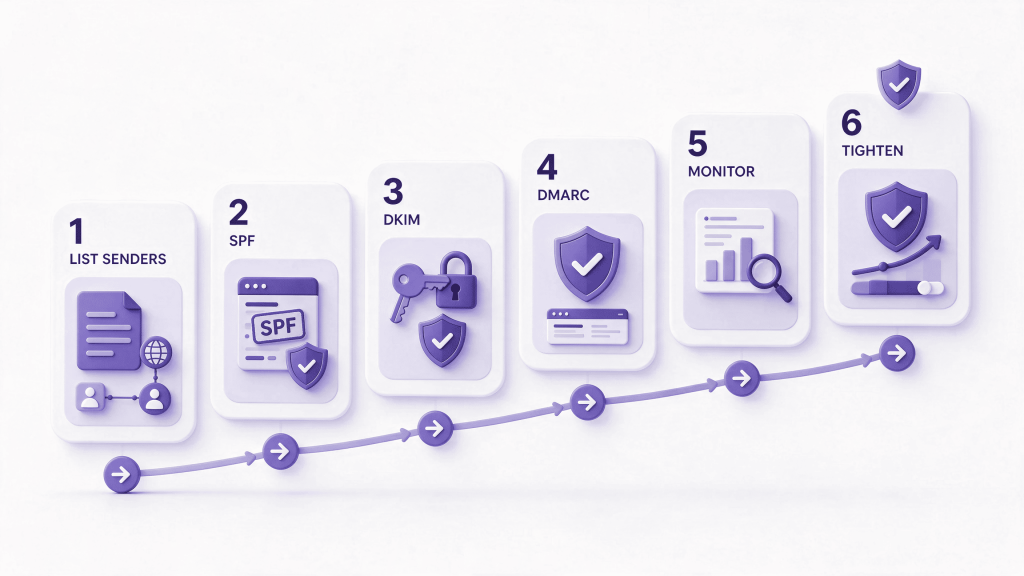
Go in this order for any SPF DKIM DMARC rollout. Skipping ahead is how people accidentally block their own mail.
Step 1: List your couriers. Write down every service that sends mail as your domain. Missing one is the most common mistake.
Step 2: Build one SPF record. Combine every include: into a single line starting with v=spf1 and ending with ~all. Publish it as a TXT record. Make sure no second SPF record exists.
Step 3: Switch on DKIM everywhere. Enable it for your mailbox host first, then for every other sending service, one at a time. Confirm each show as active.
Step 4: Publish DMARC at p=none. Use the gentle record above, with reports going to a mailbox you actually read.
Step 5: Watch for two to four weeks. Read the reports. Look for legitimate services failing, and for senders you don’t recognise. Fix the legitimate ones.
Step 6: Tighten gradually. When the reports look clean, move to p=quarantine. Watch again. Only then consider p=reject.
v=DMARC1; p=quarantine; rua=mailto:[email protected]
One more thing. Edit your DNS in the right place. Your records only count where your domain’s nameservers point, which might be your domain registrar, your host, or a separate DNS service. Editing the wrong one changes nothing.
Which DMARC policy, and when?
- Start with none. You’re collecting evidence, not blocking anything.
- Move to quarantine once every legitimate sender passes. Fakes and mistakes go to spam.
- Move to reject when you’re confident. Fakes get refused outright.
Many small businesses stop at quarantine and are perfectly well protected. Reject is stronger, but it’s less forgiving if you forget a legitimate courier.
Common Mistakes That Break Email Authentication
Almost every failed SPF DKIM DMARC rollout comes down to one of these:
- Two SPF records. Merge them into one.
- Too many lookups in SPF. Remove services you no longer use.
- Forgetting a sender. Your invoicing tool or website form goes unsigned and unlisted.
- DKIM on the mailbox host only. Other services still send without a seal.
- Ignoring alignment. The From address doesn’t match the domain that passed. Check how each tool sets its From address.
- Jumping straight to reject. One forgotten courier and real mail bounces.
- Reports sent to a mailbox nobody reads. You lose the whole point of DMARC.
- Editing DNS in the wrong place. The change never takes effect.
- Copying another company’s record. Always use the values your own services provide.
Website forms deserve special attention. They send mail on your behalf through a route you may not have listed. If that’s your situation, read our guide to a website contact form not sending emails.
What to Do With DMARC Reports
DMARC reports arrive as machine-readable files, not friendly emails. Opening one raw is like reading a spreadsheet written in code.
You have two options. Use a free report reader or a monitoring service that turns the files into a readable summary. Or ask someone who does this daily to read them for you.
Either way, you’re looking for two things:
- Legitimate senders that fail. These need SPF or DKIM fixed before you tighten the policy.
- Senders you don’t recognise. Some are forgotten tools. Some are people pretending to be you. That’s exactly what the reports exist to reveal.
Once a few weeks of SPF DKIM DMARC reports look clean, you can safely tighten your policy.
Do Small Businesses Really Need All Three?
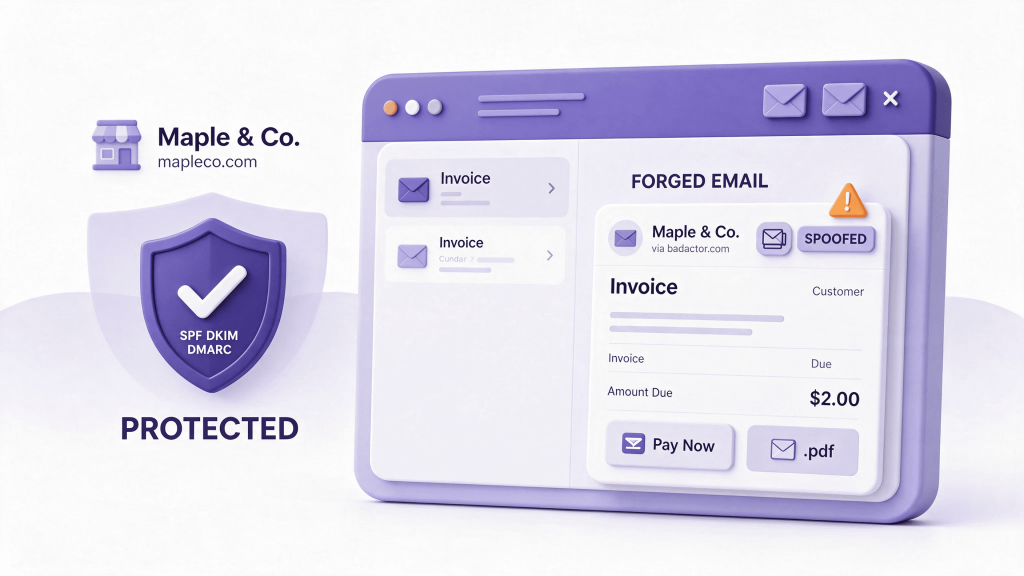
Yes. Not because you’re a big target, but because setting up SPF DKIM DMARC costs nothing except an hour, and not having it costs you in two ways.
The first is deliverability. Your real emails look less trustworthy and drift into spam. If that’s happening, our guide to business email not being delivered shows how to trace where a message stopped.
The second is impersonation. Anyone can type your domain into a From line. Without SPF DKIM DMARC, nothing tells the receiving server not to believe them. Your customers might receive a convincing fake invoice, and they’d blame you.
Neither problem needs a large business to appear. Both need three small DNS records to prevent.
Your SPF DKIM DMARC Checklist
Work through this in order.
- Send a test to Gmail and read the original message for SPF, DKIM and DMARC results.
- List every service that sends email as your domain.
- Publish exactly one SPF record covering all of them.
- Switch on DKIM for your mailbox host and every other sender.
- Publish a DMARC record at p=none with reports going to a mailbox you read.
- Read the reports for two to four weeks and fix what fails.
- Move to quarantine, then consider reject.
- Retest after every change.
When It’s Worth Getting Help
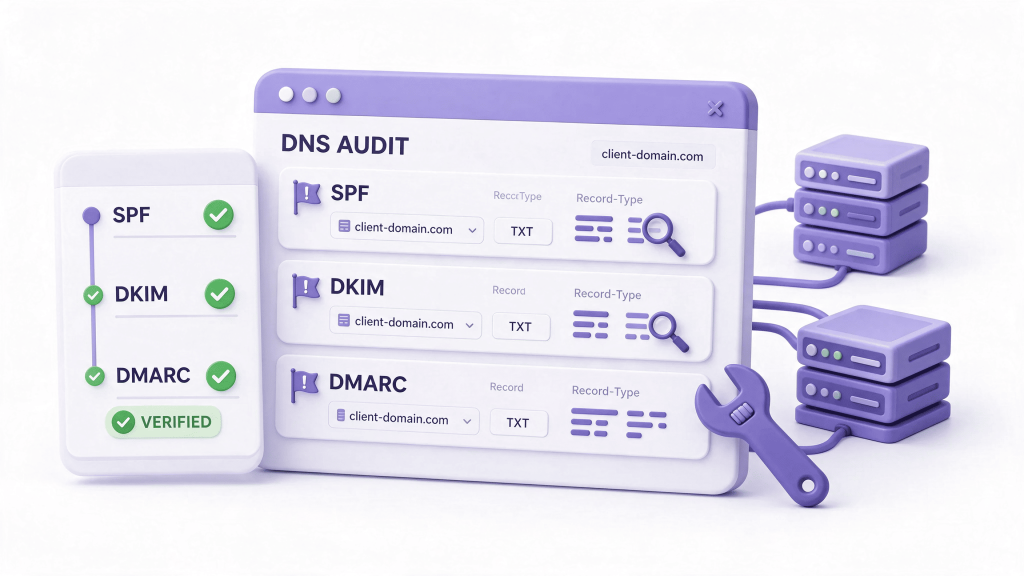
Some owners finish SPF DKIM DMARC in an afternoon. Others stall at the DNS stage, where one wrong character can break mail rather than fix it. That’s a perfectly good moment to ask for help.
ElySpace can audit your current records, list the services that send as your domain, and set up SPF DKIM DMARC safely, one step at a time. We’ll also check that your website forms sent through authenticated mail. Tell us what you’re seeing and we’ll start from the headers.
Conclusion
SPF DKIM DMARC works because each part covers a gap in the others. SPF lists the approved couriers. DKIM seals the box. DMARC tells the doorman what to do and sends you a report.
Set all three up in order: list your senders, publish SPF, switch on DKIM, start DMARC at p=none, watch the reports, then tighten. Do that and your real email reaches inboxes, while forged email in your name doesn’t. That’s what SPF DKIM DMARC is for.
FAQs (Frequently Asked Questions)
Do I need SPF DKIM DMARC if I only send a few emails?
Yes. Filters check authentication whether you send ten messages or ten thousand. A gentle DMARC record set to monitor costs nothing and protects your domain from being used by forgers.
In what order should I set up SPF DKIM DMARC?
SPF first, then DKIM, then DMARC. DMARC relies on the other two for evidence, so publishing it first gives you reports full of failures. Start DMARC at p=none and tighten later.
How long does SPF DKIM DMARC take to work?
DNS changes usually take effect within a few hours. Moving DMARC from monitoring to enforcement takes longer, because you should watch two to four weeks of reports first.
Can SPF DKIM DMARC stop spam in my inbox?
No. They protect your domain from being forged and help your outgoing mail get trusted. They don’t filter incoming spam. That’s a separate job done by your mail provider.
What happens if I only set up one or two of them?
You get partial protection. SPF alone fails on forwarded mail, DKIM alone gives no instructions, and DMARC alone has no evidence to check. The full set closes those gaps.
Does SPF DKIM DMARC affect my website contact form?
Yes. Forms often send mail as your domain through a route you haven’t listed in SPF or signed with DKIM, so those emails fail checks and land in spam. Connect the form to authenticated mail and add that service to your records.