 Live Chat
 Contact
 Shopping Cart
 Rashid Malla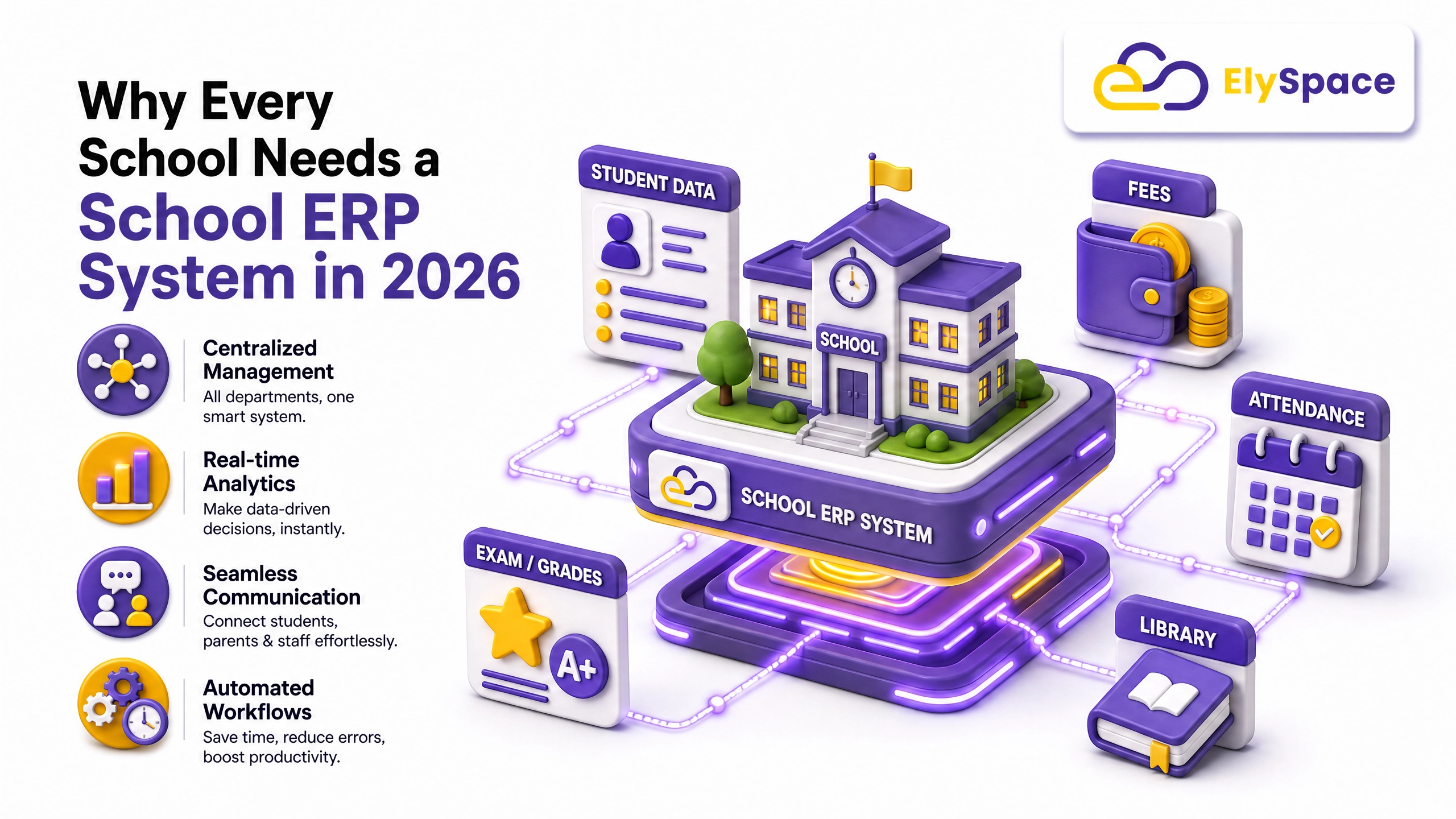
A few years ago, I sat in a principal’s office while her admin staff dug through three different registers just to confirm one student’s attendance record. It took almost twenty minutes. That’s not a rare story; it’s how most schools still run, even in 2026.
This is exactly the gap a School ERP System is meant to close, not with buzzwords, but with something practical: one place where admissions, attendance, fees, and communication actually talk to each other instead of living in separate notebooks and spreadsheets.
If you’re a school owner, a principal, or someone on the admin team trying to figure out whether this switch is worth it, here’s what I’ve learned from watching schools go through this transition: the good, the messy, and the parts nobody mentions in the sales pitch.
At Ely Space, we’ve spent a good chunk of time building a School ERP System around these exact frustrations. You’ll see it referenced a few times below, not as an ad, but because it’s a useful example of how these problems actually get solved in practice.
What Is a School ERP System, Really?
Strip away the jargon and a School ERP System is just software that connects the different jobs a school does every day. Admissions, fees, timetables, exams, communication with parents instead of each of these living in its own file or register, they sit in one system that everyone can see.
Picture it like this: right now, if a parent calls asking why their fee reminder didn’t come, someone has to check the register, then cross-check the payment log, then maybe call the accounts office. With a proper School ERP, that answer is on screen in ten seconds. That’s really the whole point. Less digging, fewer phone calls, fewer “let me check and call you back.”
Why This Matters More in 2026 Than It Did Before
Schools aren’t run the way they were five or six years ago. Parents expect an update the same day something happens, not next week. Boards and governments want digital records for compliance. And staff, frankly, are tired of retyping the same information into three different tools.
A school still running on registers and Excel sheets isn’t lazy; it’s just working with tools that were fine ten years ago and aren’t anymore. A School ERP System isn’t about looking modern for the sake of it. It’s about keeping up with expectations that have quietly gotten a lot higher.
The Everyday Problems a Good School ERP Fixes
Talk to any school administrator for ten minutes, and the same complaints come up. Here’s what a decent School ERP actually solves.
Typing the Same Thing Twice (or Three Times)
Staff often enter a student’s details into the admission file, then again into the attendance register, then again into the fee ledger. A School ERP System stores it once. Every module pulls from that one record, so nobody’s retyping a birthdate for the fourth time this month.
Parents Finding Out Too Late
Notice books get lost. Phone calls get missed. And parents end up hearing about a fee due date or an exam result days after it mattered. Good ERP platforms push that update out instantly SMS, email, or app notification the moment something changes.
Fees That Are a Nightmare to Track
Somebody, somewhere, is manually reconciling cash receipts against a spreadsheet right now. It’s slow, and it’s easy to make a mistake nobody catches until month-end. A School ERP automates the reminders, takes online payments directly, and keeps a clean, auditable record so accounts staff aren’t playing detective every week.
Report Cards Taking Forever
Calculating grades by hand and formatting report cards one by one eats up entire weekends for teachers during exam season. ERP systems generate them automatically once grading rules are set up, which sounds small until you’ve actually done it the manual way at 11 pm before results day.
What to Actually Look For in a School ERP
Not all ERP software is built with the same care, and it’s easy to get sold on features that look good in a demo but barely get used. Here’s what’s actually worth checking before signing anything.
Admissions That Don’t Fall Apart Under Pressure
Admissions season is chaotic no matter what. A solid School ERP System should handle the whole process: inquiry, follow-up, enrollment without staff losing track of who’s paid, who’s pending, and who ghosted after the first call.
Attendance and Timetables That Run Themselves
Biometric or app-based attendance, paired with automatic timetable generation, saves hours that would otherwise go into manual scheduling every single week. It’s one of those features nobody notices until it’s gone.
Fees and Payments That Don’t Need Babysitting
A good School ERP should have a payment gateway built in, send automatic invoices, and give management a clear dashboard of what’s collected and what’s still pending without someone manually pulling that data together every Friday.
Communication That Actually Reaches Parents
Look for built-in messaging and a parent portal. If communication still depends on someone remembering to call each household, the system isn’t doing its job.
Reports That Tell You Something Useful
Attendance trends, academic performance, and financial health a capable ERP should turn this into something readable, not a raw data dump that needs another person to interpret it.
What Changes Once You Actually Use One
It’s not just time saved, though that’s real too. Teachers stop losing their prep time to paperwork. Parents stop feeling like they’re chasing the school for updates. Accounts staff stop dreading month-end reconciliation.
Management gets something they often didn’t have before: an accurate, real-time picture of the school’s finances and operations, instead of a rough estimate pieced together from five different sources. Compliance gets easier too, since most ERP platforms are already built with government and board reporting in mind. None of this happens overnight, but schools that stick with it for a term or two usually say the same thing: they can’t imagine going back.
Picking the Right School ERP System for Your School
This isn’t a decision to rush, and it’s definitely not one to make based on price alone.
Start with your actual pain point. If fee collection is the constant headache, look hard at the accounting and payment features first. If parents keep complaining about not hearing back in time, prioritize the communication tools.
Ask for a live demo, not a slideshow. Software that looks great in a sales pitch can feel clunky the moment your own staff starts using it day to day. If you can, talk to another school already using the platform. Ask about support, not just features, because a great ERP with slow support turns into a headache fast.
And think ahead. A School ERP System that works fine for 400 students should still work when you’re at 1,500, without needing a full system change halfway through.
Mistakes Schools Keep Making When They Switch
Even good software fails if the rollout is rushed. A few things come up again and again.
Training gets skipped or rushed. Even the best School ERP System is useless if teachers and admin staff don’t actually know how to use it. Budget real time for this; it matters as much as the software itself.
Data migration gets treated as an afterthought too. Moving years of student and financial records needs care; done carelessly, it creates errors that take months to untangle later. And choosing the cheapest option purely because it’s cheapest tends to backfire — those platforms often skimp on support and updates exactly when you need them most.
Where Ely Space Fits Into All This
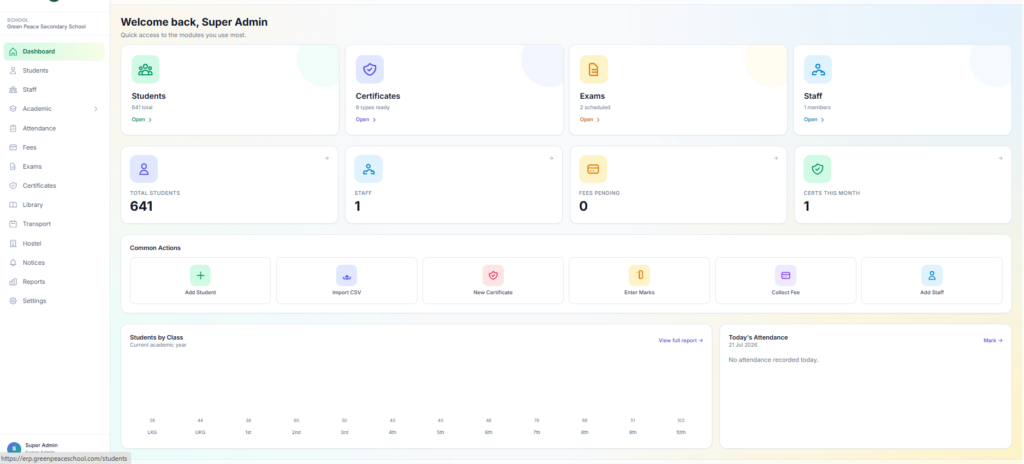
If you’re comparing platforms right now, here’s where Ely Space is different from a generic business ERP that’s been repackaged for schools.
It was built for schools from day one, not adapted from retail or manufacturing software. That shows up in small ways: the admissions flow matches how schools actually admit students, the fee module understands academic terms instead of generic billing cycles, and the reports are built around what a principal actually needs to see, not a finance department’s template.
Onboarding includes real, hands-on training for staff, so the switch from paper and spreadsheets doesn’t just create a new set of problems to solve. And before you commit to anything, ElySpace offers a live walkthrough using your school’s own scenarios, not generic screenshots from a pitch deck.
Final Thoughts
A School ERP System isn’t a nice-to-have anymore. For schools trying to keep up with parent expectations, compliance requirements, and just the day-to-day grind of admin work, it’s become closer to essential infrastructure.
If your school is still running on registers, memory, and a dozen spreadsheets, it might be worth an afternoon to see what a proper system actually looks like in practice. The schools that make this change early tend to be the ones running smoother a year from now, not scrambling to catch up.
If you want to see how ElySpace handles this for a school like yours, book a free demo and take a real look at the dashboard before making any decisions. I am reaching out to see if it fits.