 Live Chat
 Contact
 Shopping Cart
 Irfan Bhat
Try updating a website by hand sometime. Opening raw HTML files, hunting through a wall of tags for one stray typo, holding your breath while you save because you’re not 100% sure what you just changed. I’ve watched people do this. It’s painful, and honestly, nobody should have to do it anymore.
That’s the entire reason content management systems exist. If you’ve landed here because you keep hearing the term “CMS” and nobody’s bothered to actually explain it, good. That’s what we’re doing today. No jargon, no fluff, just what it is and why it matters.
What Is a Content Management System, Really?

A content management system is software that lets you build and update a website without touching code. That’s it. That’s the whole concept, stripped of the marketing language. Wikipedia’s definition is a bit drier: software used to manage the creation and modification of digital content `1but same idea, just said in a stiffer voice.
Log in, click a page, type your update, hit publish. That’s the entire workflow for most people, most days.
Picture the difference between building a house from raw lumber and moving into one that already has plumbing and wiring installed. You’re not laying pipe every time you want to hang a picture frame. A CMS gives you that same head start. The foundation’s already there. You just decide what goes in each room.
And here’s a fact worth sitting with for a second: nearly every website you’ve visited today, the news site, the shop you bought shoes from last week, your cousin’s food blog was almost certainly built and is still being run through one of these systems. WordPress. Shopify. Wix. You’ve heard the names. You just didn’t know what category they belonged to.
How a Content Management System Works
Okay, here’s the part that actually matters if you want to understand this properly instead of just nodding along.
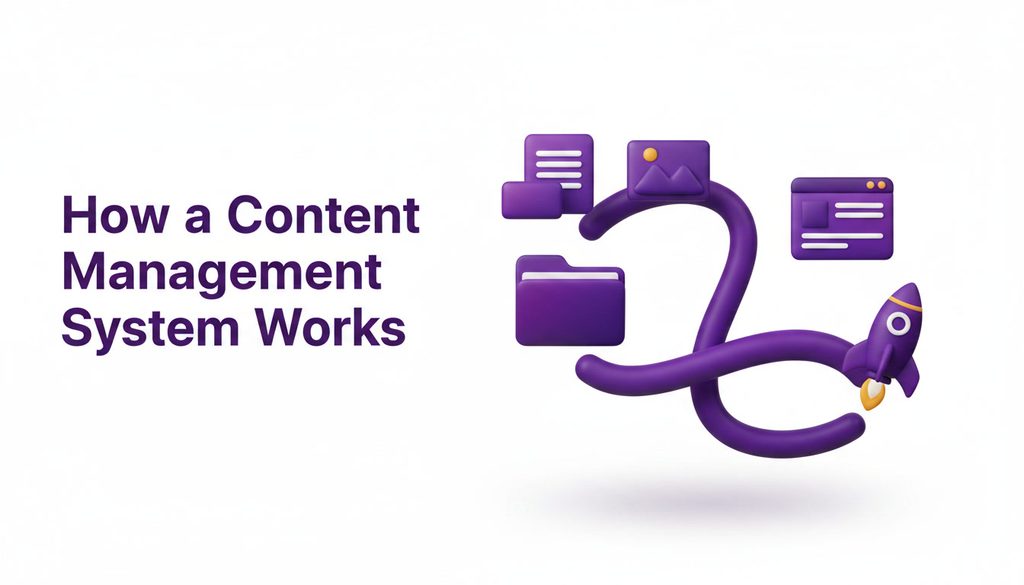
A CMS splits two things apart that used to be glued together: your content, and the way it looks on screen. Write a blog post, and the actual words get stored in a database somewhere. Separately, the system holds templates, which control fonts, spacing, colors, layout, all the visual stuff.
When a visitor loads your page, the CMS reaches into that database, grabs your content, and drops it into the template automatically. Change the template six months from now, and every page on your site updates its look instantly. You don’t touch a single word of the writing.
That’s the whole trick. Write once. Let the system handle formatting, mobile display, and publishing. It sounds almost too simple, but that simplicity is precisely why it’s saved millions of people from needing a developer on speed dial.
The Two Halves of Every CMS
Under the hood, every content management system is really two connected tools wearing one name.
The content management application, or CMA. This is the part you actually see. The dashboard. The login page. The text editor where you type your post and drag in a photo. You don’t need to know a single programming language to use it. If you’ve ever used Google Docs, you already understand 80% of what a CMA feels like.
The content delivery application, or CDA. You never see this one directly. It’s the engine running quietly in the background, taking what you wrote in the CMA and turning it into an actual, functioning web page for visitors. Not glamorous work, but critical.
You don’t need to memorize either term, honestly. Just know a CMS is doing two jobs at once. Giving you a simple place to write, and building the finished product behind the scenes.
Why Everyone Switched to a CMS
Before content management systems became the norm, updating a website meant calling a developer. Every time. Fix a typo on the “About” page? That’s a support ticket and probably an invoice. Add a new product photo? Another ticket.
A CMS killed that entire arrangement. Business owners, freelance writers, nonprofit staff, anyone, suddenly had the ability to manage their own website directly, without a developer standing between an idea and a published page.
That shift wasn’t small. It’s a huge part of why over 70% of websites today run on some kind of CMS, according to W3Techs, which tracks this stuff across the entire web. This isn’t a passing trend anybody’s going to abandon. It’s become the default, mostly because it hands control back to the people actually creating the content, instead of locking it behind a developer’s desk.
Types of Content Management Systems
Not every CMS is built the same way, and picking the wrong category early on is one of the more common mistakes people make. Let’s break it down.
Traditional CMS. The classic setup. Backend and frontend bundled together in one package. WordPress in its default form is the textbook example here. It’s the easiest entry point, and it’s where most small businesses start, for good reason.
Headless CMS. This one only manages and stores the content itself. It has zero opinion about how that content gets displayed. Developers pull the content through an API and build the frontend separately, often across a website, a mobile app, and whatever else needs the same content feed. More power, more flexibility, but you’ll need developer help to actually use it.
Decoupled CMS. Somewhere in the middle. Backend and frontend are separated like a headless system, but there are still built-in tools for presentation, so it’s not entirely on a developer’s shoulders.
If you’re just starting out, go traditional. You can always migrate later once your actual needs outgrow it. Don’t overthink this part.
Popular CMS Examples Worth Knowing
A quick, honest rundown, no hype.
WordPress. Still the heavyweight champion. As of mid-2026, it powers roughly 41% of all websites globally and about 59% of sites using any identifiable CMS. It’s free, open-source, and there are thousands of themes and plugins for almost anything you’d want, from a personal blog to a full-blown online store. Running it well still comes down to where it’s hosted, and WordPress hosting built specifically for it tends to save people a lot of headaches down the road.
Shopify. Built for one thing: selling products online. Payments, inventory, shipping, all handled in ways a general-purpose CMS was never really designed for.
Wix and Squarespace. Drag-and-drop builders for people who want something live today, with polished templates and minimal setup fuss.
Webflow. For designers who want serious visual control without diving headfirst into raw code. Some people prefer to skip building it themselves entirely and just hand it to someone else — a web design service can take that off your plate completely.
Each one’s a content management system underneath, just tuned for a different kind of user and a different kind of site.
CMS vs. Building From Scratch
I get this question constantly. Why not just pay someone to code a fully custom site instead of relying on a CMS?
Sometimes that’s genuinely the right call. Large companies with unusual technical demands or heavy custom integrations often need it. But for most people? And I mean the overwhelming majority? A CMS wins, and it’s not particularly close.
A fully custom site with no CMS means a developer’s involved in every single change. Every blog post. Every price update. Every new photo. That adds up fast, in time and money both. A CMS removes that bottleneck completely. You make the update yourself, whenever you want, without waiting on anyone’s calendar.
There’s a security angle too. Established platforms roll out regular updates and patches, with entire communities backing them. Go fully custom, and that maintenance burden lands entirely on you or your developer, forever.
Who Actually Needs One?
Short version: pretty much anyone planning to touch their website more than once a year.
Small business owner posting new services? You need one. Blogger publishing on any kind of schedule? Need one. Nonprofit updating event pages, photographer refreshing a portfolio, local restaurant changing its menu all, of it calls for a CMS.
The one real exception is a single page that will genuinely never change, like a digital business card. Anything beyond that, and you’ll want one.
Picking the Right Content Management System
A few honest questions to ask yourself before committing to anything.
What are you actually trying to build? A blog, a store, a portfolio, a membership site — these all want different tools. Shopify makes sense if you’re selling. WordPress makes sense if content is the focus. Match the tool to the job, not to whatever’s trending on social media this month.
How much of a learning curve can you stomach? Wix is built for total beginners. WordPress hands you more power but expects a bit more patience while you learn it.
What’s the budget? Some platforms are free to start, though you’re still paying for hosting and a domain regardless. Others charge monthly, scaling with traffic or store size.
Will you outgrow it? A setup that’s perfect for five pages might feel cramped at five hundred. Reliable web hosting matters here too, since even a great CMS runs sluggishly on weak infrastructure. Pick something with room to grow, not just a cheap starting price.
There’s no universal “best” CMS. There’s only the right one for what you’re building.
Mistakes People Keep Making
A few patterns I see over and over, without fail.
Installing every plugin under the sun. It’s tempting. Each one slows things down and adds one more thing that can break later. Add what you need. Skip the rest.
Ignoring updates. These platforms push security patches for a reason. Skipping them is one of the single most common ways small business sites get hacked. Don’t be that story.
Chasing hype instead of fit. Popular doesn’t automatically mean right for your project. Those are two completely different questions.
Never learn the dashboard. You don’t need to become a developer. But spending even an hour poking around will save you weeks of frustration later. Trust me on this one.
FAQs
Do I need to know how to code? No. That’s the whole point. You’ll click and type the same way you would in any everyday app. Advanced customization might eventually call for a developer, but day-to-day publishing doesn’t.
Is WordPress the same thing as a CMS? No, WordPress is just one example. A well-known one, sure, but Shopify, Wix, Squarespace, and Webflow are all content management systems too, each built for a slightly different job.
How much does this actually cost? Depends heavily on the platform. Open-source options are free to download, though you’ll still pay for hosting and a domain, maybe a premium theme or two. Hosted platforms bundle everything into a monthly fee, usually somewhere between $15 and $70, give or take.
Can it handle an online store? Yes, most modern platforms support ecommerce, either natively like Shopify or through plugins like WooCommerce on WordPress. Products, payments, inventory, all from the same dashboard you already use.
Is it good for SEO? Generally, yes. Most platforms come with built-in tools, or at least plugins, for managing titles, meta descriptions, sitemaps, and clean URLs. But it won’t do the actual work for you. You still have to write something worth reading.
Final Thoughts
A CMS isn’t some abstract piece of tech jargon you can safely ignore. It’s the reason you can build a working website without knowing a single line of code, and the reason a small business owner working out of a spare room can publish something that looks just as sharp as what a full agency team would produce.
Pick the one that actually fits what you’re building. Not the loudest one in the marketing. Spend an hour with the dashboard before going live; it’ll save you more time than you’d think. And once it’s set up? Don’t let it collect dust. The people who get real value out of a content management system are the ones who actually open it and use it.
Got a website idea sitting on a to-do list somewhere? This is usually the first real decision you’ll make. Make it count.