 Live Chat
 Contact
 Shopping Cart
 Irfan Bhat
If you’ve typed “WordPress website development in Kashmir” into Google, you’re probably one of two people. Either you run a business here, a houseboat, a shawl export unit, a clinic, a coaching centre, and you know you need a website but have no idea where to start. Or you’re a freelancer or small agency trying to figure out how this whole WordPress thing actually works before you take on your first client.
Either way, you’re in the right place. I’m not going to give you the generic “websites are important” speech. You already know that. What I want to do here is walk you through what WordPress website development in Kashmir actually looks like on the ground, the costs, the local quirks, the mistakes people make, and how to avoid them.
Let’s get into it.
Why WordPress Makes Sense for Kashmiri Businesses
Here’s the honest truth: WordPress isn’t the only option out there. You’ve got Shopify, Wix, Squarespace, custom-coded sites, and a dozen other platforms fighting for attention. But for most small and mid-sized businesses in Kashmir, tourism operators, handicraft sellers, doctors, schools, real estate agents, WordPress usually wins, and not by a small margin.
Why? A few reasons.
First, it’s cheap to start and cheap to run. You’re not locked into a monthly subscription that eats into thin margins the way some hosted platforms are. Second, it powers over 40% of all websites on the internet, which means finding help, plugins, or tutorials when something breaks is never a problem. Third, and this matters a lot for Kashmir specifically, WordPress plays nicely with limited bandwidth. Set it up right, and it loads fast even when the internet connection isn’t exactly blazing.
There’s also the control factor. A shawl exporter in Srinagar selling to buyers in Europe needs a site that can handle a catalogue, multiple currencies, and maybe a booking form for private viewings. A houseboat owner in Dal Lake needs an availability calendar and a gallery that actually shows off the view. WordPress can do both without forcing you into a rigid template that wasn’t built for your business.
What WordPress Website Development Actually Involves
People often think “building a website” means picking a template and typing in some text. Sometimes that’s true. Usually it’s not.
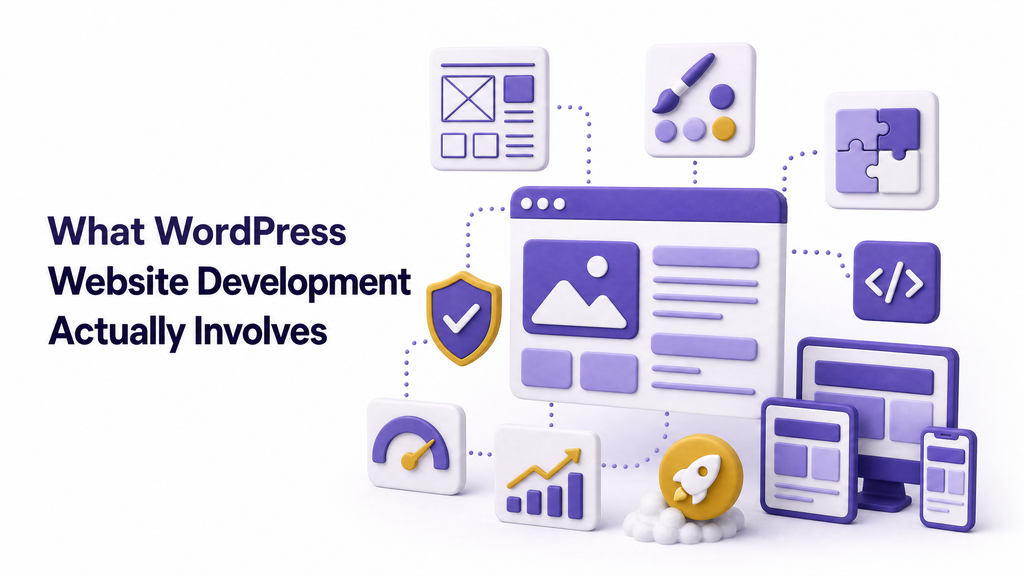
Real WordPress website development in Kashmir or anywhere, honestly, involves several moving parts working together:
- Domain and hosting setup. Your address on the internet and the server that actually stores your site.
- Theme selection or custom design. The visual skeleton of your site.
- Plugin configuration. Small tools that add functionality: contact forms, SEO, security, speed optimization.
- Content structuring. Pages, blog posts, product listings, all organized so visitors (and Google) can find what they need.
- Mobile responsiveness. Making sure the site looks right on a phone, since most of your Kashmiri visitors will be browsing on mobile data, not desktop.
- Testing and launch. Checking forms work, checking speed, checking that nothing breaks when someone clicks a button.
Skip any one of these steps, and you end up with a site that looks fine on day one and falls apart within a month. I’ve seen it happen more times than I can count: a beautifully designed homepage sitting on top of a contact form that’s been silently failing since launch.
How Much Does a WordPress Website Cost in Kashmir?
This is the question everyone actually wants answered, so let’s not dance around it.
Prices in Kashmir vary wildly depending on who you ask, which honestly makes the whole shopping process confusing for a first-time buyer. Here’s a rough breakdown based on what’s realistic for the local market right now:
Basic brochure-style website (5–8 pages): Somewhere between ₹8,000 and ₹20,000. This covers a home page, about page, services, contact, and maybe a gallery. Fine for a small local business that just needs an online presence.
Business website with blog and SEO basics: ₹20,000 to ₹45,000. This is where most serious small businesses should land. It includes proper on-page SEO, a functioning contact system, and room to grow.
E-commerce or booking-based site (WooCommerce, tour booking, etc.): ₹40,000 upwards, sometimes reaching six figures depending on complexity. Payment gateway integration, inventory management, and custom booking logic all add cost.
Ongoing hosting and domain: Budget roughly ₹3,000 to ₹8,000 per year, separate from the one-time build cost. Don’t let anyone tell you this is a one-time payment; it isn’t.
A word of caution here. If someone quotes you ₹2,000 for a “complete professional website,” ask a lot of questions before you pay. It’s usually either a barely modified free template with no SEO work behind it, or it’s a bait price that balloons the moment you ask for a single change.
Choosing a WordPress Developer in Kashmir
This is where most people go wrong, and it’s usually not their fault. There’s no easy way to tell a good developer from a bad one just by looking at a portfolio screenshot.
A few things are actually worth checking before you hire anyone:
Ask to see live sites, not screenshots. Screenshots hide broken links, slow load times, and mobile issues. A live site tells you the truth in about ten seconds.
Check loading speed. Open one of their past projects on your phone using mobile data, not office WiFi. If it takes more than four or five seconds to load, that’s a red flag for how they’ll build yours.
Ask who owns the website after it’s built. Some developers keep the login credentials and hold your site hostage for future edits. Make sure you get full admin access, the domain registration in your name, and hosting details in writing.
Ask about post-launch support. Websites aren’t “finish once and forget.” Ask what happens when a plugin breaks six months from now, and whether that’s included or billed separately.
Look for someone who understands your business, not just WordPress. A developer who’s built sites for tourism, handicrafts, or healthcare in Kashmir specifically will anticipate problems a generic developer won’t, like slow connectivity in remote tourist areas or the need for a site to work well during peak season traffic spikes.
If you’d rather skip the guesswork, our team at Ely Space has handled this exact process for businesses across the Valley, from first consultation to post-launch support. Worth a conversation if you’re still deciding between DIY and hiring out.
Step-by-Step: Building Your WordPress Website
If you’re going the DIY route, or just want to understand what your developer is actually doing behind the scenes, here’s the general order of operations:
1. Buy your domain and hosting. Pick a domain name that’s short, easy to spell, and ideally matches your business name. For hosting, you want something reliable with good uptime. This is not the place to cut corners.
2. Install WordPress. Most hosting providers offer one-click WordPress installs these days, so this step is usually painless.
3. Pick a theme. Choose something lightweight. A theme packed with flashy animations might look impressive in a demo, but it’ll slow your site down in real-world use, especially on mobile networks common across Kashmir.
4. Install essential plugins. At minimum, you’ll want an SEO plugin (Yoast or Rank Math are the standard picks), a security plugin, a caching plugin for speed, and a form plugin for contact pages.
5. Build your core pages. Home, About, Services or Products, Contact, and a Blog if you plan to publish content regularly.
6. Optimize images. This one gets skipped constantly, and it shouldn’t. Large, uncompressed photos are the single biggest reason WordPress sites load slowly. Compress everything before uploading.
7. Test on mobile. Genuinely open your own site on your phone and click through every page. You’ll catch problems this way that you’d never notice on a desktop screen.
8. Set up analytics. Connect Google Analytics and Google Search Console before you launch, not months later. You want data from day one.
9. Launch and monitor. Once it’s live, keep an eye on speed, broken links, and form submissions for the first few weeks.
Local Challenges (And How to Handle Them)
Building a website in Kashmir comes with a few wrinkles that don’t get talked about enough.
Internet connectivity fluctuations. Anyone who’s lived here knows connectivity isn’t always consistent. This makes site speed even more important than usual: a heavy, image-loaded homepage that’s fine in Delhi might frustrate a visitor browsing on a patchy connection in Kupwara or Kargil.
Seasonal traffic spikes. Tourism-related businesses often see massive traffic jumps during peak season and near silence in off-season months. Your hosting plan needs to handle both without crashing during the busy months or costing a fortune during the quiet ones.
Limited local tech support. Compared to bigger metros, finding a developer who’s available for quick fixes at short notice can be harder here. This is exactly why post-launch support terms matter so much when you’re hiring. Get it sorted before signing anything.
Payment gateway options for e-commerce. Not every payment gateway supports every region equally well, and if you’re selling internationally, say, exporting pashmina or handicrafts, you’ll need to check which gateways actually work smoothly for cross-border transactions from Jammu and Kashmir.
SEO for Kashmiri Businesses on WordPress
Building the site is only half the job. If nobody finds it, it might as well not exist.
Good SEO for a Kashmir-based WordPress site starts with local intent. If you run a business that serves Srinagar, Anantnag, Baramulla, or anywhere specific, say so clearly on your pages. “Best homestay in Pahalgam” will always outperform a vague “cosy accommodation in the mountains” when someone’s actually searching.
Set up a free Google Business Profile and link it to your site. This alone drives a surprising amount of local traffic, especially for anyone offering services people search for, such as nearby clinics, restaurants, repair shops, and tour guides.
Write real content, not filler. A blog that answers actual questions your customers ask, “how to book a houseboat during peak season,” “best time to visit Gulmarg for skiing,” will do more for your rankings over time than any amount of keyword stuffing. Google’s own guidance on helpful content is pretty clear on this: write for people first, and the rankings tend to follow.
Speed matters more than most people realize. You can test your own site’s performance for free using Google PageSpeed Insights or GTmetrix. If your score is consistently low, that’s usually a hosting or image-optimization issue, and it’s worth fixing before you invest more in content.
Maintenance: The Part Everyone Forgets
Nobody likes to hear this, but a WordPress website isn’t a one-and-done project. It needs upkeep, the same way a shop needs someone to sweep the floor and restock the shelves.
At minimum, plan for:
- Regular WordPress core, theme, and plugin updates
- Backups, ideally automated and stored off-site
- Security monitoring is important since outdated WordPress sites are a common target for hackers
- Content refreshes, especially for pages with pricing, seasonal offers, or contact details
Skip maintenance for a year, and you’re rolling the dice on a hacked site, broken plugins, or a page that quietly stopped displaying correctly months ago without anyone noticing.
Common Mistakes to Avoid
A quick list, because these come up constantly:
- Choosing the cheapest option without checking what’s actually included. Cheap upfront often means expensive later.
- Ignoring mobile users. Most of your traffic in Kashmir will come from phones. Design for that first, desktop second.
- Ignoring page speed. Slow sites lose visitors before they even see your content.
- No clear call-to-action. Every page should tell the visitor what to do next: call, book, message, buy.
- Forgetting local SEO. A generic site with no local signals is invisible to people actually searching nearby.
- Not owning your own domain and hosting accounts. This one bites people hard when they eventually want to switch developers.
Final Thoughts
A good WordPress website isn’t about having the flashiest design or the most plugins crammed onto one page. It’s about giving your customers a fast, clear, honest place to find you, whether they’re a tourist planning a trip to Gulmarg or a buyer in Paris looking to order pashmina shawls.
Get the fundamentals right: solid hosting, a lightweight theme, real content, and someone who’ll actually stick around for support after launch, and the rest tends to fall into place.
If you’re ready to build something that actually works for your business instead of just looking good in a screenshot, get in touch with Ely Space and let’s talk through what you need.