 Live Chat
 Contact
 Shopping Cart
 Rashid Malla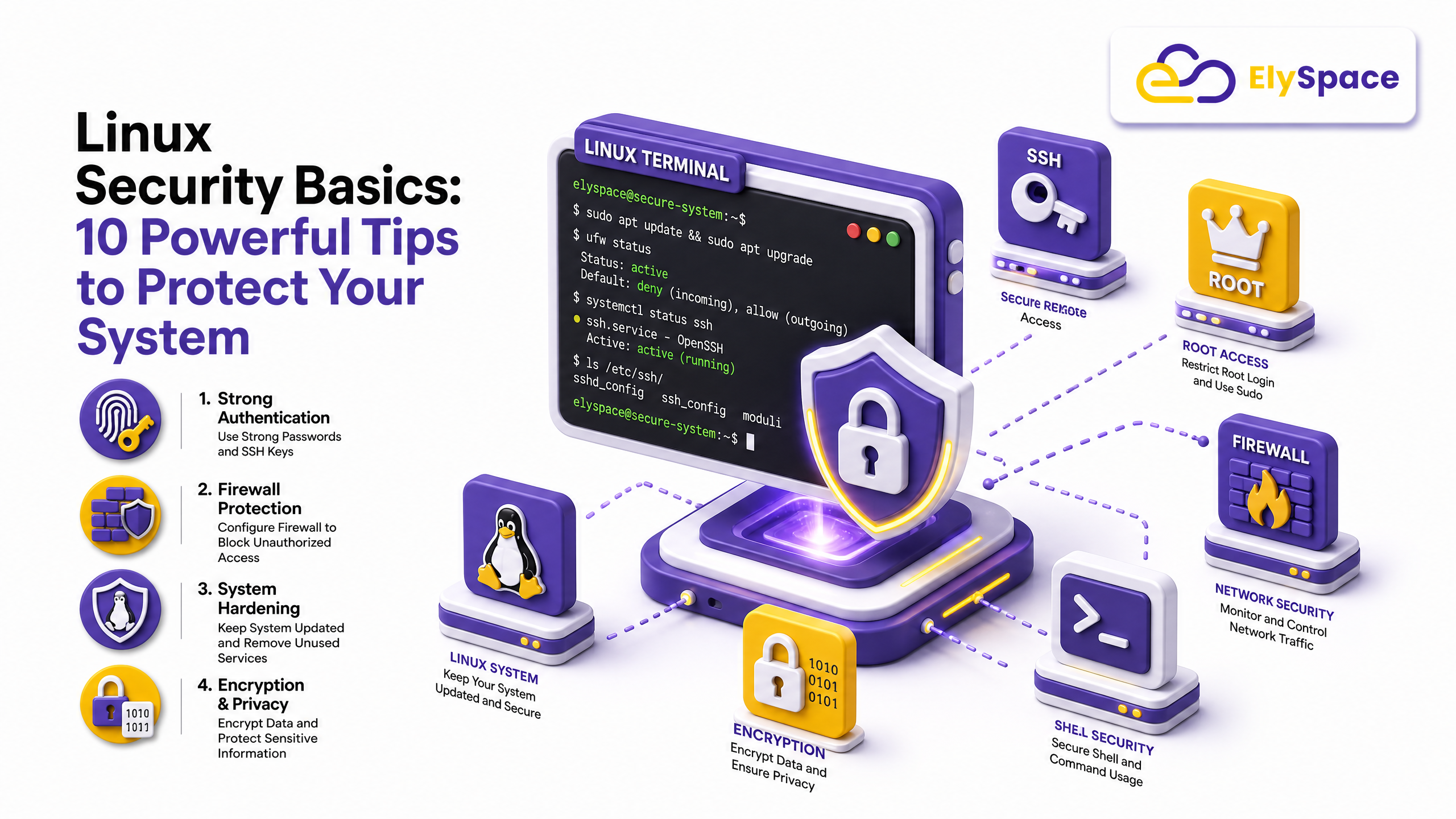
I’ve lost count of how many “secure” Linux servers I’ve logged into over the years that were one bad password away from disaster. Default SSH port, root login enabled, no firewall, and a cron job nobody remembered writing. That’s the honest state of a lot of boxes out there, and it’s exactly why Linux security basics matter more than most beginners realize.
Linux has a reputation for being the “safe” operating system. It’s not wrong, exactly. Linux is genuinely more resistant to a lot of common malware than Windows, and its permission model is solid by design. But “more secure by default” and “secure because you did nothing” are two very different things. A fresh Ubuntu or CentOS install is a decent starting point, not a finished job.
This guide walks through the Linux security basics every server owner, sysadmin, and curious beginner should know. No jargon dump, no theory for theory’s sake. Just the stuff that actually keeps servers from getting popped.
Why Linux Security Basics Actually Matter
Linux runs most of the internet. Web servers, databases, cloud infrastructure, IoT devices, even your router probably runs some flavor of it. That popularity is exactly why attackers love it. A single unpatched vulnerability or a lazy root password can turn your server into someone else’s botnet node within hours of it going live.
Learning Linux system hardening isn’t about becoming a paranoid security researcher overnight. It’s about closing the obvious doors before someone tries the handle. Most breaches aren’t sophisticated. They’re opportunistic. Bots scan the internet constantly, looking for exactly the mistakes covered below.
If you’re managing your own server, whether it’s a personal project or something for a client, treat this like your starting checklist. And if you’d rather not manage any of it yourself, a managed hosting plan that includes security monitoring will save you a lot of late nights.
Keep Your System Updated (Seriously, Do This First)
I’ll say the boring thing first because it’s the most important: update your system. Most successful attacks exploit vulnerabilities that were patched months, sometimes years, earlier. The fix already existed. Nobody applied it. This one habit alone covers a big chunk of Linux security basics on its own.
On Debian or Ubuntu, that’s:
sudo apt update && sudo apt upgrade -yOn RHEL, CentOS, or Fedora:
sudo dnf update -ySet up automatic security updates where you can, especially for critical patches. Tools like unattended-upgrades on Debian-based systems handle this quietly in the background. It’s not glamorous work, but this single habit prevents more breaches than any fancy security tool you could buy.
Lock Down SSH Access
SSH is the front door to your server, and it’s the first thing attackers try to kick in. If you take away one thing from this article on how to secure a Linux server, make it this section. It’s the single biggest item on any list of Linux security basics you’ll find.
Start with these changes in /etc/ssh/sshd_config:
- Disable root login:
PermitRootLogin no - Turn off password authentication and switch to SSH keys:
PasswordAuthentication no - Change the default port from 22 to something less predictable
- Limit login attempts using
MaxAuthTries
Restart SSH after editing the file:
sudo systemctl restart sshdNone of this is complicated, but skipping it is how servers end up compromised within their first week online. I’ve watched fresh installs get brute-forced before the owner even finished setting up their website.
Set Up a Firewall You Actually Understand
A firewall you didn’t configure is basically decoration. Linux ships with powerful firewall tools, ufw on Ubuntu and firewalld on CentOS/RHEL, and both are easier to use than people assume.
A basic UFW setup looks like this:
sudo ufw default deny incoming
sudo ufw default allow outgoing
sudo ufw allow ssh
sudo ufw allow http
sudo ufw allow https
sudo ufw enable
That’s it. You’ve just blocked every port you don’t explicitly need open. This one habit alone eliminates a huge chunk of automated attack traffic, because most bots are scanning for open, unmonitored ports. A properly configured firewall is one of those Linux security basics that pays off the moment you turn it on.
Use Strong Authentication, Not Just Strong Passwords
Passwords alone are not enough anymore, full stop. Add two-factor authentication wherever your server or control panel supports it. Tools like Google Authenticator and PAM modules work well for SSH, and most hosting control panels support 2FA natively now.
If you’re still using passwords for anything critical, make them long. Not “clever,” just long. A 20-character random passphrase beats a 10-character password stuffed with symbols every single time, and it’s honestly easier to remember if you use a passphrase style like four random words strung together.
Manage User Permissions Like You Mean It
Every account on your server should have exactly the access it needs. Nothing more. This is the core idea behind the principle of least privilege, and it’s one of the oldest, most reliable Linux security best practices in the book.
A few habits worth building:
- Never work as root day-to-day. Use
sudofor specific commands instead. - Review
/etc/passwdand/etc/groupperiodically for accounts you don’t recognize. - Set correct file permissions, and avoid the temptation to run
chmod 777just to “make an error go away.” We’ve actually written a full breakdown of why that command is dangerous if you want the details. - Remove or lock unused accounts instead of leaving them dormant.
Sloppy permissions are one of the quietest ways servers get compromised. Nobody notices until it’s too late. Getting your permissions right is one of those Linux security basics that feels tedious right up until it saves your entire server.
Install an Intrusion Detection Tool
Fail2Ban is one of the simplest tools you can add to a fresh server, and it earns its place immediately. It watches your logs for repeated failed login attempts and bans the offending IP address automatically.
sudo apt install fail2ban
sudo systemctl enable fail2ban
sudo systemctl start fail2ban
For something more thorough, tools like Imunify360 combine malware scanning, firewall management, and real-time threat detection into one package. If you’d rather not configure any of that manually, ElySpace’s website security service handles malware scanning, hardening, and cleanup for you, taking these Linux security basics off your plate entirely.
Audit Your Running Services
Every service running on your server is a potential entry point. Check what’s actually active:
sudo systemctl list-units --type=service --state=runningThen ask a simple question about each one: do I actually need this? Old FTP daemons, unused database services, or test applications left running from a previous project are common Linux vulnerability basics that attackers actively scan for. Disable anything you don’t use, and don’t install software “just in case.”
Encrypt Sensitive Data and Backups
Encryption protects you when everything else fails. If a drive gets stolen or a backup gets exposed, encrypted data is just noise to whoever gets their hands on it.
Use LUKS for full disk encryption on sensitive systems, and always encrypt backups before storing them offsite or in the cloud. GPG works fine for individual files if full disk encryption isn’t practical for your setup. A quick daily backup routine paired with encryption is one of the cheapest insurance policies you’ll ever set up.
Monitor Logs Instead of Ignoring Them
Logs tell you exactly what’s happening on your server, but only if someone actually reads them. Check /var/log/auth.log (Debian/Ubuntu) or /var/log/secure (RHEL/CentOS) regularly for failed login attempts and unusual activity.
For anything beyond a small personal project, set up centralized logging with a tool like Logwatch or a proper SIEM solution. It sounds like overkill until the day it isn’t, and by then it’s too late to wish you’d set it up sooner. Log monitoring rarely makes anyone’s shortlist of Linux security basics, but it should.
Automate What You Can, Review What You Can’t
Automation handles the repetitive stuff: patching, backups, log rotation, banning brute-force attempts. Humans handle judgment calls: is this new user account legitimate, does this traffic spike look normal, should this service really be exposed to the internet?
Good server security isn’t a one-time setup. It’s a habit you build into how you run things. Set a recurring reminder to review your server’s security posture monthly, even if it’s just a fifteen-minute check.
If server management genuinely isn’t your thing, that’s fine too. A fully managed cloud server puts these Linux security tips for beginners into practice on your behalf, backed by people who do this daily.
For a deeper technical reference, the CIS Linux Benchmarks are worth bookmarking. They’re the closest thing to an industry standard checklist for hardening any distribution.
Final Word on Linux Security Basics
Here’s the truth nobody likes hearing: there’s no single tool or setting that makes a Linux server “secure” forever. It’s layers. Updates, SSH hardening, a firewall, sane permissions, and someone actually watching the logs. Skip enough of these, and it’s not a question of if something goes wrong; it’s when.
Start with the SSH and firewall changes today. They take fifteen minutes and block the vast majority of automated attacks on their own. Everything else you can build up from there, one habit at a time.
Got a server that’s been sitting untouched for months? Go check it right now. I’ll wait.